Automatic Membership Downgrade
Demo Project
https://editor.momen.app/tool/DqQnbOVO7dG/WEB?code=3j52Zj2LYxTeh&ref=0562398
Introduction
- Goal: Automatically reset a user’s status from “VIP” to “Standard” once their membership expires.
- Use Cases: Annual points clearing, inactive account cleanup, daily activity score resets, or periodic subscription management.
- Core Logic: Use a Scheduled Trigger to run an Actionflow at a fixed interval based on absolute time thresholds. The flow filters records where the expiry date is less than or equal to the current time and performs a batch update on the status field.
Steps
Data Storage
First, we need a data structure to track membership details. Because the built-in system account table restricts manual data insertion, we will create a separate profile table with a 1:1 relationship to facilitate our testing.
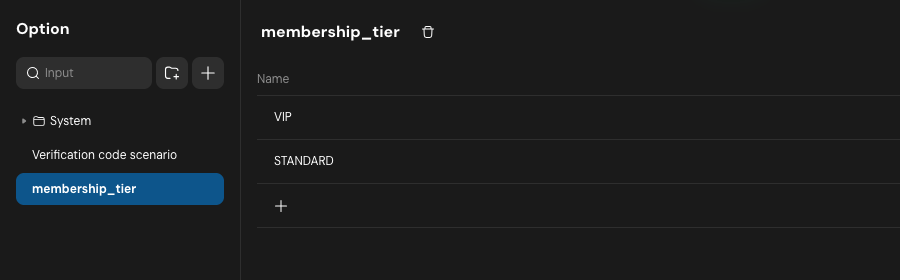
- Enum: Membership tier is a fixed set of values, so first create an enum named
membership_tierunder Data -> Enum and add two values:
| Enum value | Meaning |
|---|---|
VIP | VIP member |
STANDARD | Standard user |
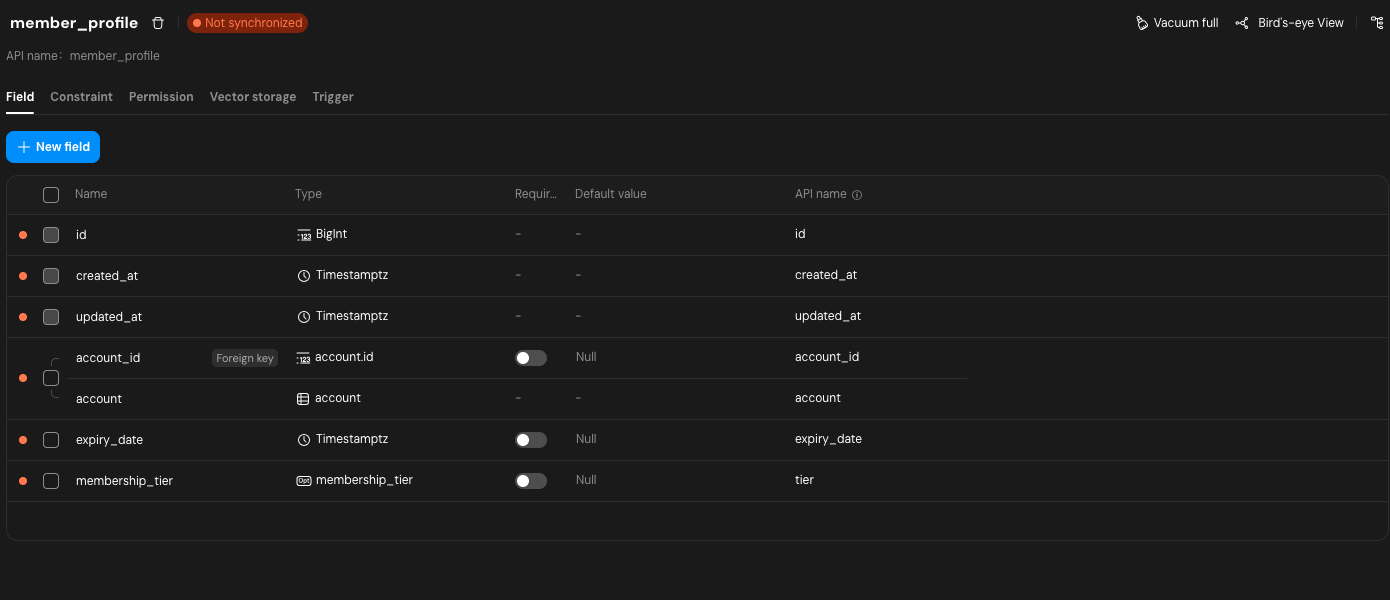
- Data Model: Create a table named
member_profile. - Fields:
| Field Name | Type | Note |
|---|---|---|
membership_tier | Enum (membership_tier) | Values: VIP, STANDARD. |
expiry_date | Date/Time | Records the exact time when VIP privileges expire. |
account_id | BigInt | An auto-generated foreign key created after establishing a 1:1 relationship with the built-in account table. |
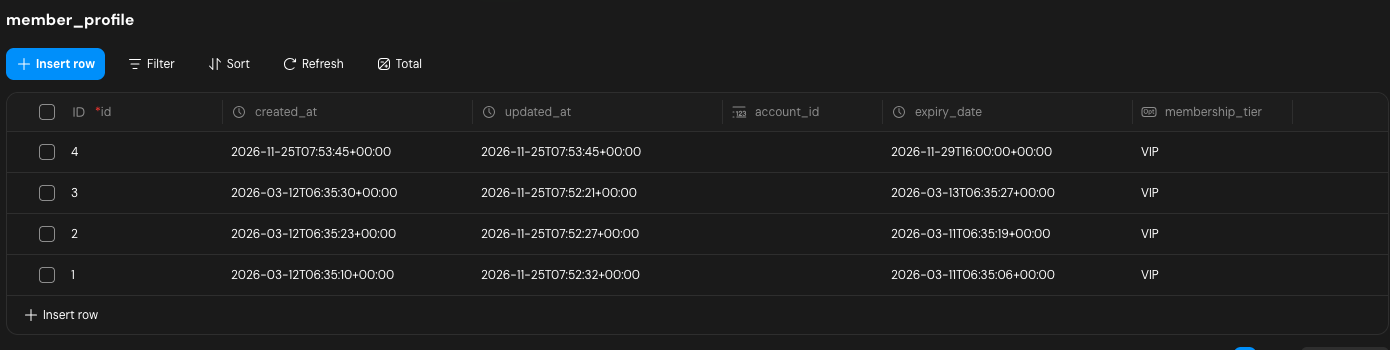
- Database Records: Prepare test data in the Database tab and pick
VIPformembership_tierfrom the dropdown. Ensure you manually insert at least one record with anexpiry_datein the past (expired) and another in the future (active) to verify the logic.
Logic Configuration
We will now build the backend logic to handle the batch update.
Actionflow Construction
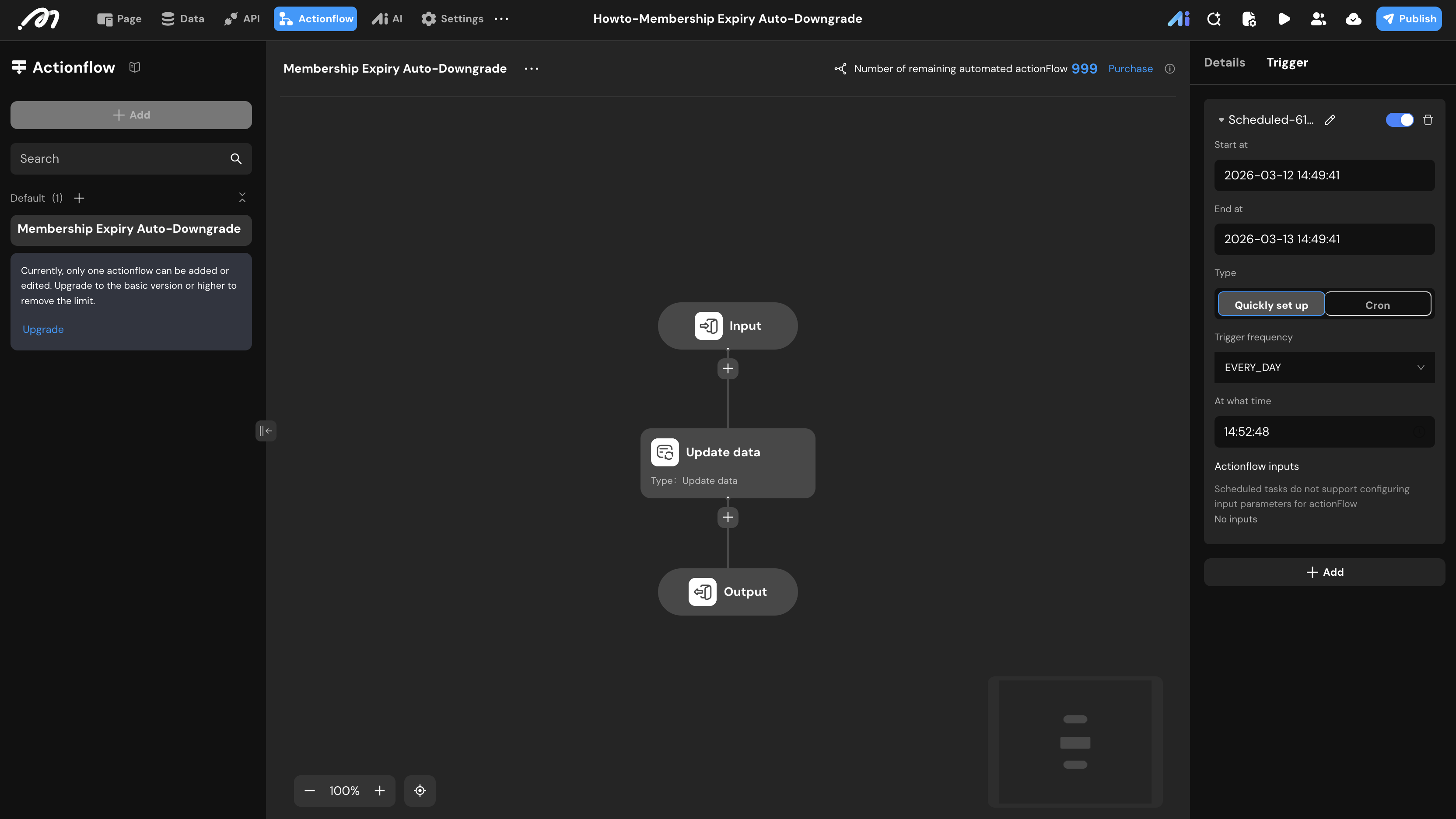
- Go to the Actionflow tab and create a new flow named
Membership Expiry Auto-Downgrade. - Trigger Configuration:
- Select the Trigger panel on the right sidebar.
- Add a Schedule trigger.
- Set the Trigger frequency (e.g.,
EVERY_DAY) and specify the exact time the check should occur.
- Action Steps:
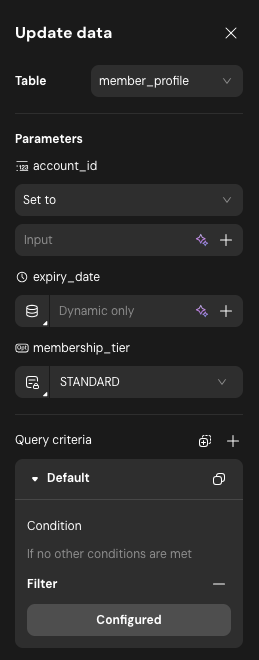
- Add an Update data node.
- Table: Select
member_profile. - Set to: Change
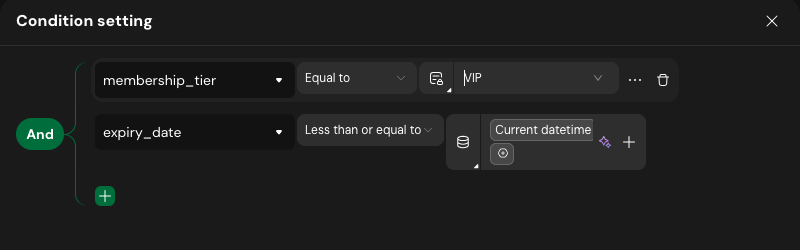
membership_tierto the enum valueSTANDARD. - Filter (Condition Setting):
- Condition 1:
membership_tierEqual to the enum valueVIP(pick it in the value binding menu under Enum -> membership_tier -> VIP). - Condition 2:
expiry_dateLess than or equal toCurrent datetime.
- Condition 1:
The Update data node in Momen supports batch updates. It will apply the changes to all records that meet the filter criteria in a single execution.
Verification
To verify the automation:
- Set the scheduled trigger to a time a few minutes into the future.
- Wait for the scheduled time to pass.
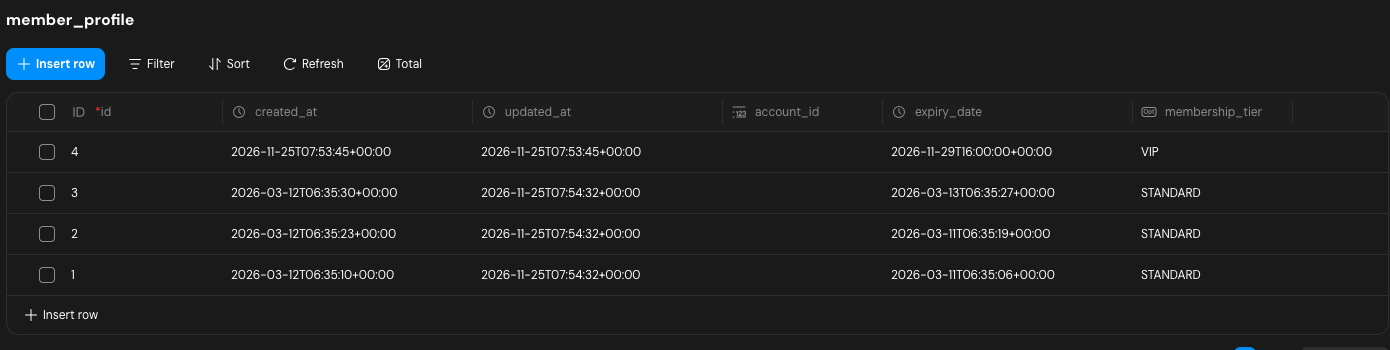
- Return to the Data -> Database tab and click Refresh.
- Result: The record with the expired date should now show a
membership_tierofSTANDARD, while the unexpired record remainsVIP. - Check the Actionflow execution quota.
When using batch updates, the node only returns a single record’s result in its output. If your logic requires individual processing for each updated record (like sending an email notification), consider using a Loop node instead.