Loop
Process each item in an array data source sequentially. Use for batch updates, aggregations, and repeated operations over lists.
Use cases
The Loop action iterates over an array and runs the same logic for every element.
Supported data sources:
- Page data: Remove the row limit to return the full array
- Select view: Enable multi-select to process chosen rows
To loop a fixed number of times, use the SEQUENCE formula to build an array of the desired length and use it as the data source.
Common scenarios:
- Shopping cart total: Sum price × quantity across cart items
- Batch updates: Apply the same change to multiple records
- Aggregations: Count, sum, or categorize items
- Data sync: Push multiple records to an external system
Parameters
| Parameter | Type | Required | Description |
|---|---|---|---|
| Data source | Array | Yes | Page data or select view (multi-select) |
| Item actions | Actions | Yes | Logic to run for each element |
Results
- Item Data: Access the current row through
Item Datain item actions. - The action has no direct return value. Results come from the actions inside the loop.
How it works
Loop reads the selected array and runs the configured item actions sequentially for every element.
Setup
Prepare the data source
Configure page data without a row limit, or enable multi-select on a select view.
Add the loop action
Add Loop at the appropriate trigger (e.g. on data request success) and select the array data source.
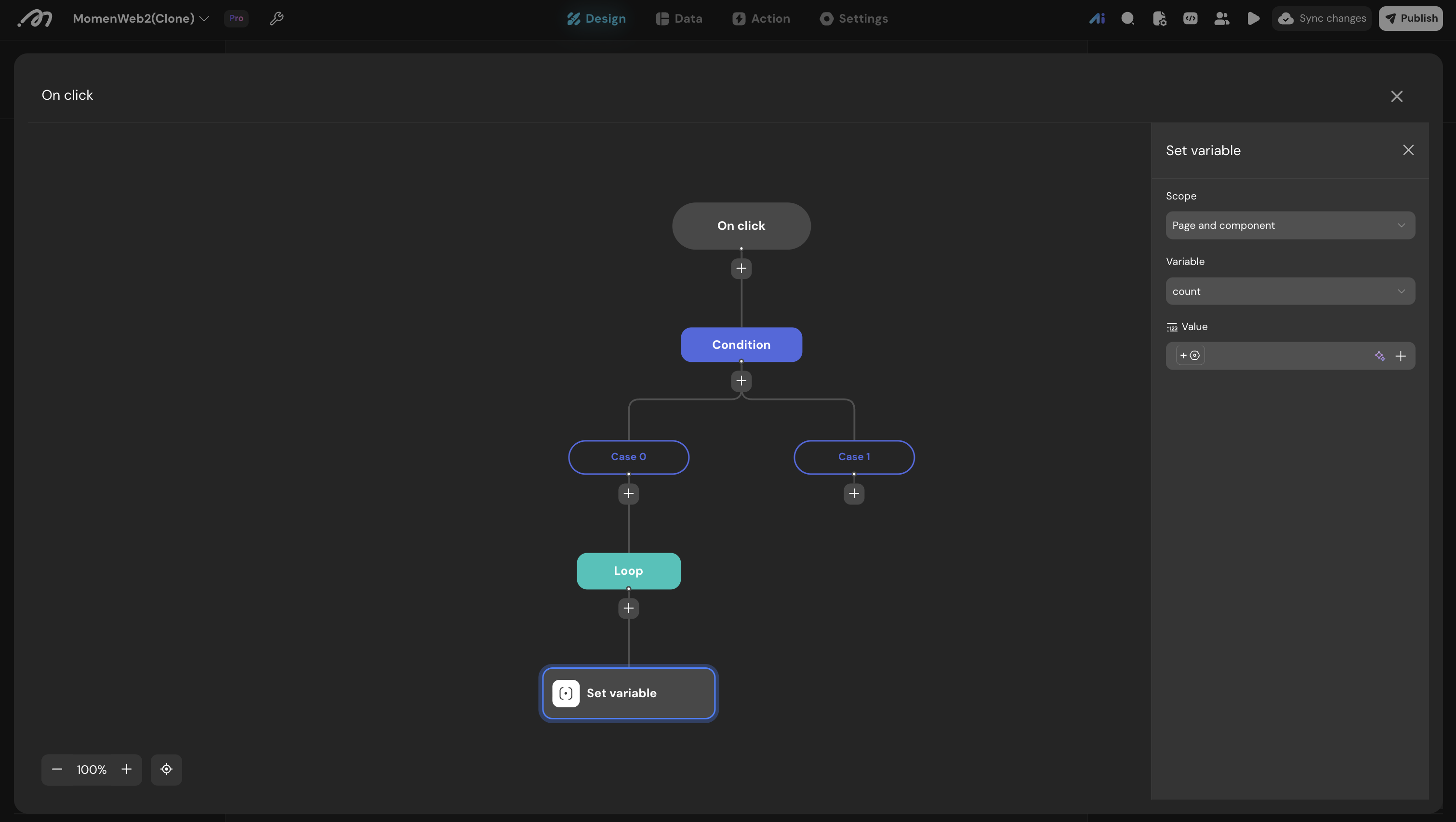
Configure per-item logic
In Item actions, use Item Data to access the current row.
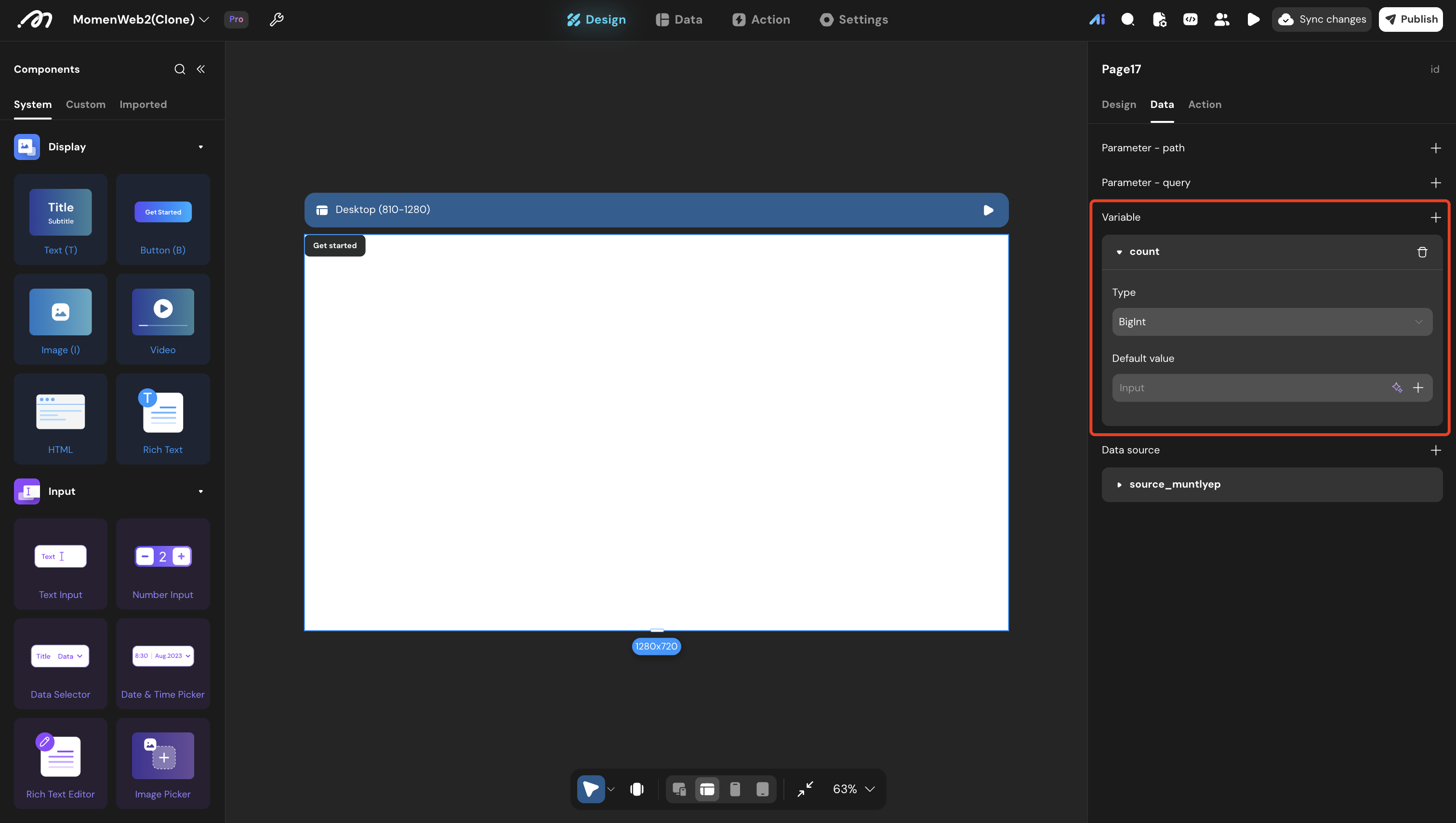
Set up accumulator variables (optional)
For totals or counts, add page variables and update them inside the loop.
| Add a page variable | Assign a page variable |
|---|---|
 |  |
Notes
- Page data: Remove row limits for full arrays
- Select view: Enable multi-select
- Performance: Large arrays may affect performance; consider batching
- State: Page variable changes persist across iterations (suitable for accumulators)
Errors
- No items are processed: The bound data source is empty, has a row limit, or the select view has no selected rows.
- Unexpected totals: An accumulator variable was not reset before the loop starts.
- Slow execution: The array is too large or the per-item action chain contains expensive requests. Reduce the input size or process records in smaller batches.
Examples
Shopping cart total
// 1. Page variable: total (Arbitrary Precision Decimal, default 0)
// 2. Page data: cart_items (no row limit)
// 3. Loop:
Data source: cart_items
Item actions:
  - Set page variable "total" = total + (item data.quantity * item data.unit_price)

// Calculation:
// Start: total = 0
// Item 1: qty 2, price 100 → total = 200
// Item 2: qty 3, price 200 → total = 800
Category count
// Count products by type
// Page variables: electronics_count, apparel_count, food_count
Data source: product_list
Item actions:
  - Conditional:
    - If item data.type == "Electronics": electronics_count + 1
    - If item data.type == "Apparel": apparel_count + 1
    - If item data.type == "Food": food_count + 1
Batch export
// Export selected users to an external API
Data source: user_select_view.selected_items
Item actions:
  - Call API:
    - URL: "https://api.external.com/users"
    - Method: POST
    - Body: { name: item data.name, email: item data.email, phone: item data.phone }
  - On success: Show toast "Exported {item data.name}"
  - On failure: Show toast "Failed to export {item data.name}"