2024 Changelog
v2.1.2 | Dec 12, 2024
🚀 New Features
- Hosting files in the Root Directory: Users can now upload verification files to the root directory of the web application. View details
- SEO Improvements: Added options for render mode selection, robots file, and other settings.
✨ Enhancements
- Commission Dashboard: A new commission panel in the User Center, allowing users to share their exclusive referral link, track the number of invites, total commission, and available withdrawal amount. View details
- Tab Bar: Users can now drag and reorder tab pages.
🐞 Bug Fixes
- Fixed issues with public configuration.
- Fixed backend deployment failure.
- Fixed style issues with the large action popup.
- Fixed image component display issues.
- Fixed payment configuration issues for multi-client projects.
v2.1.1 | Nov 22, 2024
🚀 New Features
- Custom Component: You can now save configured components as Custom Component and apply to different pages within your project.
✨ Enhancements
- Actionflow Permission Nodes: Added permission management to Actionflow, enabling users to automatically assign or remove roles in specific scenarios.
- Open Project in New Tab: Projects can now be opened in a new tab by selecting the option in the right-click menu.
🐞 Bug Fixes
- Fixed the issue with Actionflow data binding.
- Fixed the issue related to Actionflow database changes configuration.
- Fixed the issue with remote data causing an infinite loop.
- Fixed the issue with template creation.
v2.1.0 | Oct 31, 2024
🚀 New Features
- Log Service: Users can now view project logs, currently focused on gateway-related logs, such as connection attempts and error messages. More types will be added soon.
- Canvas: Users can now select multiple components for uniform adjustments to properties such as positioning, size, and background color. This update also allows users to create a view after making multiple selections.
- My Wallet: Users can purchase plans and computing resources using credits (does not support recharge for now), with a new coupon feature added for discounts.
- Affiliate Program: Users can invite others to use Momen. For every paid referral, they can earn a commission.
- Onboarding: New users can now enter an invitation code during registration.
✨ Enhancements
- Data Binding: Visuals and interactions have been optimized, and users can now copy and paste data a set of bindings for improved efficiency.
- Actionflow: Users can now copy and paste a single node each time within Actionflow.
🐞 Bug Fixes
- Resolved an issue where errors were not displayed in the condition configuration pop-up, improving troubleshooting.
- Fixed formatting issues in input boxes to enhance usability.
- Addressed anomalies in the usage of the map component, ensuring more reliable functionality.
- Corrected style issues with view component selections for a more consistent user experience.
- Fixed the inability to locate configuration errors in Actionflows, aiding users in error resolution.
- Resolved issues with abnormal Actionflow triggers to ensure smoother operation.
v2.0.5 | Oct 10, 2024
🚀 New Features
- Canvas Optimization: Added right-click operations to the top toolbar, supporting actions such as page copying. Automatically convert units when switching component width and height units.
- Collaborative Experience and Performance: Improved the experience and performance for multi-client collaborative applications.
🐞 Bug Fixes
- Fixed an issue where Actionflow filters were failing.
- Fixed the issue where text color settings in the data selector were not applied.
- Fixed styling issues in the tab bar component.
- Fixed an issue where background images were not tiled correctly.
- Fixed the failure to deploy after importing large files via AI.
- Fixed the issue where project activation failed.
v2.0.4 | Sep 14, 2024
🚀 New Features
- UI and Data State Retention for Conditional Containers and Tab Bar: Conditional containers and tab bar components now support preserving their UI and data state after switching.
- All Page Mode: All pages mode has been added to the web, allowing for easier page selection (shortcut: cmd/ctrl + P).
- Actionflow Vector Search: The “Get Data” node in Actionflow now supports vector search for improved data querying.
- Version Switching for Code Components: Code components now support switching between different versions.
✨ Enhancements
- Canvas Improvements: The left sidebar automatically scrolls to the selected component (if enough space is available). A new “Paste to Page” option has been added to the right-click menu for pages.
🐞 Bug Fixes
- Fixed an issue where the project occasionally failed to open due to the diff save mechanism.
- Fixed an issue where page data couldn’t be assigned after enabling the “List” option.
- Fixed an issue with abnormal data display when switching between tab bar views.
- Fixed a crash caused by inputting large numbers into the AI max token limit.
- Fixed an issue where the default condition could be deleted after dragging.
- Fixed a crash caused by incorrect cron expressions in scheduled tasks.
- Fixed an issue where the deployment success prompt persisted after backend deployment succeeded.
- Fixed an issue where the “Hover” switch in the right sidebar wouldn’t change state after being turned on.
- Fixed an issue where the order table could incorrectly select the account table in payment configurations.
- Fixed styling issues in the custom domain configuration.
- Fixed an issue where web page paths were not unique after configuring the HTML path.
- Fixed unclear wording in some parts of the AI configuration.
- Fixed an issue where lists would trigger a refresh action, but the view wouldn’t refresh.
- Fixed an issue where fields displayed “null” when SEO was enabled but not configured.
v2.0.3 | Sep 14, 2024
✨ Enhancements
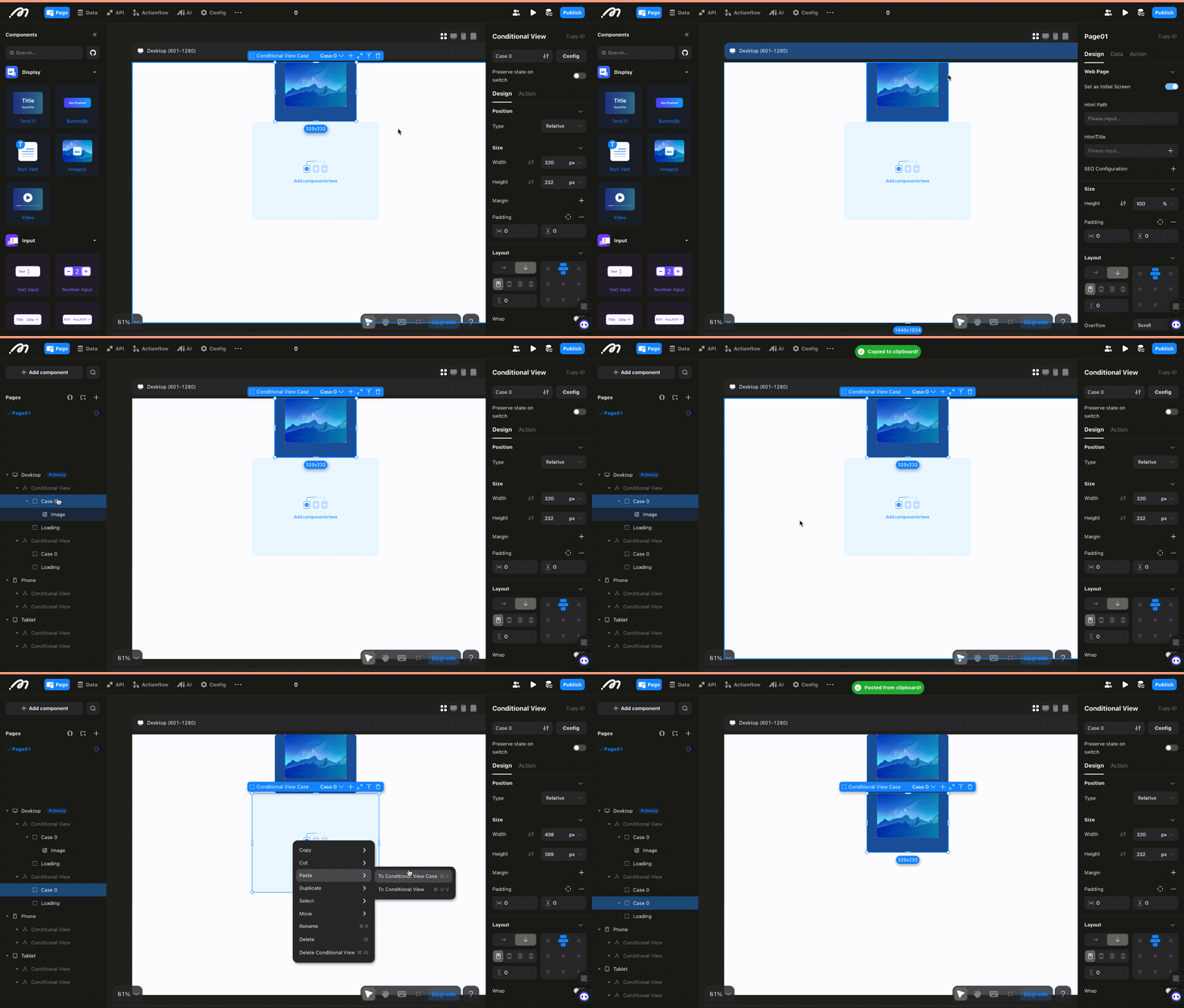
- Support for Copying Individual Cases in Conditional Containers: Users can copy specific cases within conditional container to another.
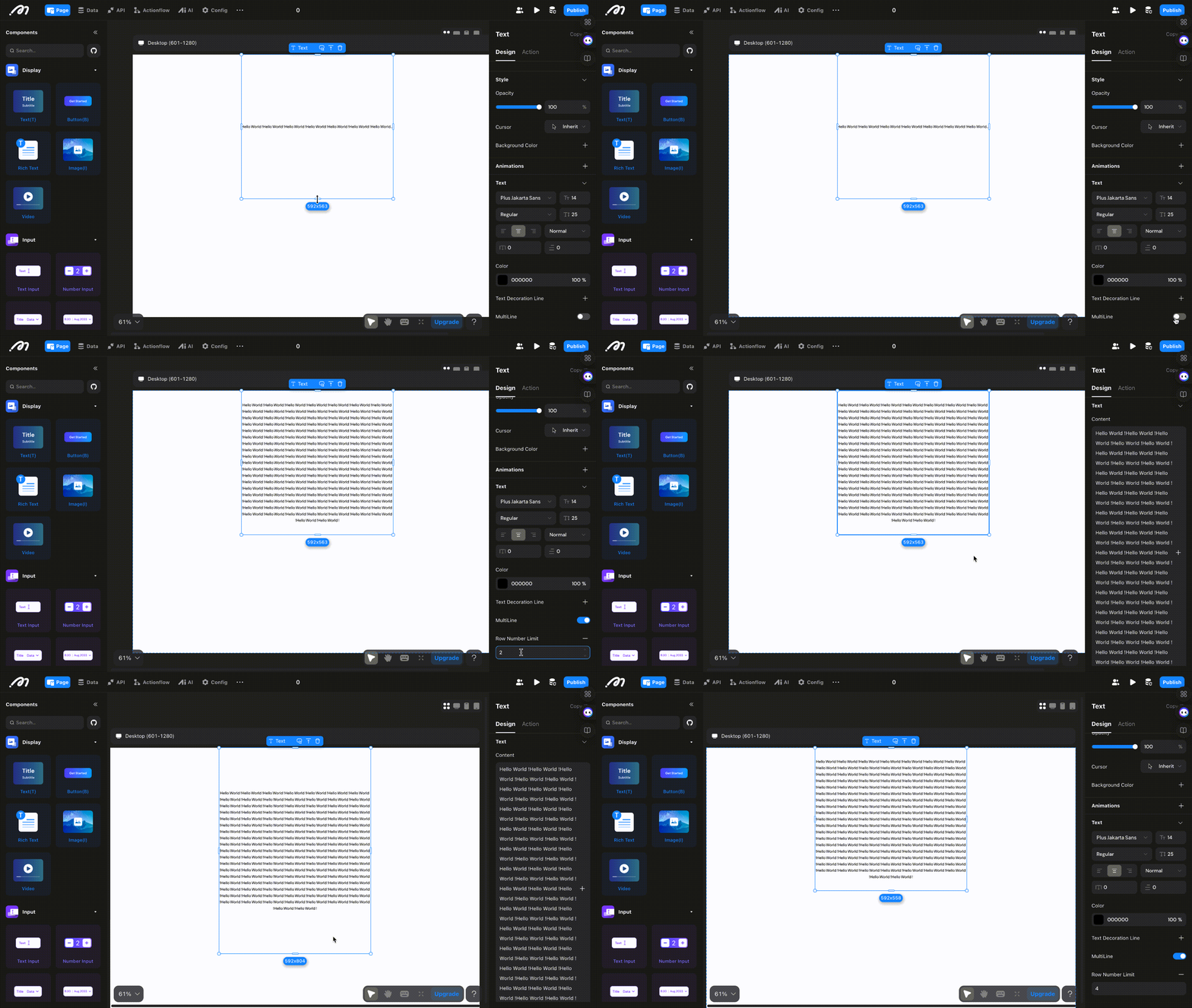
- Support for Setting Maximum Lines in Text Components: By enabling multi-line display in text components and setting a line limit, any text that exceeds the fixed height of the text box will be truncated.
🐞 Bug Fixes
- Resolved an issue where downloaded file names were appearing unreadable.
- Addressed an issue with calculating totals in page data loops on the web.
- Corrected an error occurring when selecting a reference type for linked data.
v2.0.2 | Aug 15, 2024
🚀 New Features
- Enhanced Collaboration Capabilities: Resolved data conflicts during simultaneous operations in the editor by multiple users. Major performance and efficiency improvements.
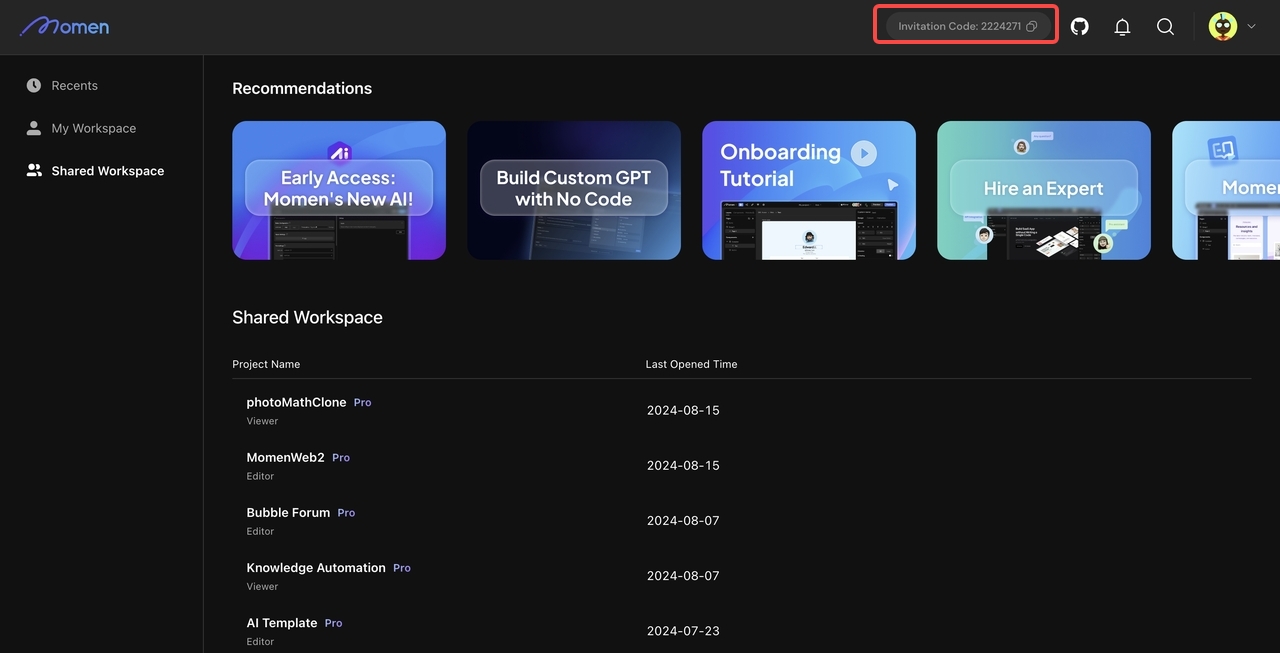
- Automatically Generate Referral Code During Registration: Users can now share invitation codes to invite new users to register and join the referral program, earning commission.
v2.0.1 | Aug 02, 2024
Introduction
We’ve made major updates on canvas, improving the user experience, design consistency and ease of use in our editor.
Update Summary
New Canvas
- Updated the canvas engine for significantly improved performance.
- Adjusted default and selected styles for all components.
- Added top toolbars for pages and components with common operations.
Configuration Bar Optimization
- The left sidebar now supports searching component lists, right-click to copy, and delete multi-selection.
- Displays all breakpoints in multi-breakpoint mode.
- When a component has a popup configured, the left sidebar allows selection and editing of the popup.
- The right sidebar hierarchy is optimized to “Design,” “Data,” and “Interaction”.
- Added text paragraph indent, letter spacing, and separate border and corner radius settings.
Deployment Optimization
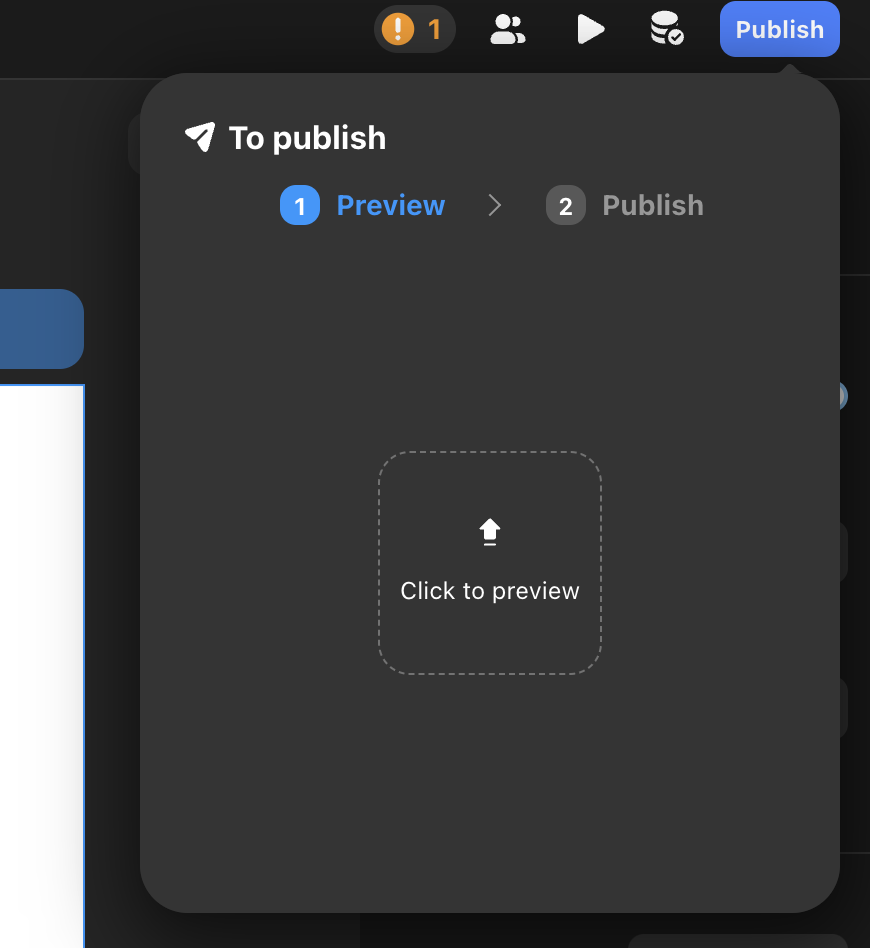
- Moved the original “Preview” entry into “Publish”, making it easier to manage your web app’s deployment .
- Users can deploy changes immediately after modifying backend configurations, with all changes displayed in the backend update panel.
Condition Container, and Divider Component Optimization
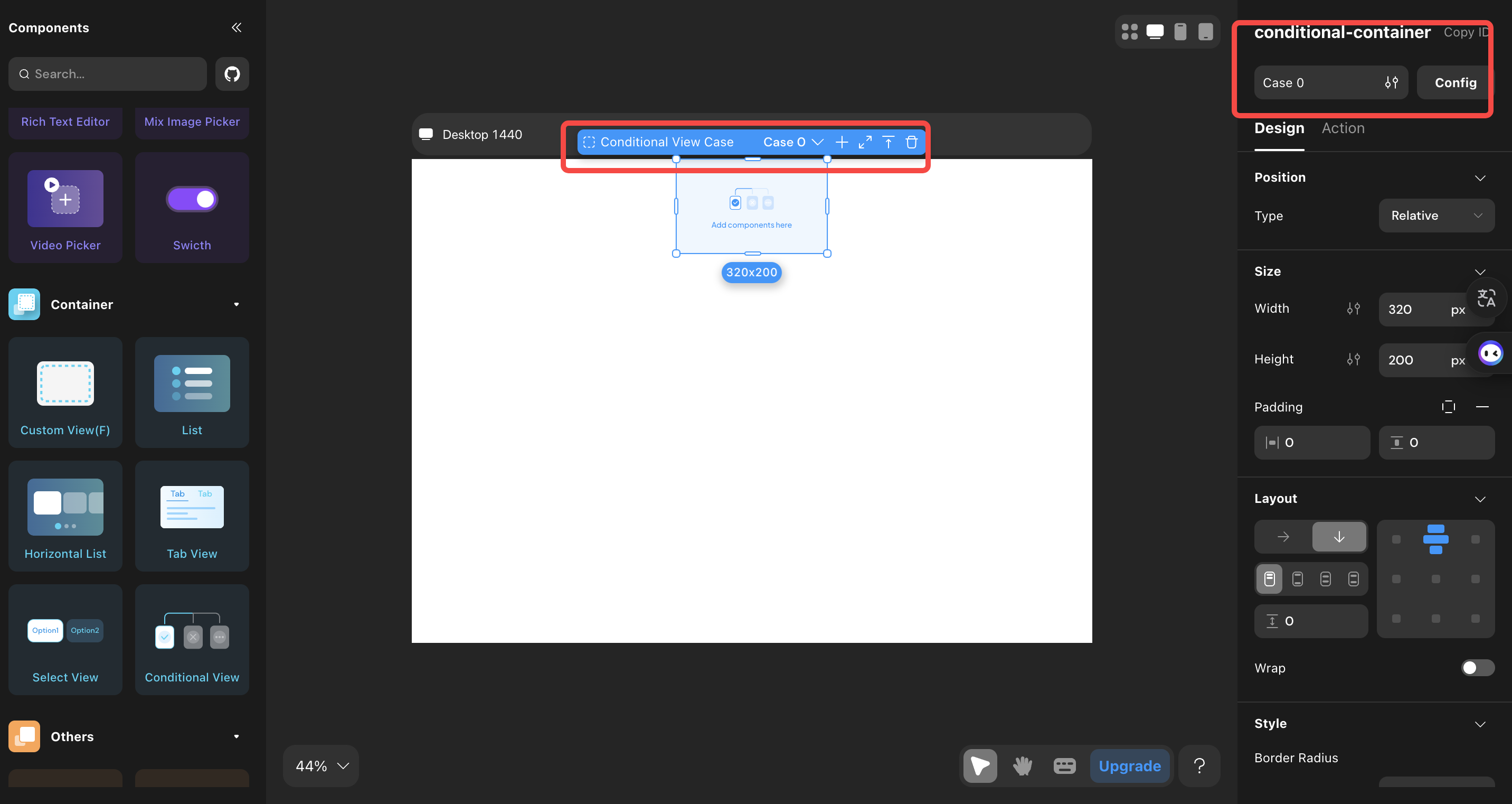
- The condition container’s now allows direct selection of the child container, separate configuration of size, style, etc. It also supports editing in the focus mode and switching between different child views in the canvas.
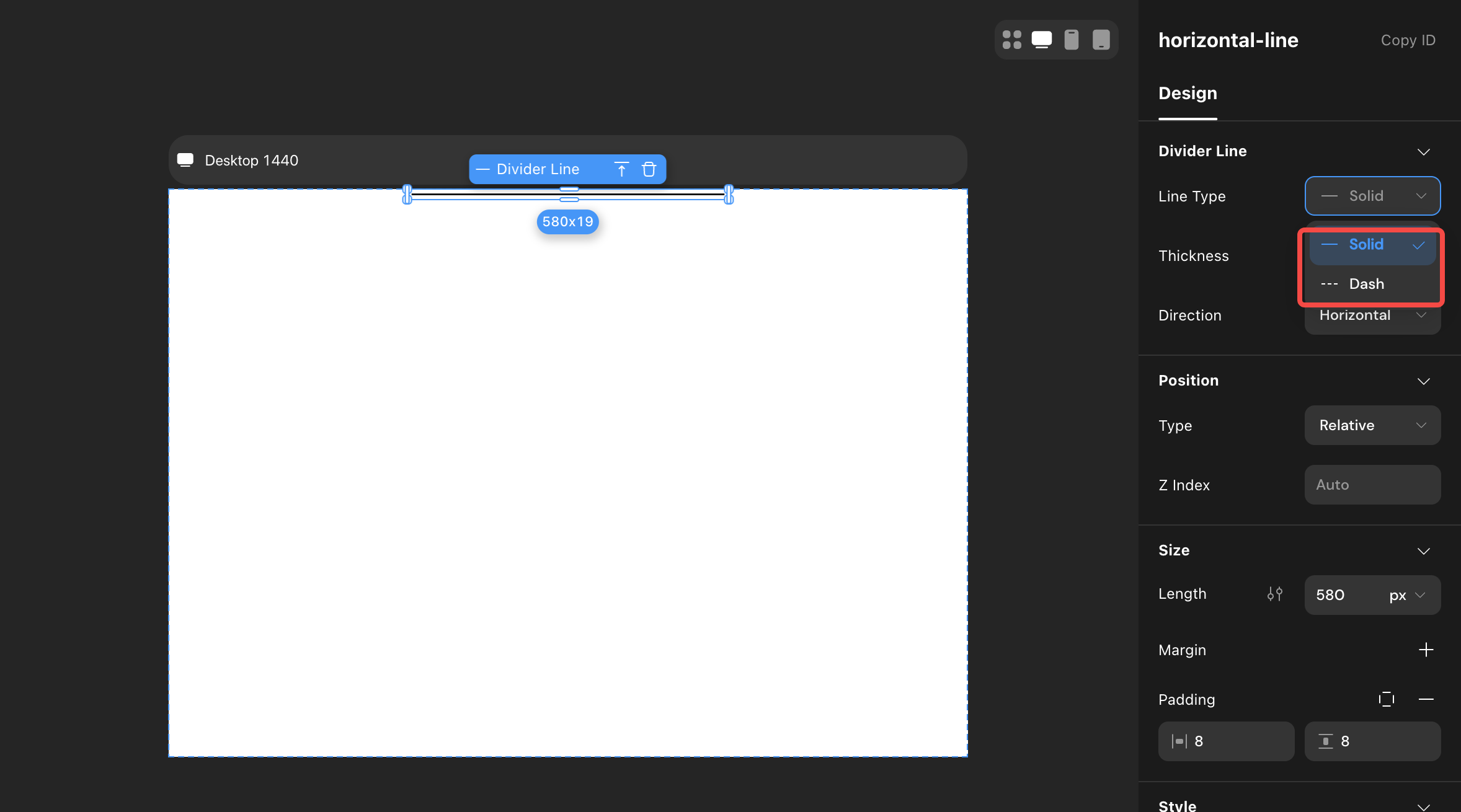
- Added “solid line” and “dash line” styles to the divider.
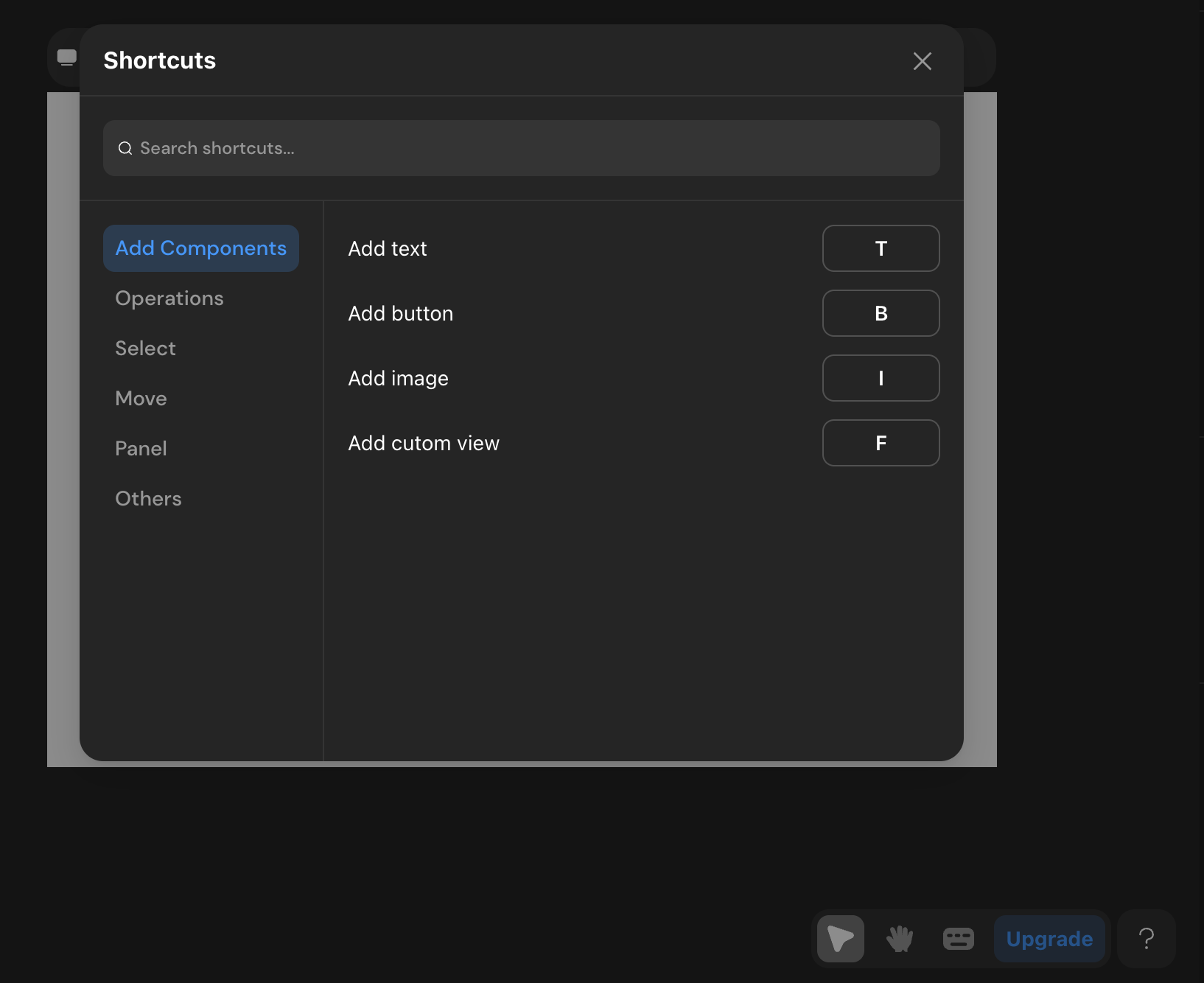
Shortcuts
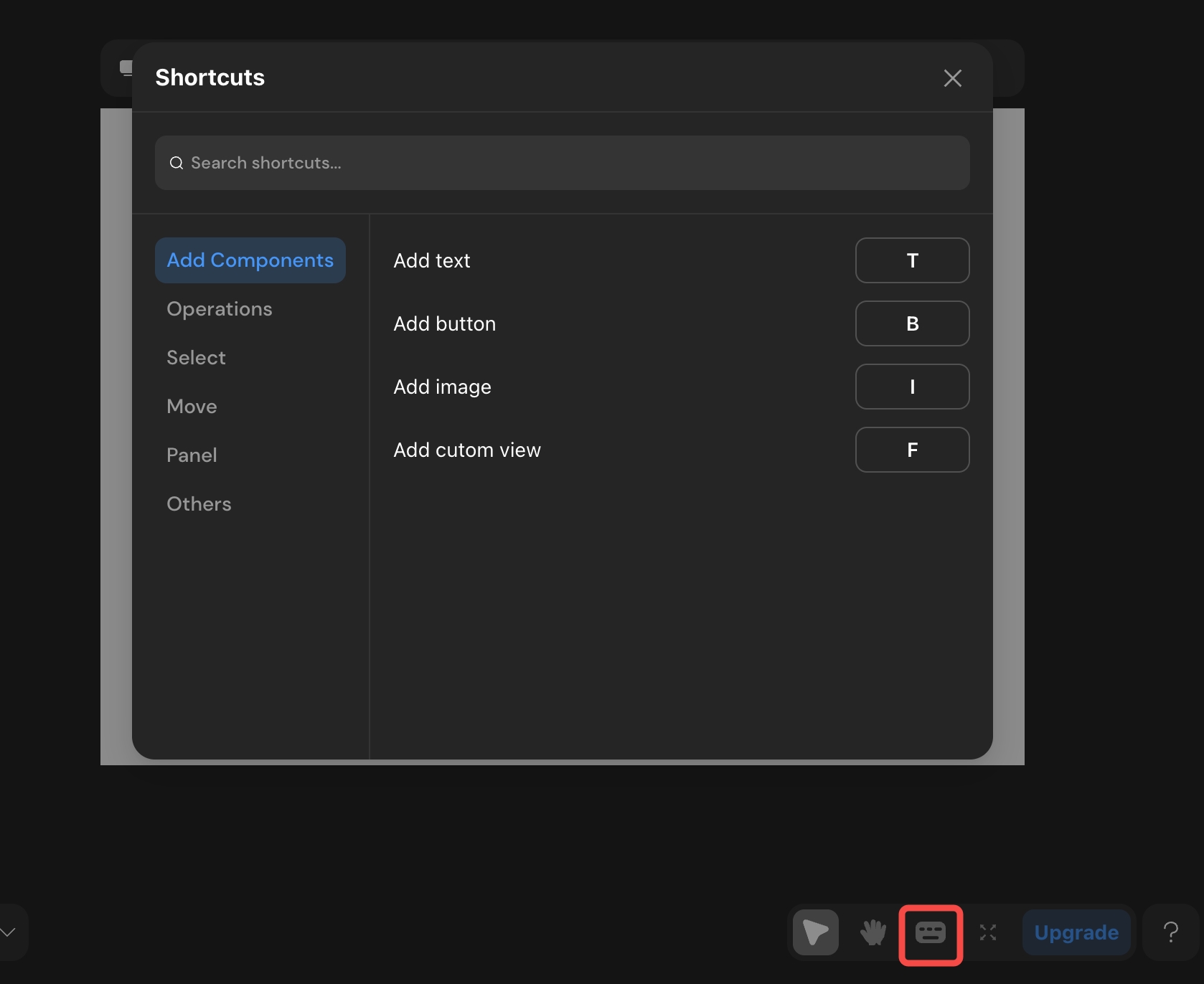
Added 42 shortcuts for general component operations, selection, movement, and canvas panel zooming.
Detailed Update
Left Sidebar
Updates
- Supports searching component lists.
- Supports locating components by clicking after search.
- Supports right-click to copy/delete after multi-selection on pages.
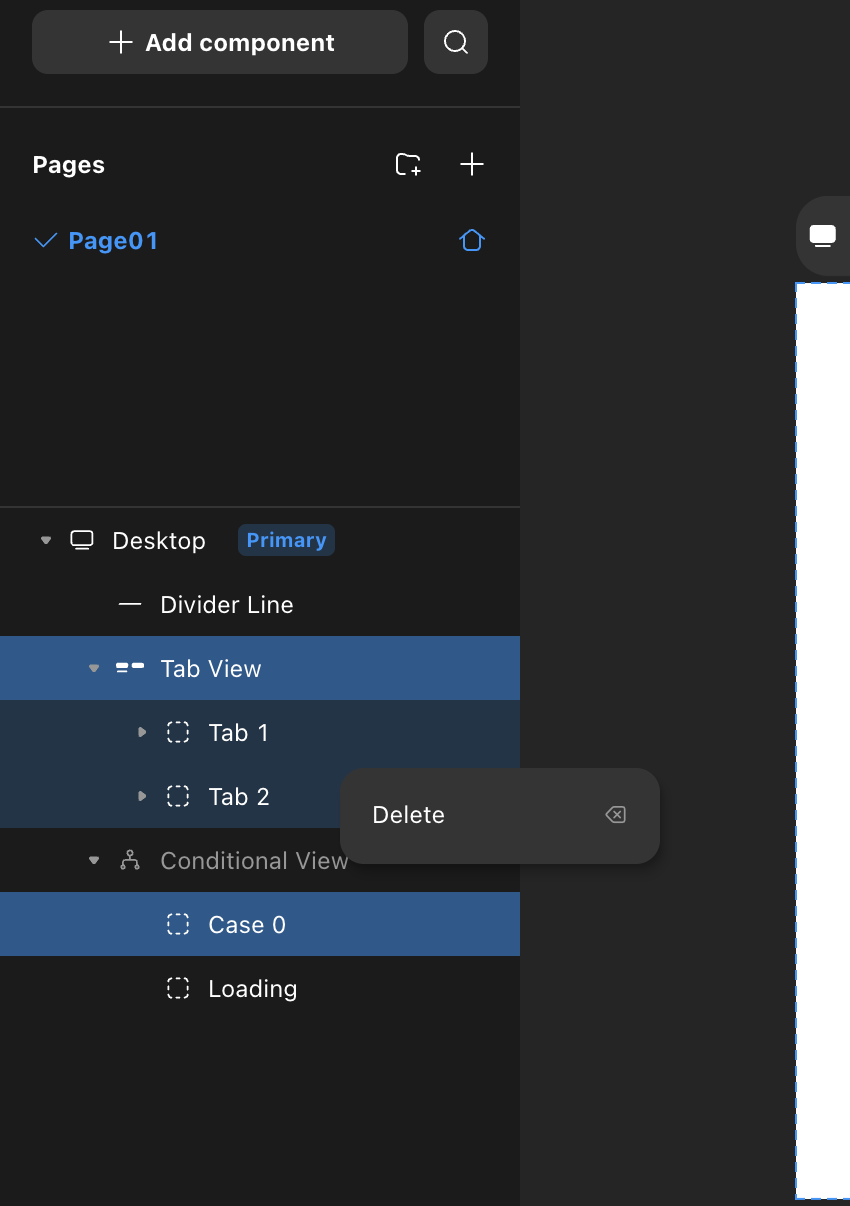
- Supports dragging and sorting pages.
- Displays all breakpoint content in multi-breakpoint mode.
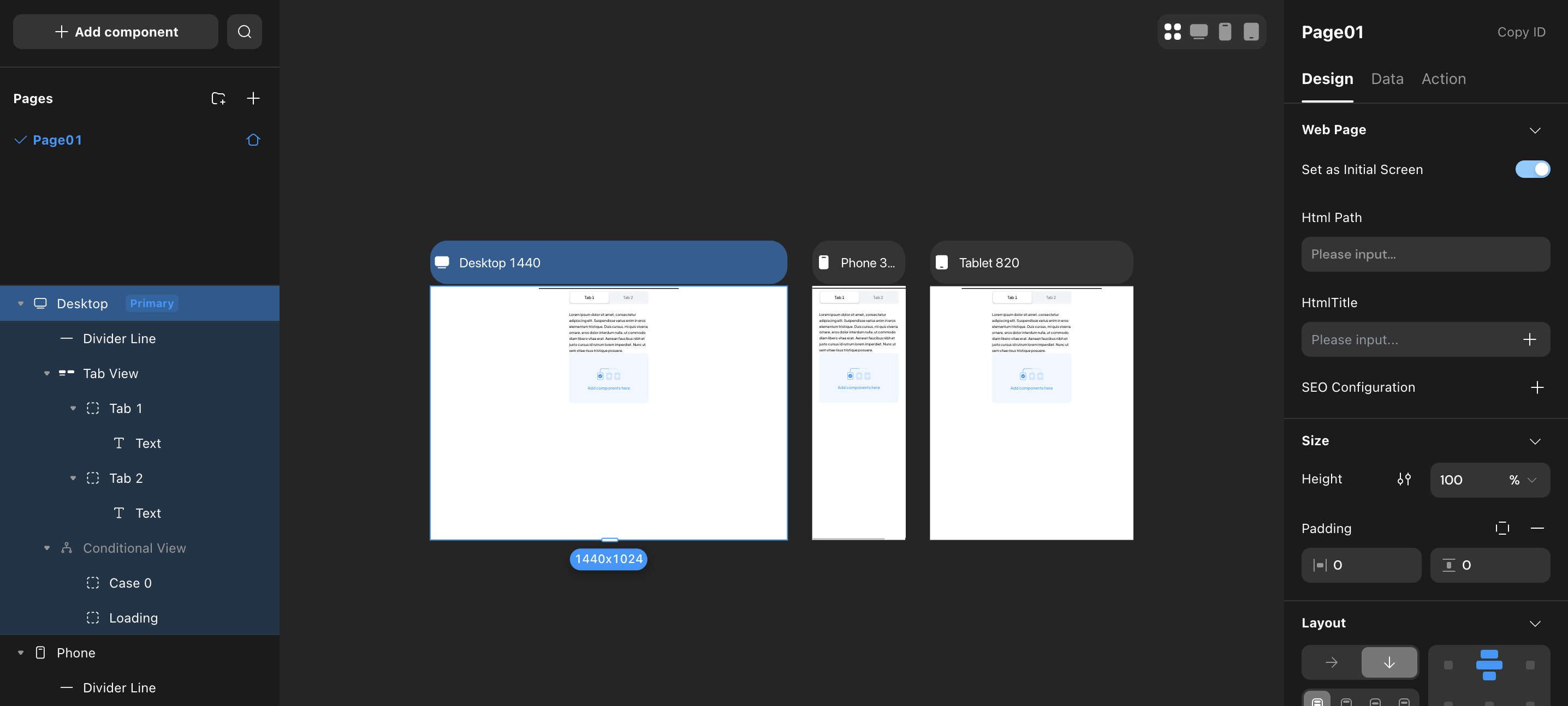
- When a component has a popup configured, the left sidebar allows selection and editing the popup.
- Distinguishes components positioned as “relative” and “absolute/fixed.”
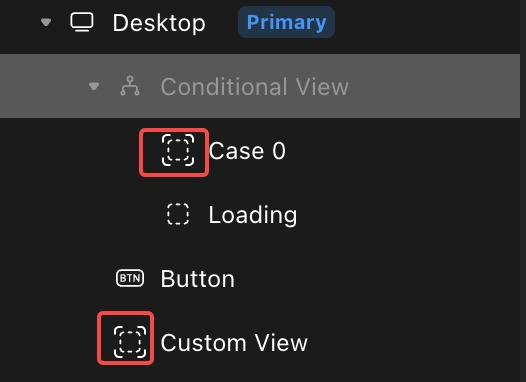
Adjustments
- Merged the original switching Tab and clicking Icon entries into one, placed at the top of the left sidebar.
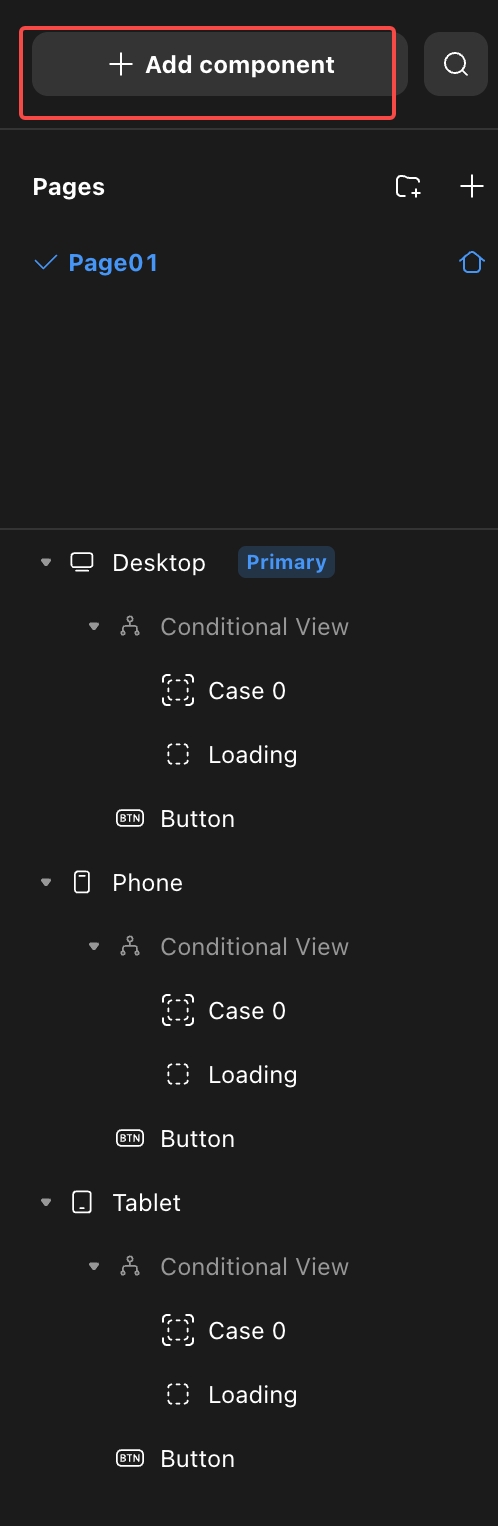
-
Display Sub-containers When Selected
When a component with sub-containers is selected, the left sidebar displays the relationship.
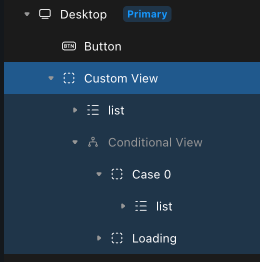
- Code Component Entry Adjustment
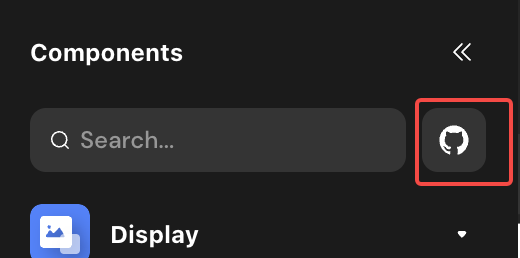
Canvas
Updates
- Supports switching between multi/single breakpoint editing modes.
- Supports dragging and adding components to any position in the target container.
- Supports direct selection and editing of the innermost component at the pointer position.
- Displays more information and shortcut operations when a component is selected.
- Select the parent, edit variant and delete.
- Adjust the size of the component
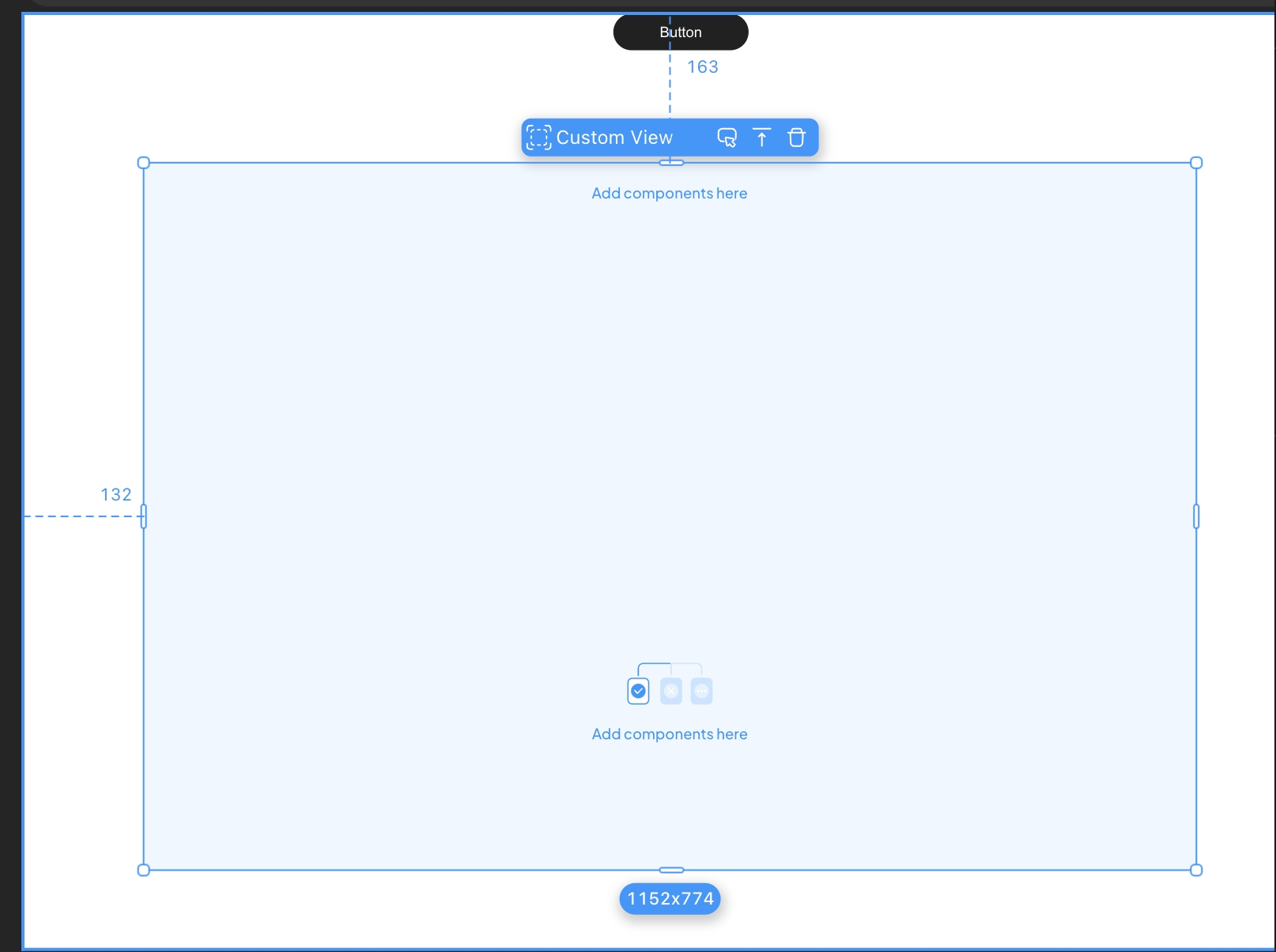
- Displays horizontal, vertical center, and edge alignment guides when dragging components positioned as “absolute.”
Right Sidebar
Updates
- Text paragraph indent, letter spacing.
- Separate border settings.
Adjustments
-
Labels and Content Adjustments
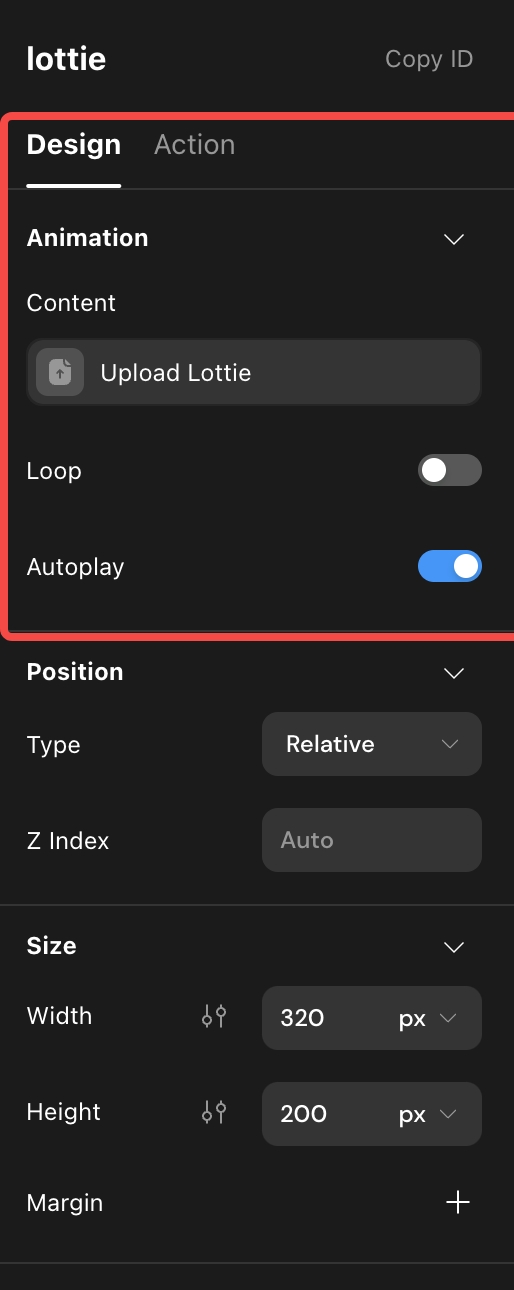
- Added style configuration (named according to the current selection type) at the top under “Design.”
- Renamed the original “Content” label to “Data.” This label now only supports configuring declared data-related items, with other configurations moved to “Design” - style configuration.”
- Renamed the original “Interaction” label to “Action.” This label now only supports configuring actions, with all content under the original “Component” moved to “Design”.
-
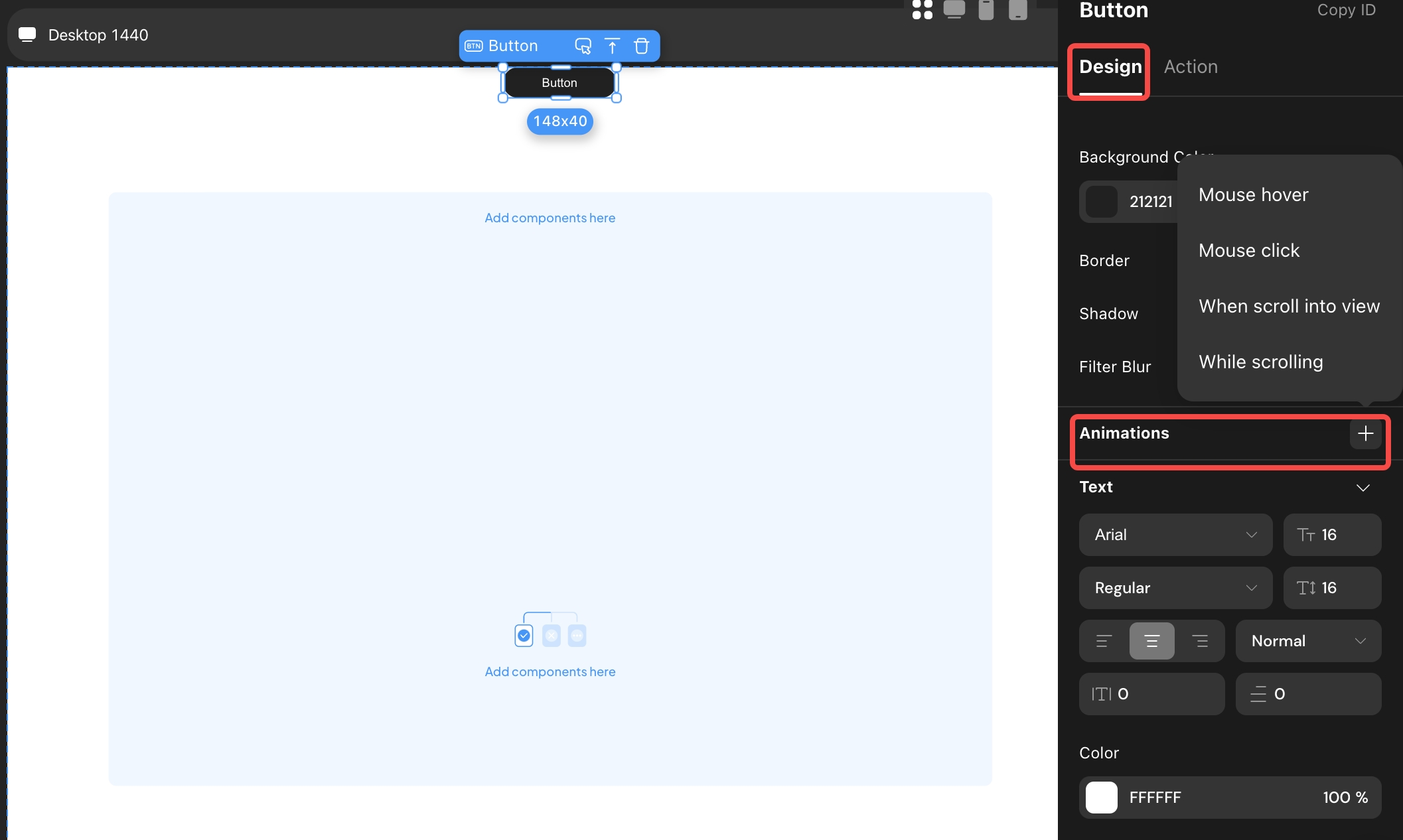
Animation Entry Position Adjustment
Moved the animation entry from “Interaction” to “Design.”
-
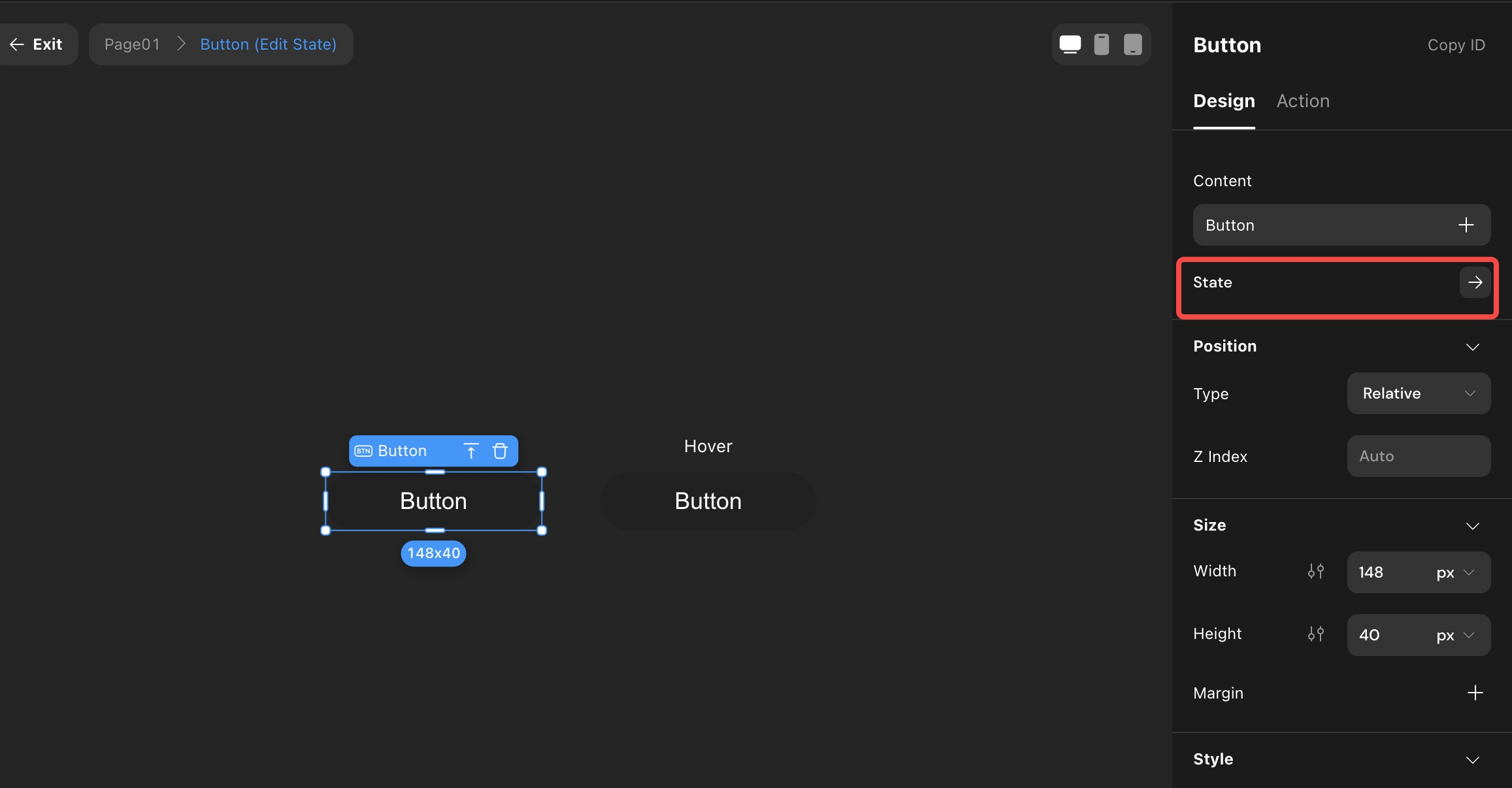
State (formerly Variant) Entry Position Adjustment
- Renamed “Variant” to “State.”
- Entry changes from “Interaction” - “Animation” - “Hover” - “Effect” to “Design” - “Style Configuration.”
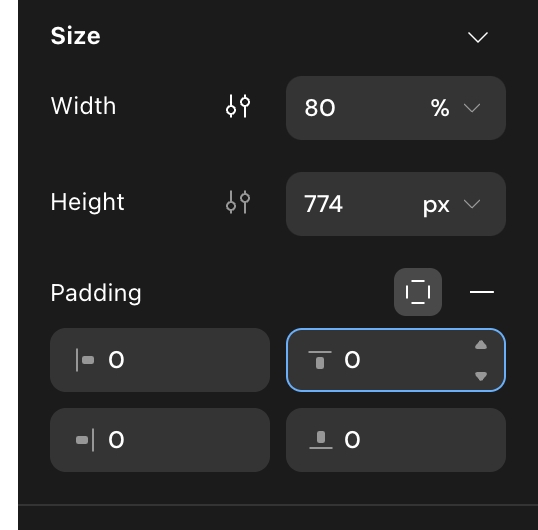
Margins and Padding
- Changed from default display to manual addition or removal.
- Supports simultaneous configuration of left and right, top and bottom margins.
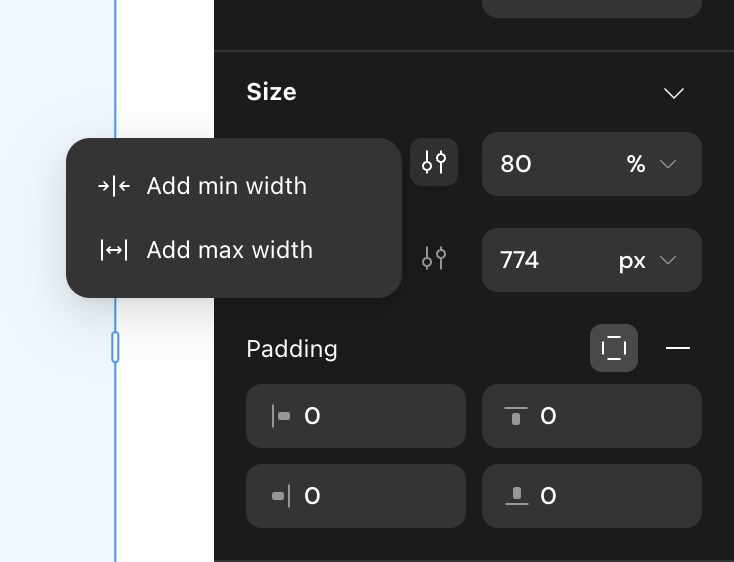
Max/Min Width Settings
- Changed from default display to manual addition or removal.
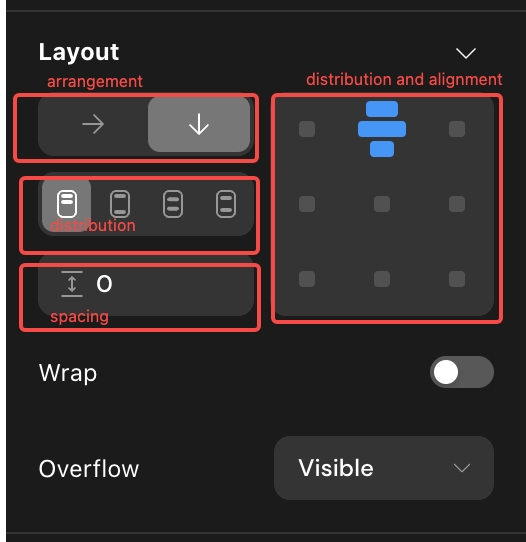
Layout
- Combined “Start,” “Center,” and “End” in distribution with alignment configuration to form one configuration item.
- Rearranged structure.
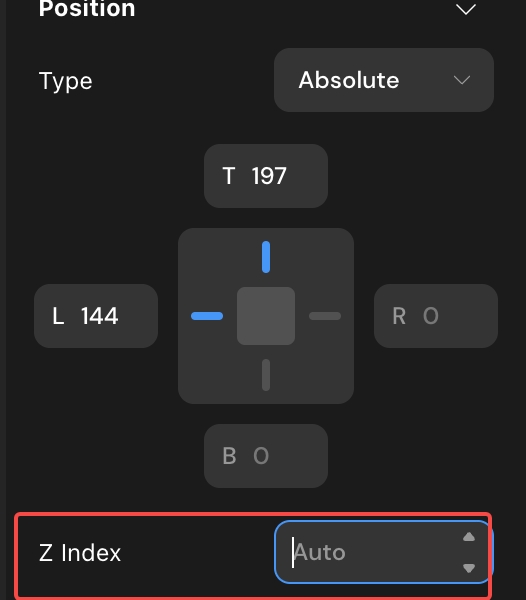
Layer Styles
Renamed “Layer Styles” to “Z Index” and moved to “Position.”
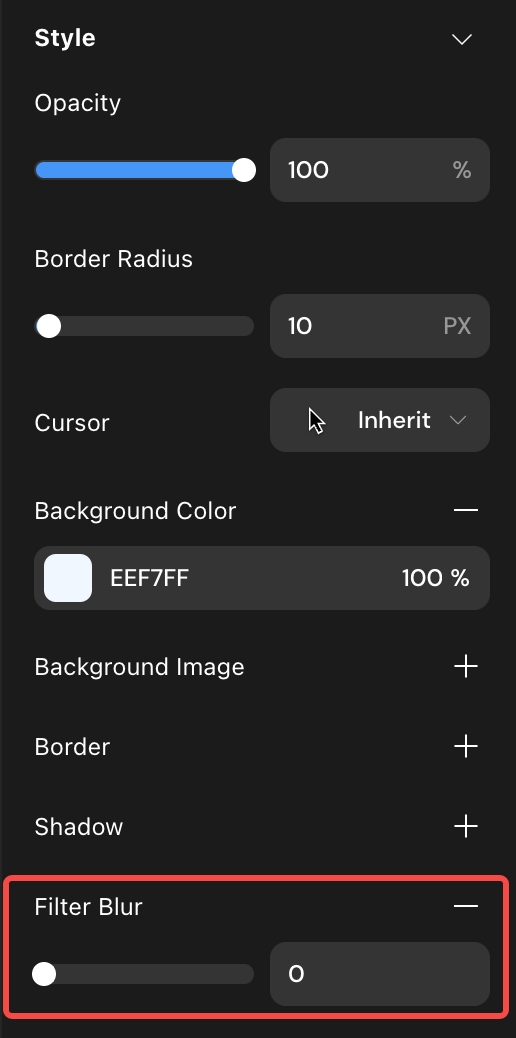
Background Blur
- Moved the entry to “Style.”
- Configuration supports manual addition and removal.
Components
-
Updated default styles for all components.
-
Condition Container
-
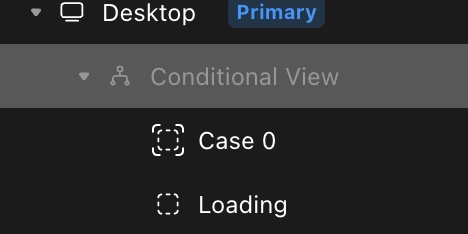
Concept Adjustment
The parent container is now a concept, unselectable and uneditable.
-
Child Container Configuration
Supports direct selection of child containers, allowing separate configuration of size, style, etc.
-
Focus Mode
Supports entering focus mode through toolbar entry or shortcut (Cmd/Ctrl + Return/Enter) for configuration.
.jpeg)
-
Distinguishing Parent/Child Container Operations
Distinguishes copy, cut, copy, delete operations for child and parent containers.
.jpeg)
-
Adding and Switching Child Containers
i. Toolbar ii. Right Sidebar iii. Condition Popup
.jpeg)
.jpeg)
-
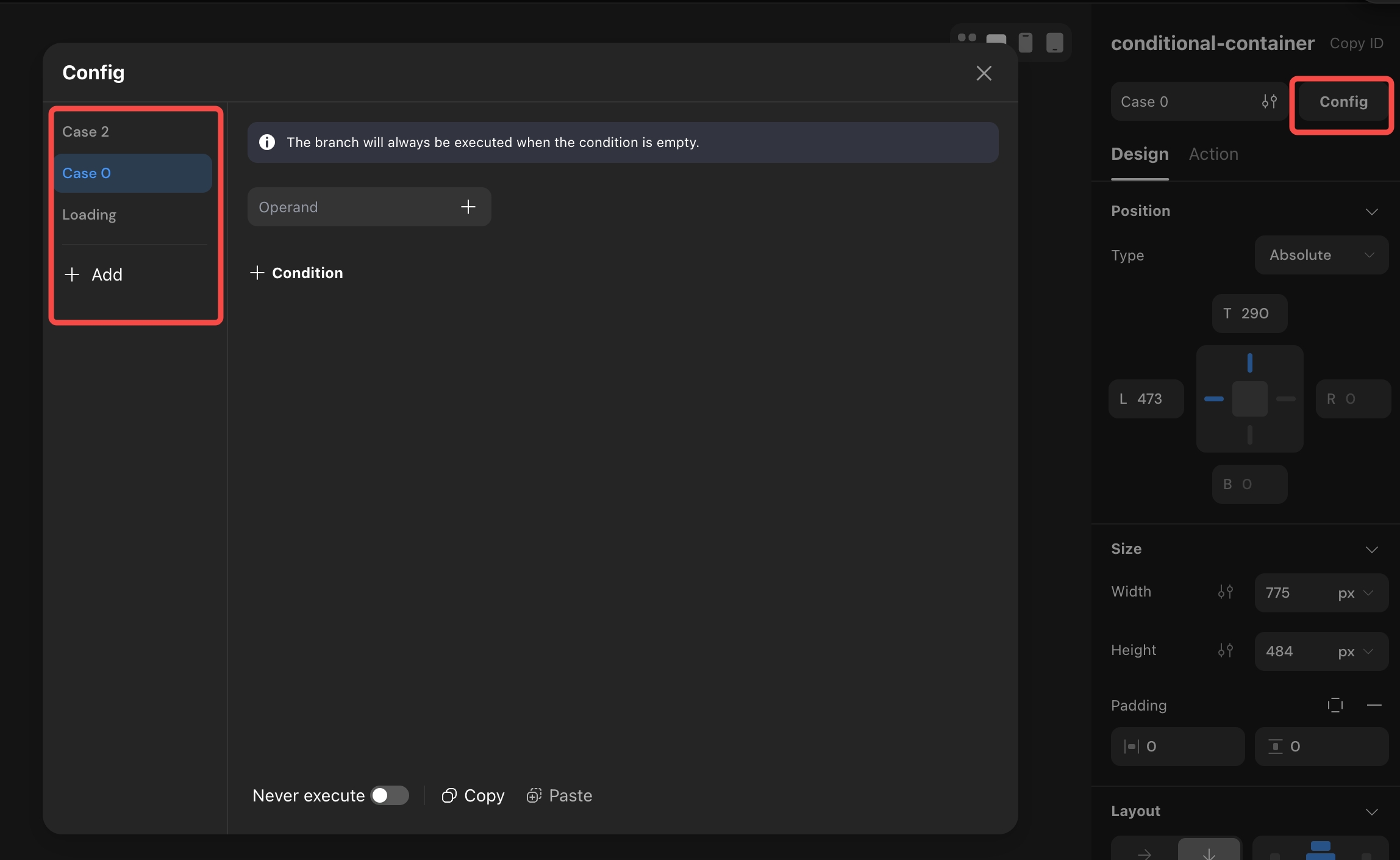
Condition Configuration
Supports simultaneous configuration of all child container conditions.
-
-
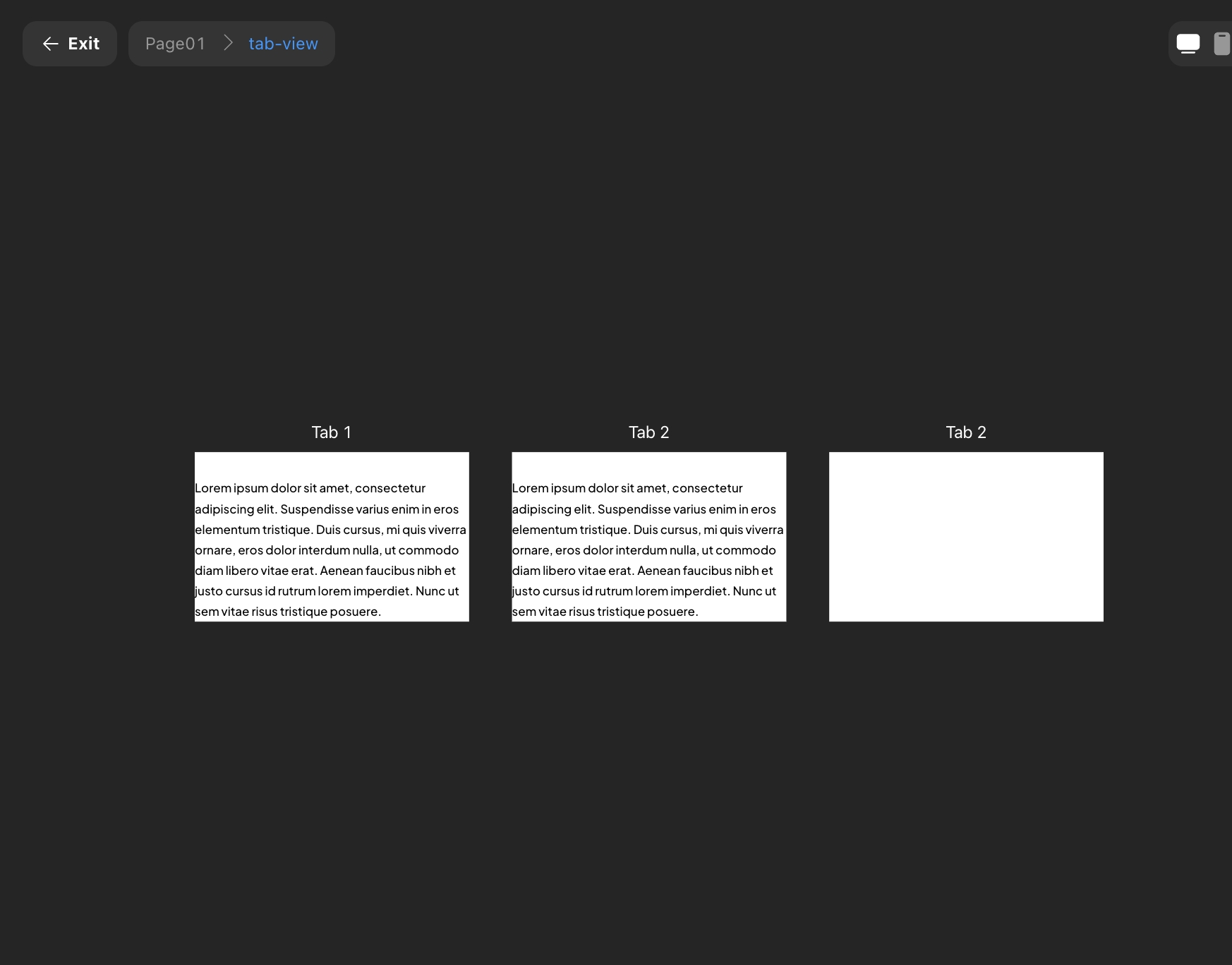
Tabs
-
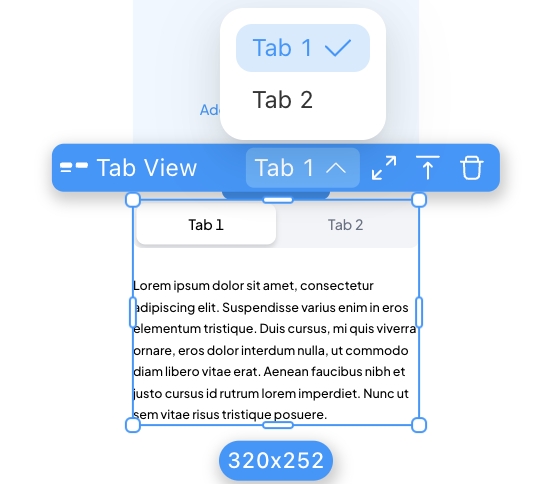
Toolbar
Supports switching tabs in the toolbar.
-
Configuration
Supports directly selecting and editing different tab content in the canvas.
Focus Mode
Supports entering focus mode through toolbar entry or shortcut (Cmd/Ctrl + Return/Enter) for configuration.
-
-
Select Views
-
Toolbar
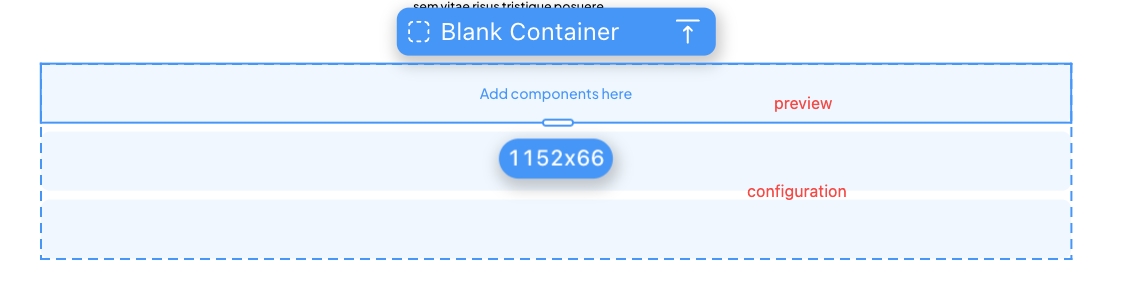
Distinguishes configuration and preview areas, supports direct selection and editing of the “selected” and “unselected” states of the tag.
-
-
Lists/Horizontal Lists
-
Configuration
Distinguishes configuration and preview areas, supports direct selection and editing of the “selected” and “unselected” states of the tag.
-
Navigation Bar
-
Publish
Moved the original “Preview” entry into “Publish,” forming an integrated web process for centralized management.
-
Entry Adjustment Style Adjustment
-
Error Reporting
Changed from always present to appearing when there is an error.

Shortcuts
- Add Component - Option/Alt + C
- Measure Distance - Option/Alt
- Proportional Scaling - Shift + Drag
- Select Child - Return/Enter; Select Parent - Shift + Return/Enter
- Select the Next Component at the Same Level - Tab; Select the Previous Component at the Same Level - Shift + Tab (according to the left sidebar order)
- Move Component to Top - ]; Move Component to Bottom - [
- Move Component Up One Layer - Cmd/Ctrl + ]; Move Component Down One Layer - Cmd/Ctrl + [ (only supports same-level movement)
- Move Component in Any Direction (relative layout adjusts component order according to layout direction) - Arrow Keys
More shortcuts can be viewed or searched in the shortcut popup.
Future Updates
- Support for Multi-select Editing
- More Powerful Variant Function
- Richer Breakpoint Capabilities
Feedback Channels;
If you have any questions or suggestions, feel free to provide feedback here. Your report will be immediately get fixed by our team.
Product update video
Please see more details about our updates in the video
v1.0.9 | Apr 25, 2024
🚀 New Features
- Table component: The table component makes it easy to display and manage content, and supports exporting data.
.png)
- Server activation schedule for plan upgrade: A new server activation process is now available. Following a project upgrade or purchasing of a single-tenant kit, users may activate a migration via the project details page to shift the project to a better server, thus enhancing its operational performance.
.png)
- Share to X: A new action has been update which allows you to share content to X from your own website.
.png)
✨ Enhancements
- Project details page optimization: Adjust the layout on the detail page based on user feedback, integrate the plan renewal process, and optimize the path to purchase computing power.
.png)
- Support project reset: Reset project will restore the project to blank. All data, pages, and settings will be deleted. Purchased resources and collaborators will remain unchanged.
.png)
🐞 Bug Fixes
- Fixed password reset errors in Momen projects
- Fixed missing non-balance records in the transaction history
- Fixed incorrect context naming in AI database
- Fixed AI error:
Cannot invoke 'FieldDescription.getFields() - Fixed delayed updates when modifying properties in the right-hand panel
- Fixed missing gating logic in Actionflow conditional filters
- Fixed
JSON_EXTRACT_PATHformula error in Actionflow - Fixed deduplication failure in
get correct schemaforpendingActionFlow - Fixed default value hint not displaying in unbound data selectors
- Fixed JSON import failure on Momen landing page
- Fixed payment config being enabled in projects without payment functionality
- Fixed broken navigation on circular dependencies in page data sources
- Fixed missing
result datain async Actionflows within ZType - Fixed failure in QR code generation when accessing list item values
- Fixed
interpreterSamplehang during Actionflow execution - Fixed database access failure in multi-client projects
- Fixed blank screen rendering in some web pages
- Fixed data display issue in list components inside popups
- Fixed font weight configuration typo (
700should bebold, notmedium) - Fixed lack of user feedback on AI tool invocation failures
- Fixed inconsistent character limits for all AI descriptions (standardized to 10,000)
- Fixed validation errors caused by stale data when switching popup actions
- Fixed select view default value failure when using conditions or formulas
- Fixed data presence in table component not rendering on frontend
- Fixed incorrect prompt about unconfigured pages during submission
- Fixed mismatch between negative AI Points display and database values
- Fixed multiple validation errors when previewing multi-client projects
- Fixed server 500 error in admin console
- Fixed validation error on variable removal from page scope
- Fixed broken routing to
select viewfrom other pages - Fixed diff issue when creating new data models
- Fixed sensitive information being exposed in Zeus front-end responses
- Fixed incorrect boolean evaluation of
string_lenin conditional containers - Fixed schema inconsistency after app cloning
- Fixed input value setting failure before popup opens
- Fixed calendar component sending continuous requests in console
- Fixed issue where AI execution success did not trigger
set_pagedata - Fixed publishing freeze in sub-client apps
- Fixed internal server error during project import
- Fixed crash when using
distinctwithcountin data queries - Fixed unclear error message when Stripe refund failed due to insufficient balance
v1.0.8 | Mar 07, 2024
🚀 New Features
- Momen Basic Plan supports SEO configuration now.
- Optimization of Link Data configuration.
- Link Data supports not displaying links when there is no data. This means that Link Data will not be shown in the webpage link when there are no configured parameters, which will help increase SEO weight.
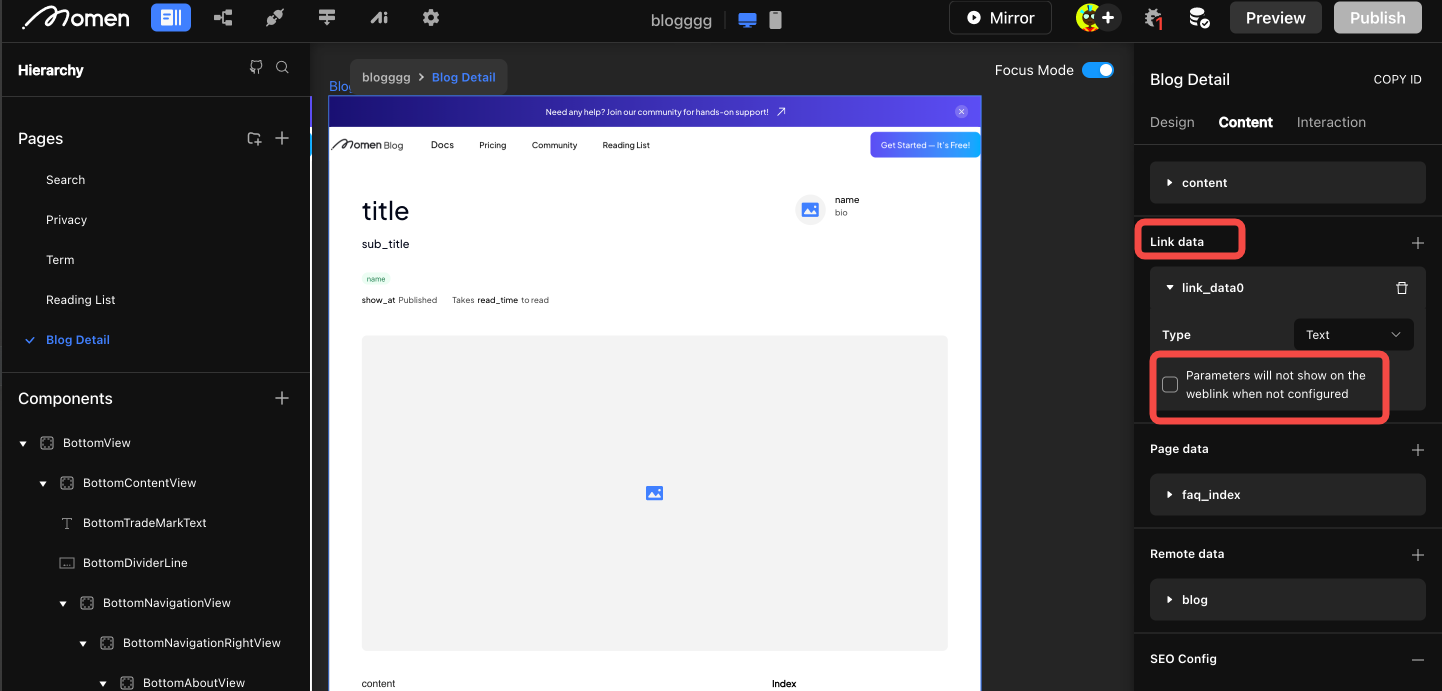
- Link Data supports not displaying links when there is no data. This means that Link Data will not be shown in the webpage link when there are no configured parameters, which will help increase SEO weight.
- SSO Optimization
- Optimizing page style and interaction, including support for parameter passing when configuring the target page.
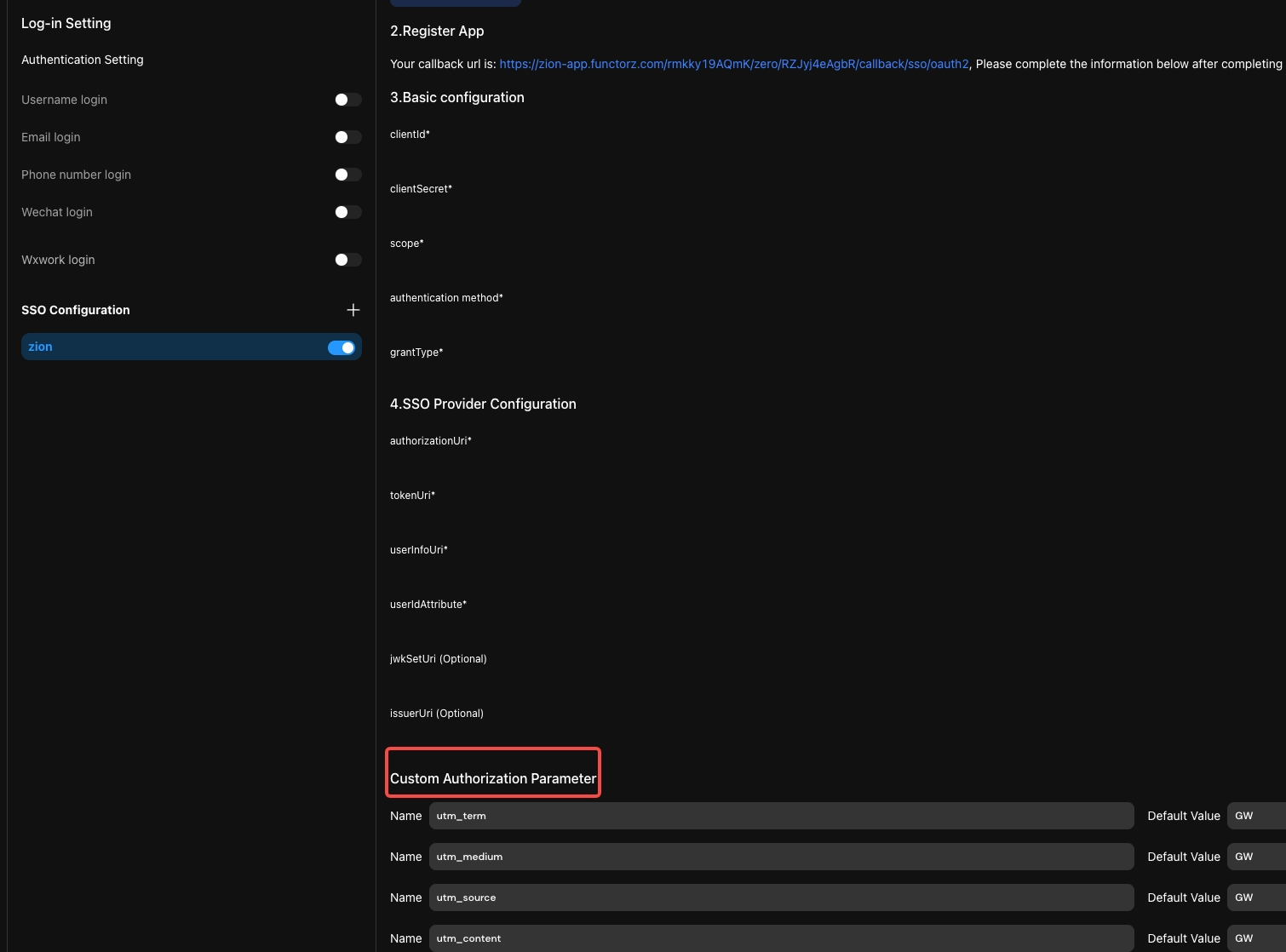
- Optimizing page style and interaction, including support for parameter passing when configuring the target page.
✨ Enhancements
- When exporting the database, the table names and field names are changed to “display-name”.
- Some performance optimizations.
🐞 Bug Fixes
- Bugfixes.
v1.0.7 | Jan 18, 2024
🚀 New Features
- Momen AI now supports image input and streaming output.
.png) You can now send multiple images to AI, and this technology can be widely used
in different scenarios.
You can now send multiple images to AI, and this technology can be widely used
in different scenarios. - New custom action: new interface and triggers.
.png)
✨ Enhancements
- The database supports like search. Supports users to perform like searches on default tables and custom views in the editor database, when opening the database on a single page, and when sharing the database.
.png)
- Project creating optimization.
- The speed of creating new projects has been drastically improved.
- Optimized new project creation process. Users can directly create Basic/Pro version projects. Combined with AI, newly created projects can be classified.
- Optimizations for conditional configuration and booleans
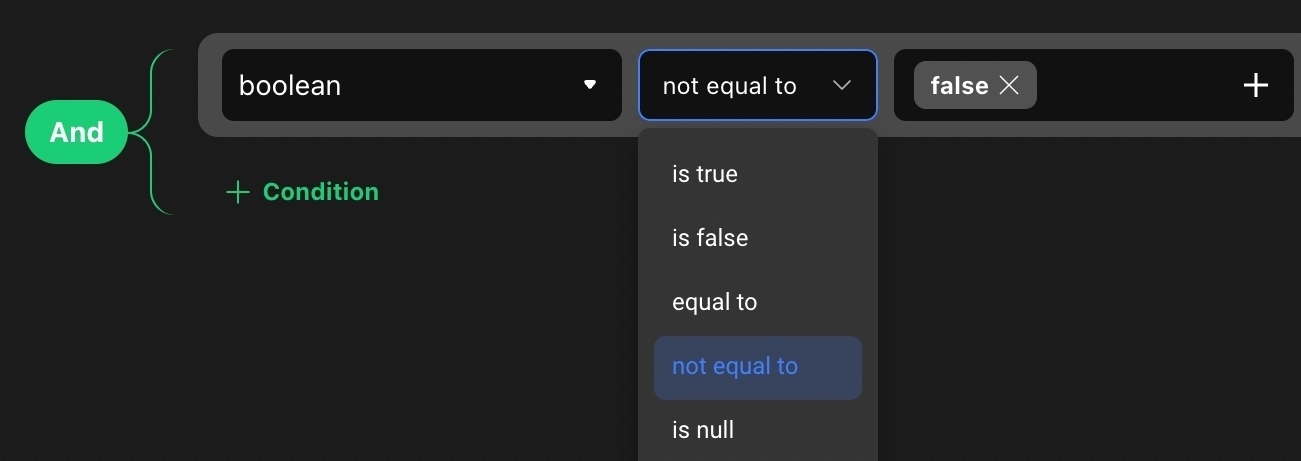
- Added the ‘is true’ and ‘is false’ operators
- optimized the configuration of conditions as well as the UI of pop-up windows.
- Multi-client: Reduced the price of new web applications under the multi-client capability to 50% of the corresponding version (from 100%)
- By default, the list components are arranged in reverse order of ID
🐞 Bug Fixes
- Fixed some issues in turning off focus mode
- Fixed an issue where the parent view was blocked when clicking on a sub-container
- Fixed the issue that when adding a new component, the component was not displayed in the center of the canvas