Set Up Vector Search
Vector search compares embedding vectors instead of matching text character by character. Momen stores vectors in the relational database for semantic sorting and AI Agent context retrieval.
Open Data tab → Data model to create tables and enable vector fields.
Database setup: Set Up the Database. AI Agent usage: Build AI Agents.
Currently only text fields support vectorization. Vector storage consumes database capacity.
Save vector data
- Open Data → Data model and create a table with a Text field.
- Open the field menu, enable Vector Storage, and choose an embedding model.
- Momen generates vectors for existing text and automatically updates them when the text changes.
- Changing the embedding model regenerates vectors for the existing data.
Vector sorting
Vector sorting compares a reference value with each row. A smaller distance indicates a closer match.
| Algorithm | Best for |
|---|---|
| COSINE | Directional similarity — search, recommendations, text |
| EUCLIDEAN | Absolute distance — logistics, numeric proximity |
List semantic search
- Bind a list to a table that contains a vector-enabled field.
- Under Sort, select the vector field and choose Vector mode.
- Select the distance method.
- Bind the reference value, such as text entered in a search box.
AI Agent context (RAG)
- Create a table with a vector-enabled text field for the knowledge base.
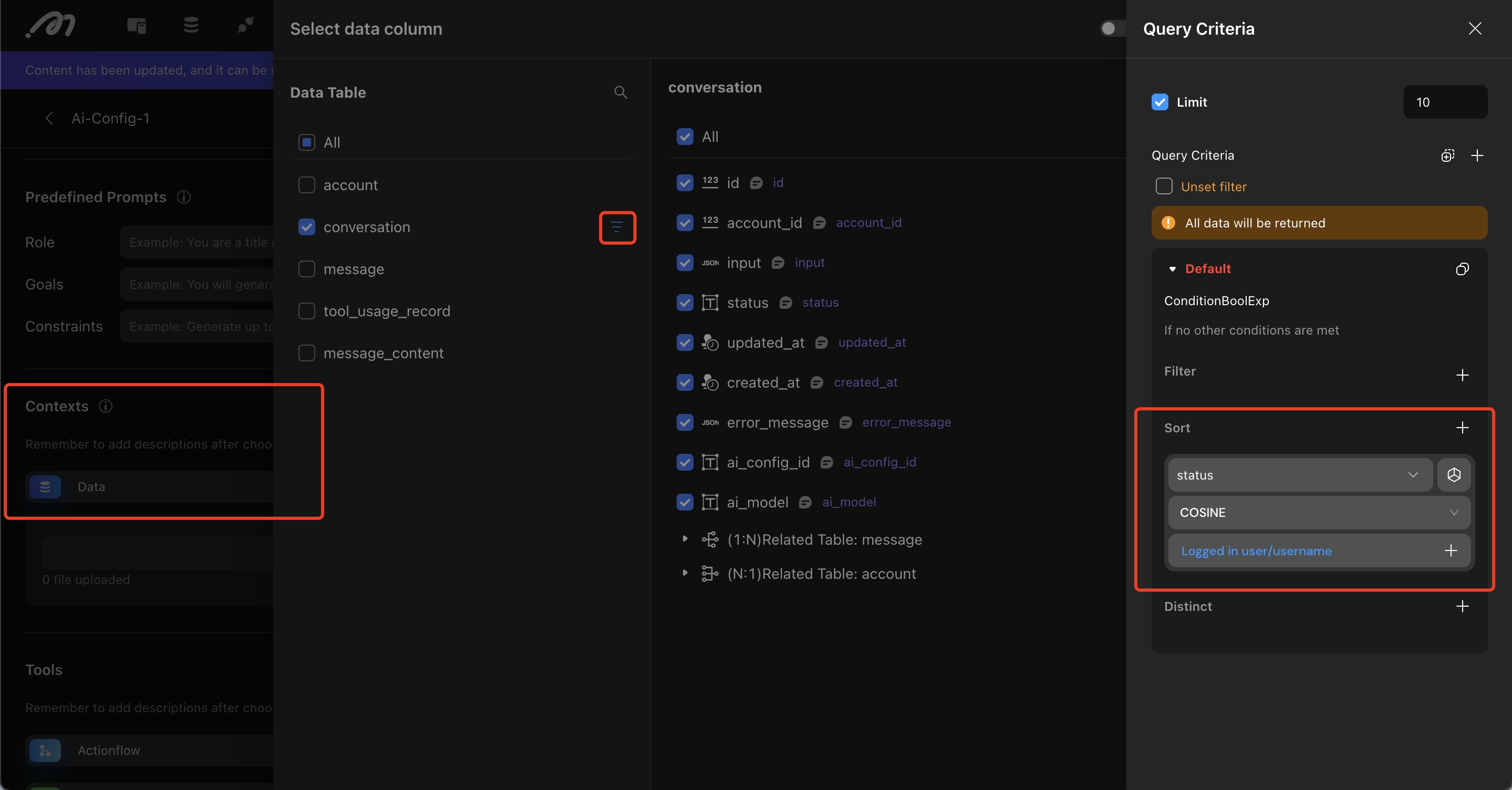
- Open the AI Agent under Action, add the table under Contexts, and open its query settings.
- Add a Sort rule using the vector field and distance method, then bind the comparison value to the user’s input.
Demo: slang search
In this example, a table stores internet slang. The search input is vectorized, and the list returns the closest matches.
.gif)
Notes
- Only text fields support vector storage.
- Vector data consumes database storage.
- See Query and Bind Data when adding semantic search to a page.
Related reading
Last updated on