AI Summarizer & Translator
Demo Project
https://editor.momen.app/tool/xAXj4omoYXE/WEB?code=5Bq5mkorw0Lhj&ref=0562398
Introduction
- Goal: Build a content pipeline that translates every article into Spanish and, for longer articles only, also generates a short English summary.
- Use Cases: Multilingual blogs and newsrooms, e-commerce product descriptions localized for target markets, or a support knowledge base that needs both a localized copy and a short preview.
- Core Logic: Text input → Actionflow (Async) → Start conversation (
agent_translator) → Insert data → Condition (length check) → Start conversation (agent_summarizer) → Update data.
Steps
Data Storage
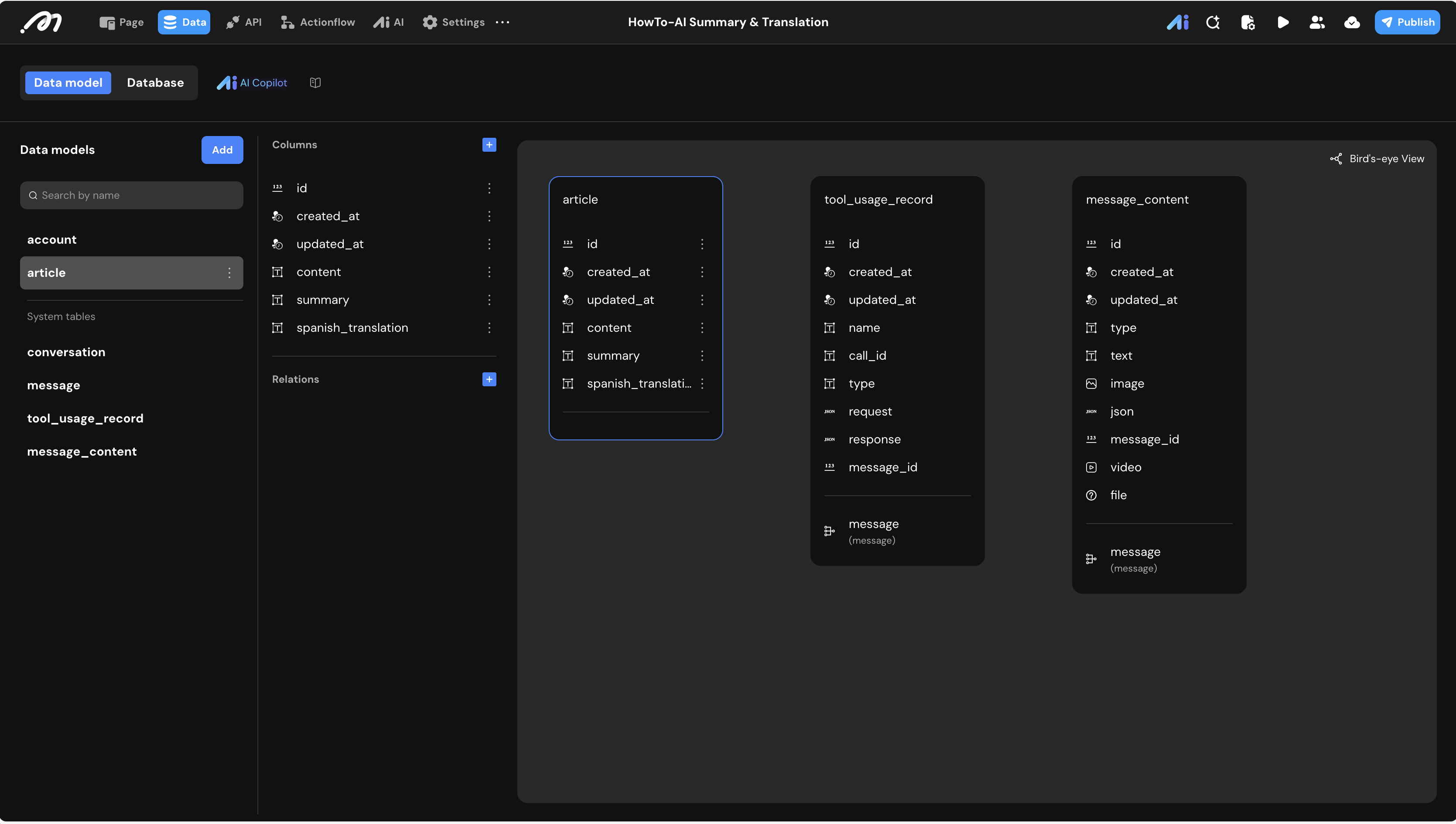
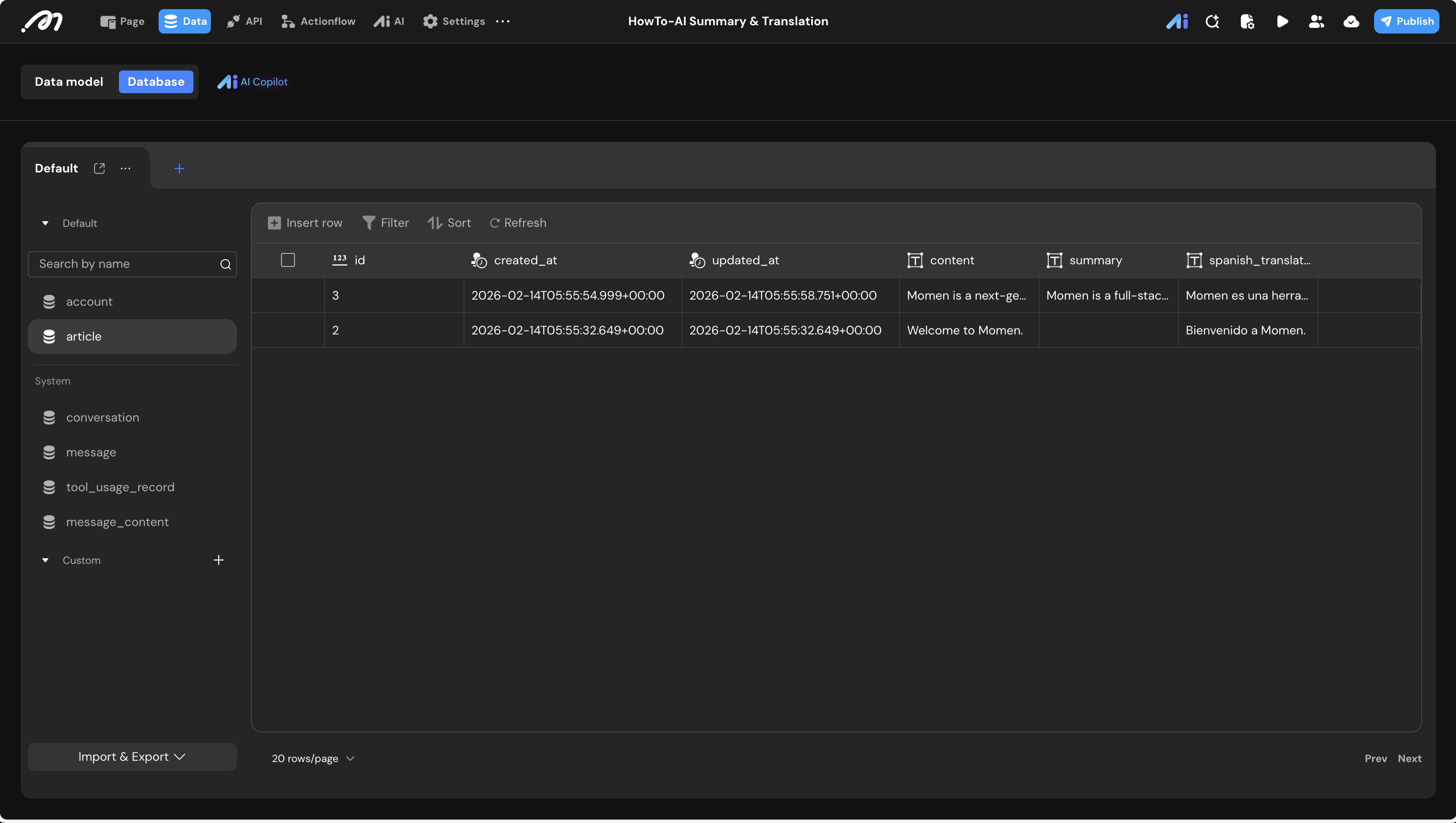
Create a table named article with the following fields:
| Field Name | Type | Note |
|---|---|---|
content | Text | The original English text entered by the user. |
spanish_translation | Text | The Spanish translation generated by AI. |
summary | Text | The English summary. Stays null when the article is shorter than the length threshold. |
AI Agent Configuration
This tutorial uses two AI Agents. The Free plan allows only one AI Agent, so you will need the Basic plan or above to build both.
- Agent:
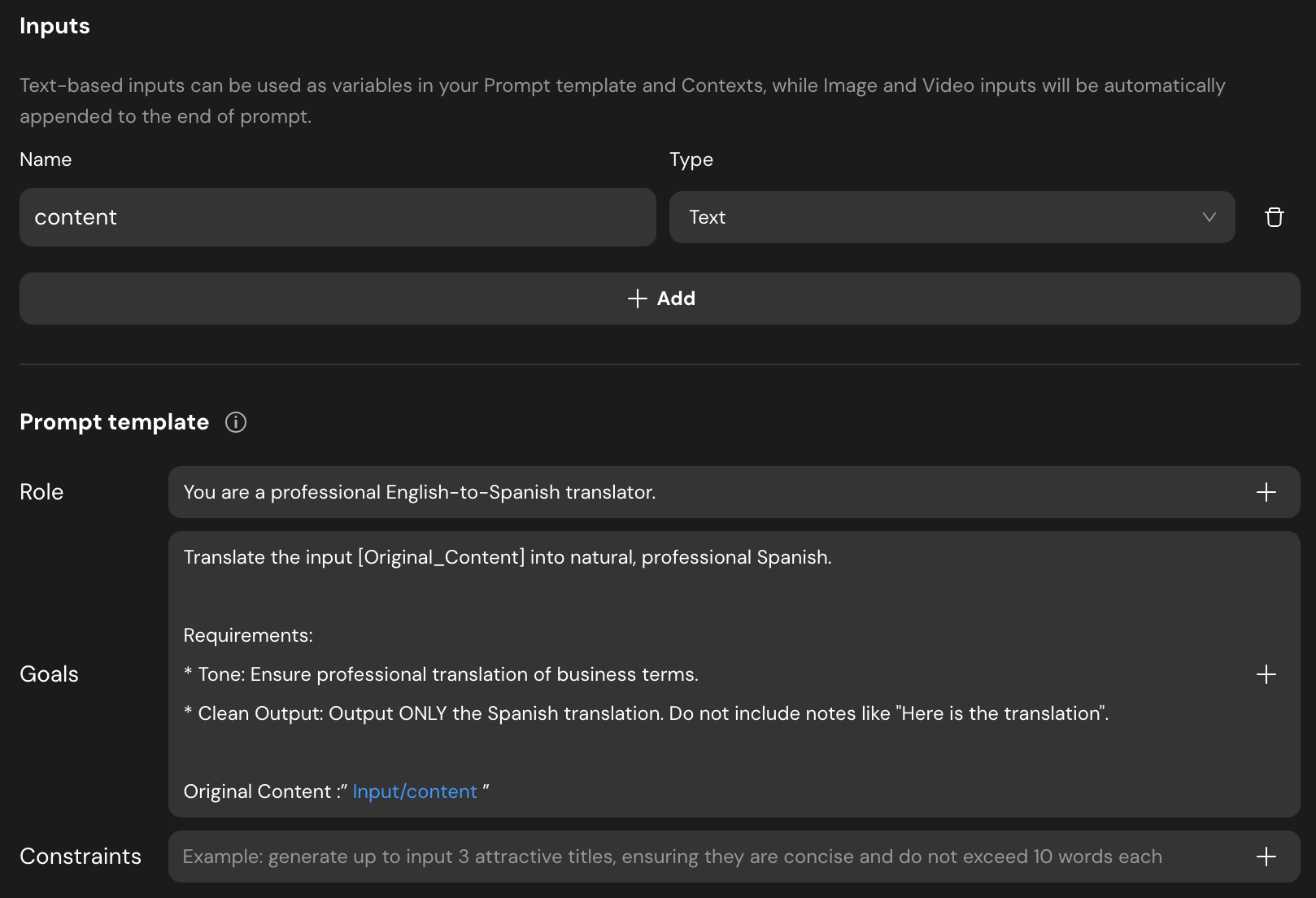
agent_translator- Role: Professional English-to-Spanish translator.
- Goal: Translate the input
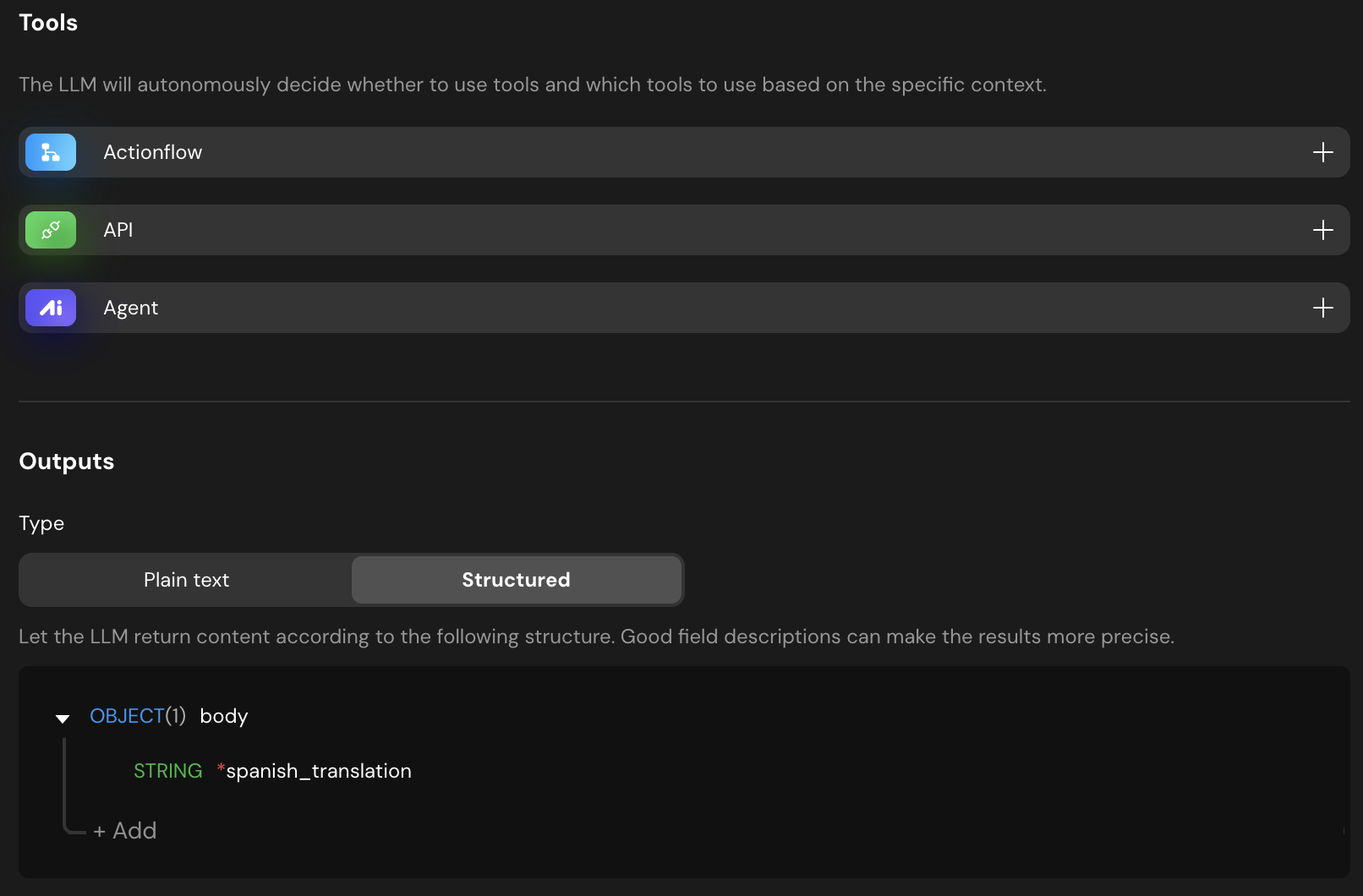
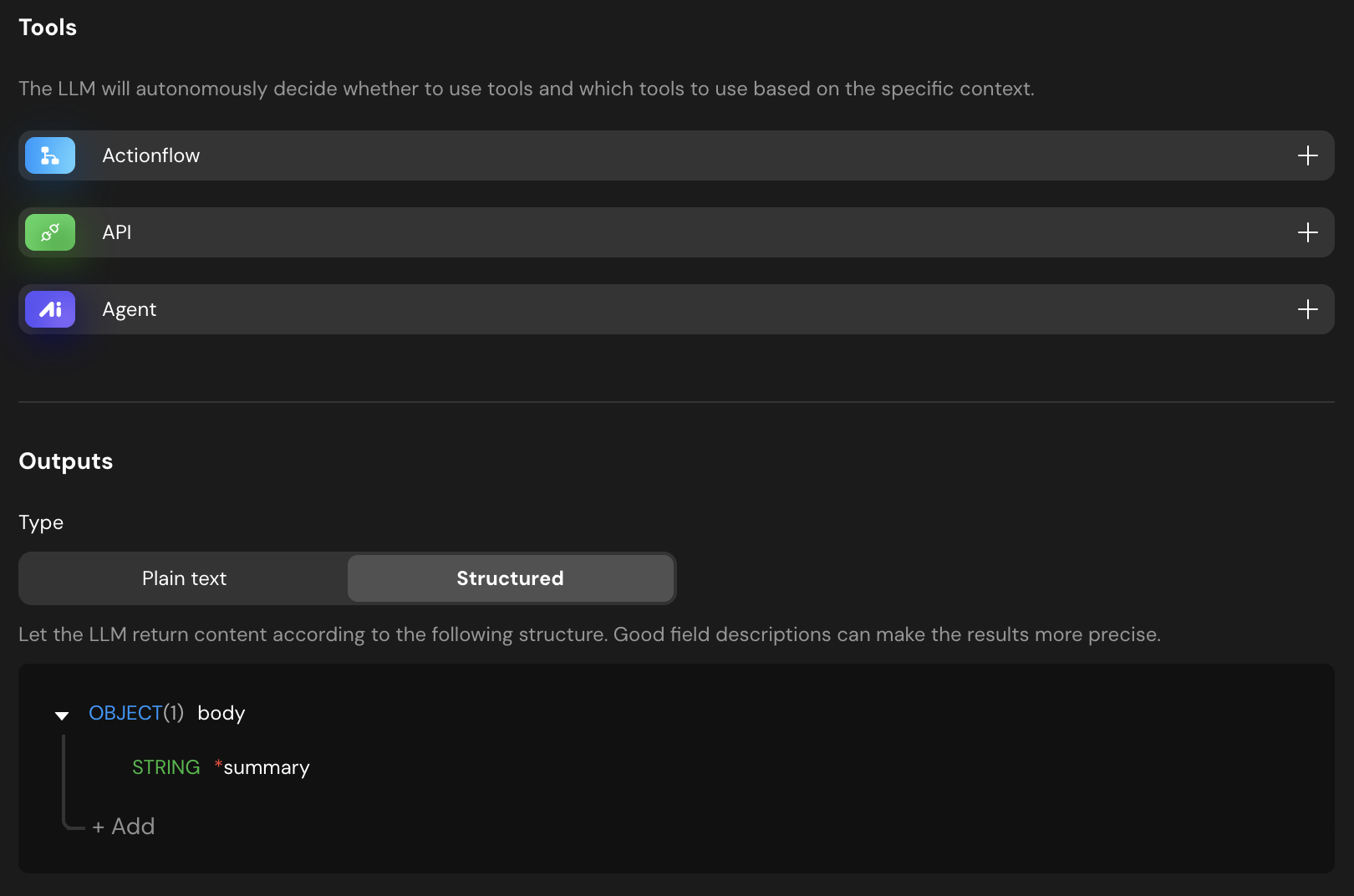
{content}into natural Spanish. - Output: Select Structured type and define a string field
spanish_translation.
- Agent:
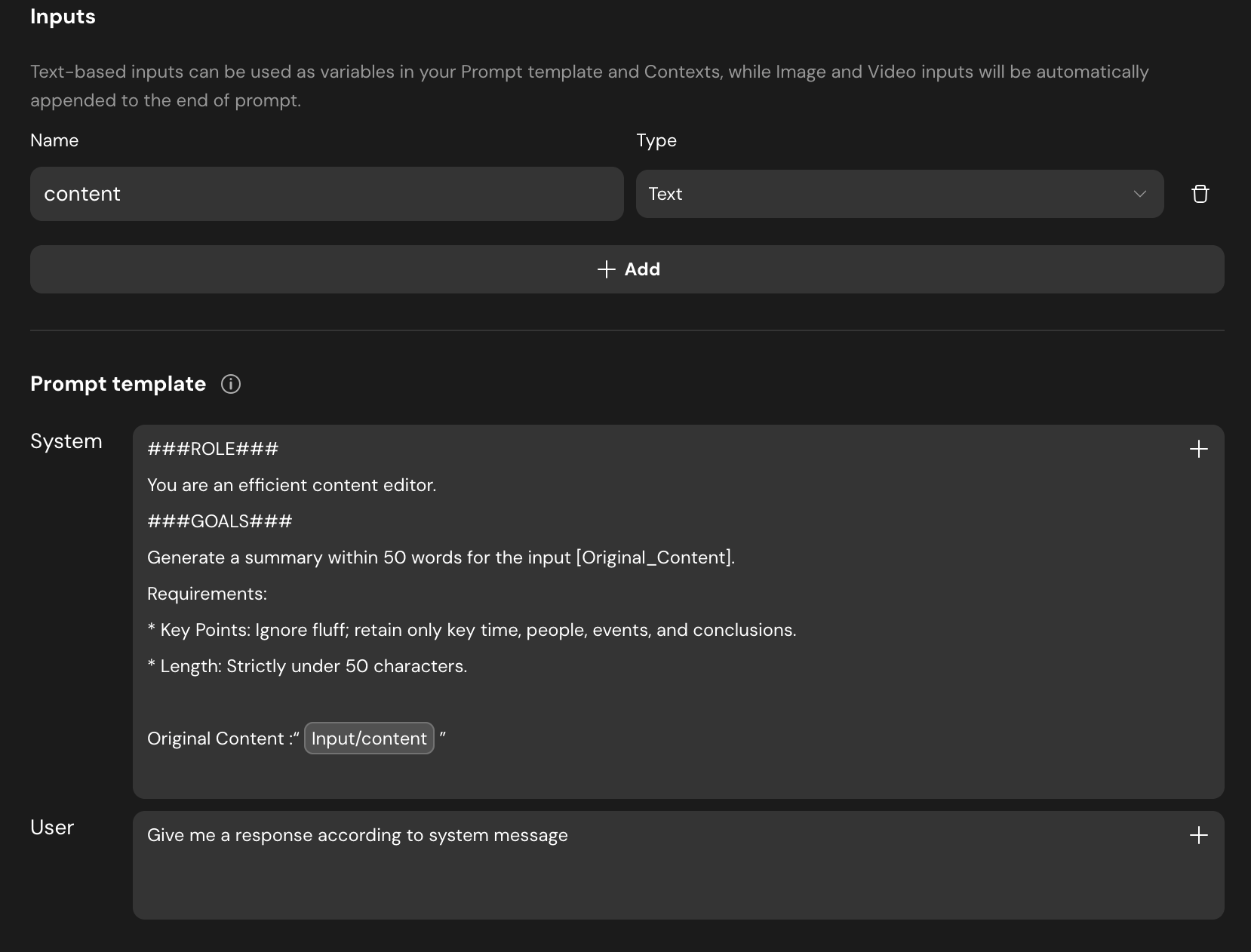
agent_summarizer- Role: Efficient content editor.
- Goal: Summarize the input
{content}in no more than 50 characters. - Output: Select Structured type and define a string field
summary.
Actionflow Construction
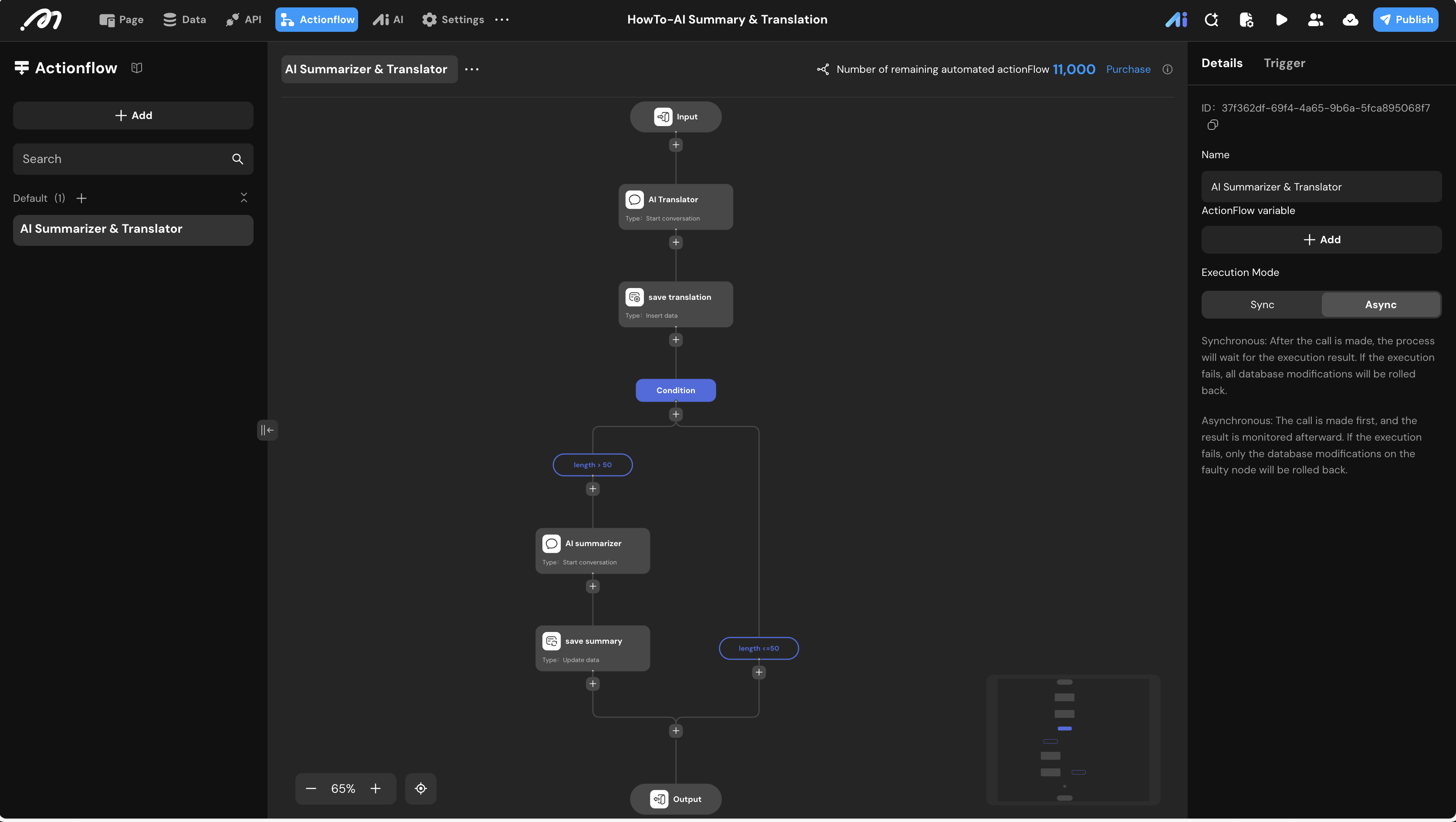
Create an Actionflow named AI Summarizer & Translator.
- Input Parameters: Define an input parameter
content(Type: Text). The Actionflow is triggered by the button you will add in the next section. - Execution Mode: Set the Actionflow to Async mode, so a long AI run never blocks the UI.
- Step 1: AI Translation: Add a Start conversation node using
agent_translator, and bind the Actionflow inputcontentto the agent’s{content}variable. - Step 2: Initial Save: Add an Insert data node to create a record in the
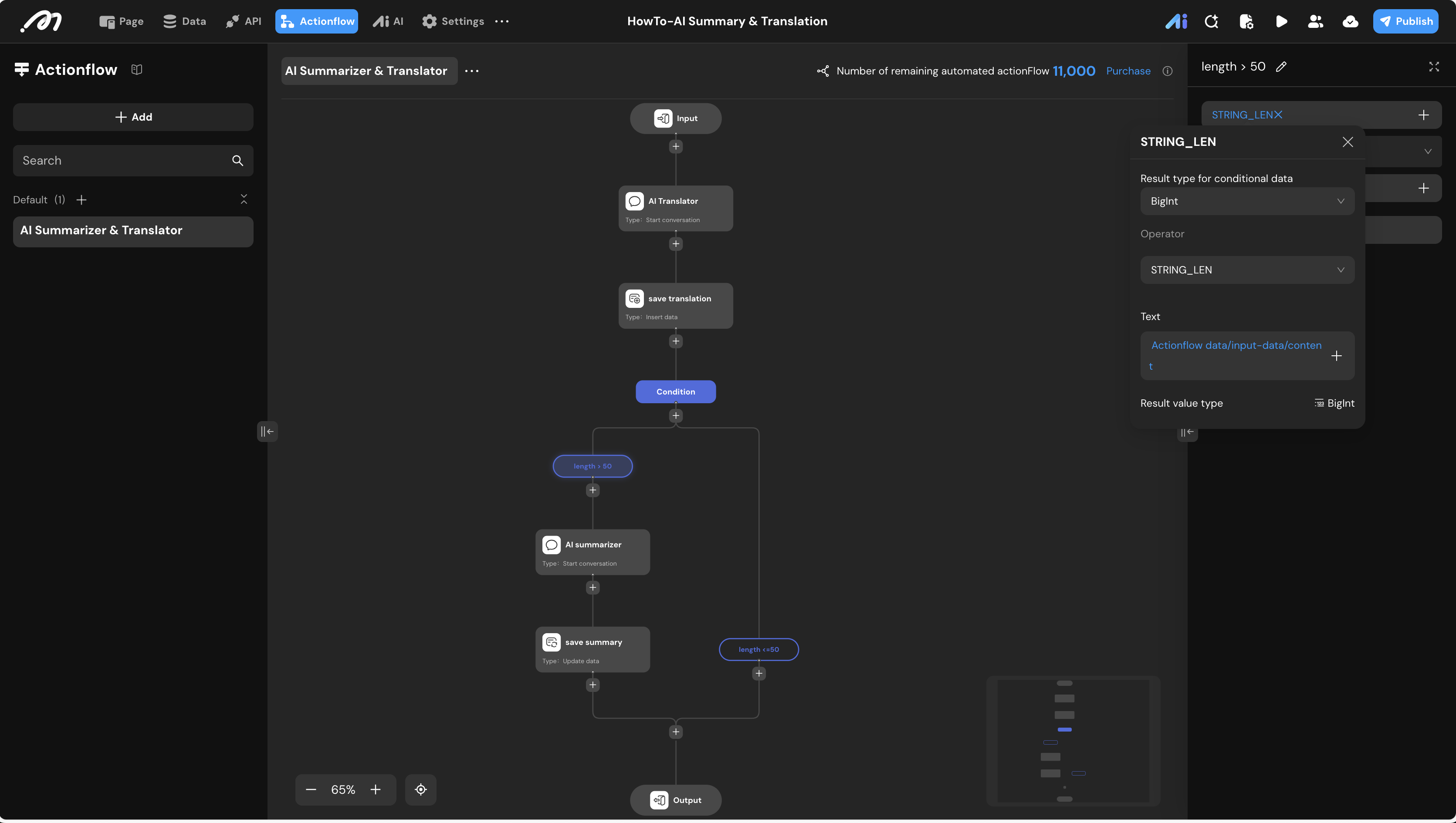
articletable, withcontentbound to the Actionflow input andspanish_translationbound to the agent’s structured output. - Step 3: Length Condition: Add a Condition node and use the
STRING_LENformula to check the length of the input.- Formula:
STRING_LEN(Actionflow data / input-data / content) > 50
- Formula:
Note:
STRING_LEN counts characters (letters, spaces, punctuation). Here, 50 characters is used as a low threshold for demonstration purposes.- Step 4: AI Summary (True branch):
- On the True branch, add a Start conversation node using
agent_summarizer, bindingcontentthe same way as in Step 1. - Add an Update data node to write the generated
summaryto the record created in Step 2. Filter byidequal to the output of the Insert data node, otherwise the update has no target row.
- On the True branch, add a Start conversation node using
UI Construction & Interaction
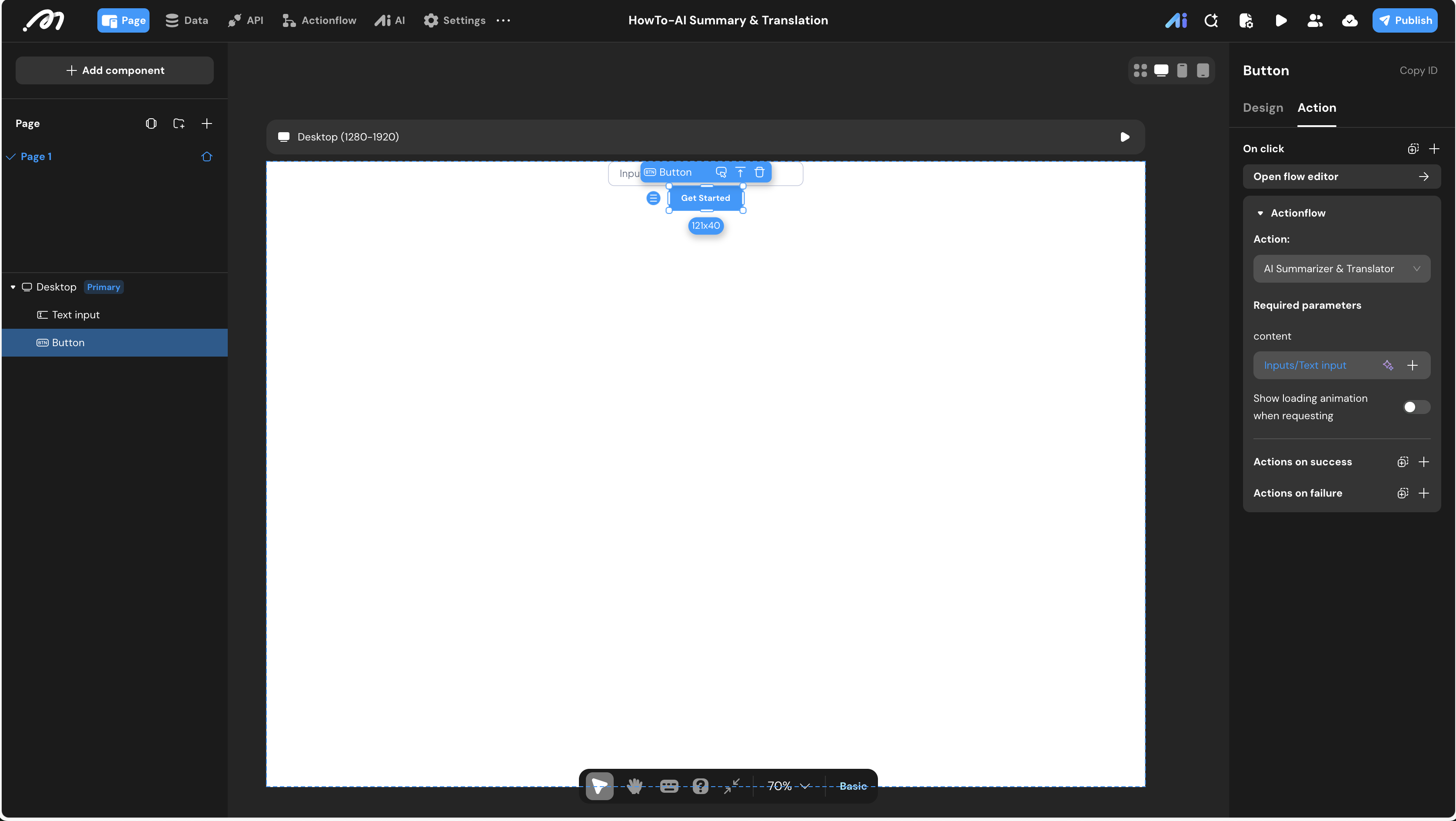
- Layout: Drag a Text input component and a Button component onto the canvas.
- Interaction: Select the Button, go to the Interaction panel, and configure the
OnClickevent.- Action: Select Actionflow →
AI Summarizer & Translator. - Binding: Bind the
contentparameter to the value of the Text input component.
- Action: Select Actionflow →
- Feedback (recommended): Because the Actionflow runs in Async mode, the button returns immediately and nothing visible happens on the page. Add a Toast after the Actionflow call (“Processing, results will appear shortly”), and drop a list component bound to the
articletable so the generated results show up once the run finishes.
Verification
- Short Text Test: Enter a sentence well under the threshold, such as
Welcome to Momen.(17 characters). Check the database:spanish_translationshould contain a Spanish translation such as “Bienvenido a Momen.”, andsummaryshould stay empty (null). - Long Text Test: Enter a paragraph of 60+ characters (e.g., two short sentences). Check the database: both
spanish_translationandsummaryshould be populated. - Boundary Test: Try a text of around 40 characters (e.g., “Momen helps you build AI apps faster.”) and one of around 60 characters. Only the second one should produce a summary — this confirms the condition node (
STRING_LEN > 50) is wired correctly.
If a run produces no data, open the Actionflow logs to see which node failed; AI calls in Async mode fail silently from the user’s point of view.
Last updated on