Conditional
Configure conditional branches to run different actions based on data state, user input, or page state. Conditions are evaluated top to bottom; the first match runs its actions and stops further evaluation.
Use cases
Conditional actions enable flexible business logic:
- Login state: Run different flows for signed-in vs. anonymous users
- Form validation: Check required fields and input rules
- Permission control: Show or hide features by user role
- Data state: Branch based on whether records exist or match criteria
Parameters
| Parameter | Type | Required | Description |
|---|---|---|---|
| Sub-condition name | String | Yes | Display name for debugging and organization |
| Condition expression | Expression | Yes | Expression with data binding and logical operators |
| Actions | Actions | Yes | Actions to run when the condition is true |
Results
Conditional has no direct data output. It runs the actions under the first matching sub-condition.
How it works
Conditions are evaluated from top to bottom. After the first true condition runs, Momen skips all remaining conditions.
Setup
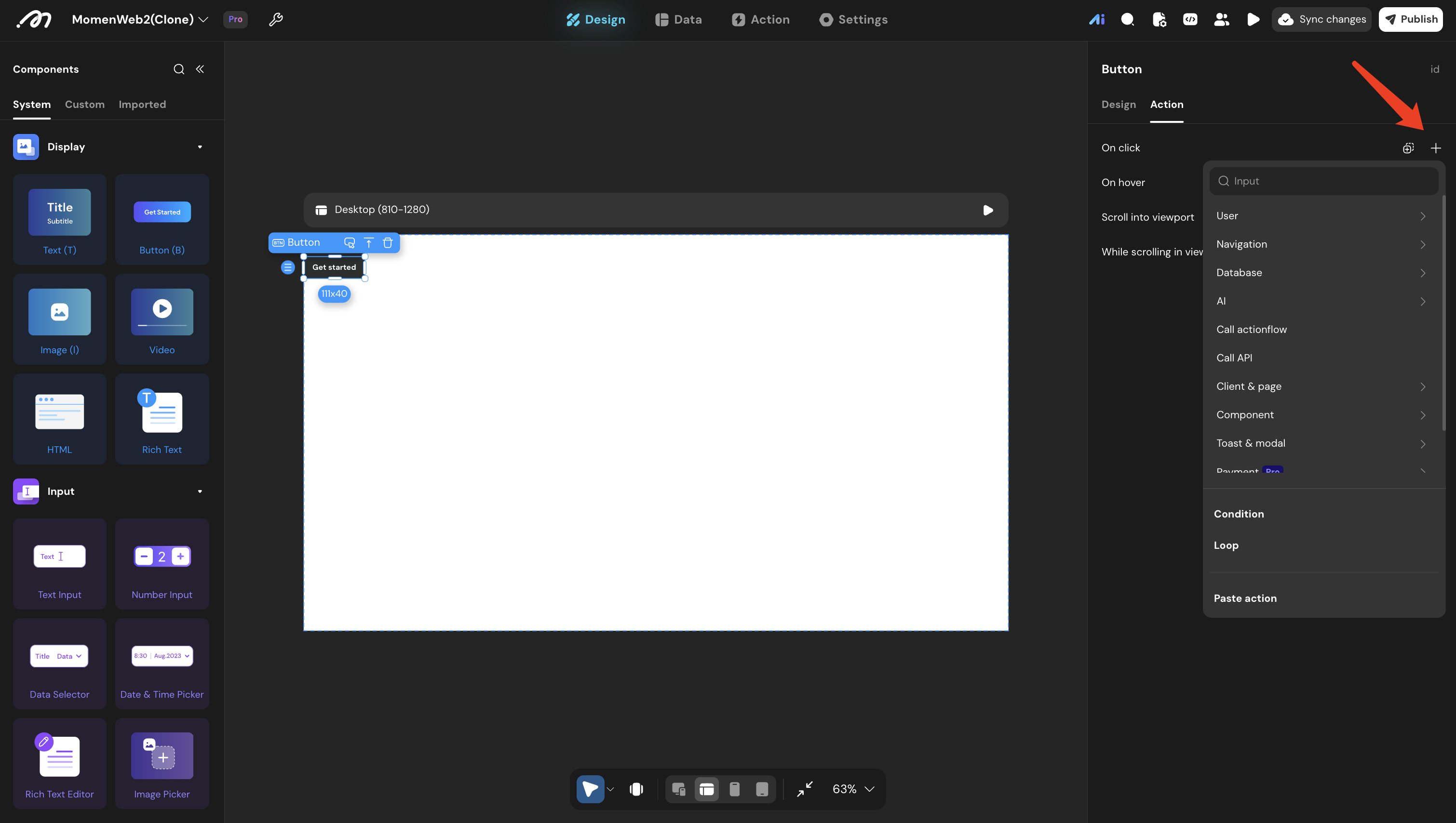
Add a conditional action
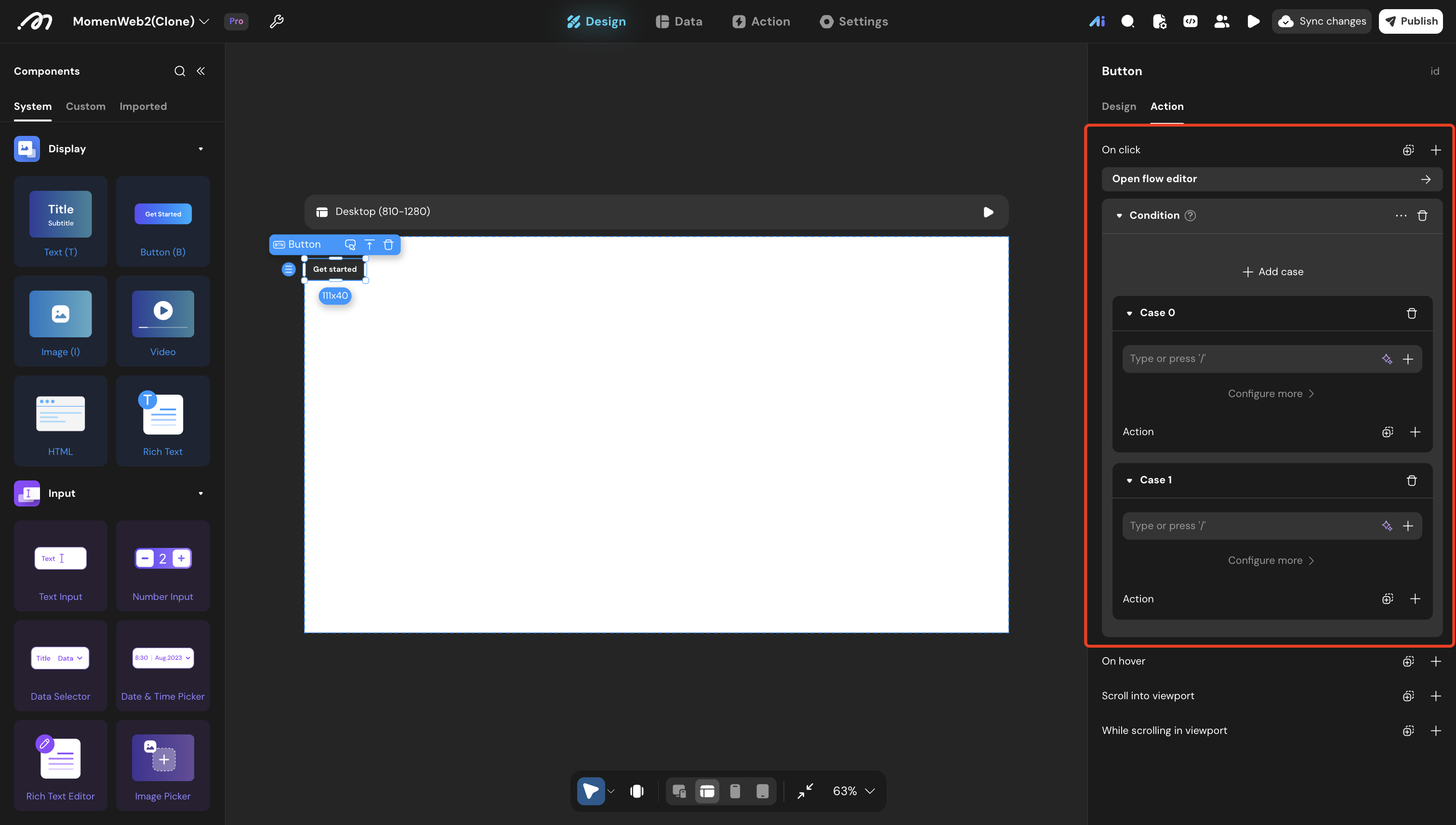
In a component’s interaction settings, add a Conditional action. Two sub-conditions are created by default.
Configure sub-conditions
- Click a sub-condition name to rename it
- In the operand area, set the evaluation expression (supports data binding and logic)
- In the Actions area, configure what runs when the condition is true
Add more conditions
Click + to add sub-conditions. They are evaluated from top to bottom.
Set a default branch
Set the last sub-condition to Always as a fallback when no earlier condition matches.
| Choose an action | Configure conditions |
|---|---|
 |  |
Notes
- Evaluation order: Top to bottom; the first true condition wins
- Minimum setup: At least one sub-condition is required
- Default branch: Use an Always condition as a catch-all
- Expressions: Support AND, OR, NOT, and comparison operators
Special comparison operators
| Operator | Definition | Use Case |
|---|---|---|
| Null | Value is empty | Check if an input is blank |
| Not null | Value is not empty | Check if an input has data |
| Included | Value exists in a collection | Filter by membership in a list |
| Not included | Value not in a collection | Exclude items from a list |
| Similar to | Fuzzy match | Search or filter similar values |
| Not similar to | Not a fuzzy match | Exclude similar values |
Platform support
- Web app
- Mobile app
Errors
- No branch runs: None of the conditions match and no final Always branch is configured.
- Wrong branch runs: A broader condition appears before a more specific condition. Reorder the conditions so the most specific checks run first.
Examples
Purchase login check
// Condition 1: User not signed in
Expression: current user == null
Actions: Navigate to login page

// Condition 2: User signed in (Always)
Expression: Always
Actions: Navigate to checkout page
Registration validation
// Condition 1: Name empty
Expression: name_input.value == ""
Actions: Show toast "Please enter your name"

// Condition 2: Phone empty
Expression: phone_input.value == ""
Actions: Show toast "Please enter your phone number"

// Condition 3: Info complete (Always)
Expression: Always
Actions: Submit registration
Event registration validation
// Condition 1: Incomplete info
Expression: name_input.value == "" || phone_input.value == ""
Actions: Show modal "Please complete registration info"

// Condition 2: Complete (Always)
Expression: Always
Actions: Submit registration + show success toast
Role-based access
// Condition 1: Admin
Expression: current user.role == "admin"
Actions: Navigate to admin dashboard

// Condition 2: Regular user
Expression: current user.role == "user"
Actions: Navigate to User Center

// Condition 3: Unauthorized (Always)
Expression: Always
Actions: Show toast "Insufficient permissions"
Last updated on