Promoter Program
Invite new users to Momen with your invitation code or referral link. When a referred user binds the referral relationship and pays for a project plan, you earn commission on the eligible payment.
Understand referral rewards
| Participant | Reward |
|---|---|
| Promoter | A share of the referred user’s actual project plan payment as referral commission, 10% by default; the rate shown under You get in the referral panel applies. When the referred user signs up with your invitation code, you also receive Copilot AI Points (the same amount as the referred user) |
| Referred user | The coupon, credits, and Copilot AI Points shown under Your friend gets in the referral panel |
After the referral relationship is established, later eligible plan payments by the referred user continue to generate commission. Referral incentives may change; use the current reward shown in Momen.
Referral rewards in the panel describe each reward: coupons show the products they apply to and their validity period, and Copilot AI Points show their validity period.
For some invitation codes, commission is returned to the promoter’s balance as credits instead of a Stripe payout. The panel then says the commission is paid as credits, and no Stripe account is needed.
Copilot AI Points are issued to both the promoter and the referred user when the referred user signs up with an invitation code or referral link. The validity period starts from issuance.
Only project plan payments generate referral commission. Resource packs, Dedicated instances, and other products do not qualify.
Share an invitation code or link
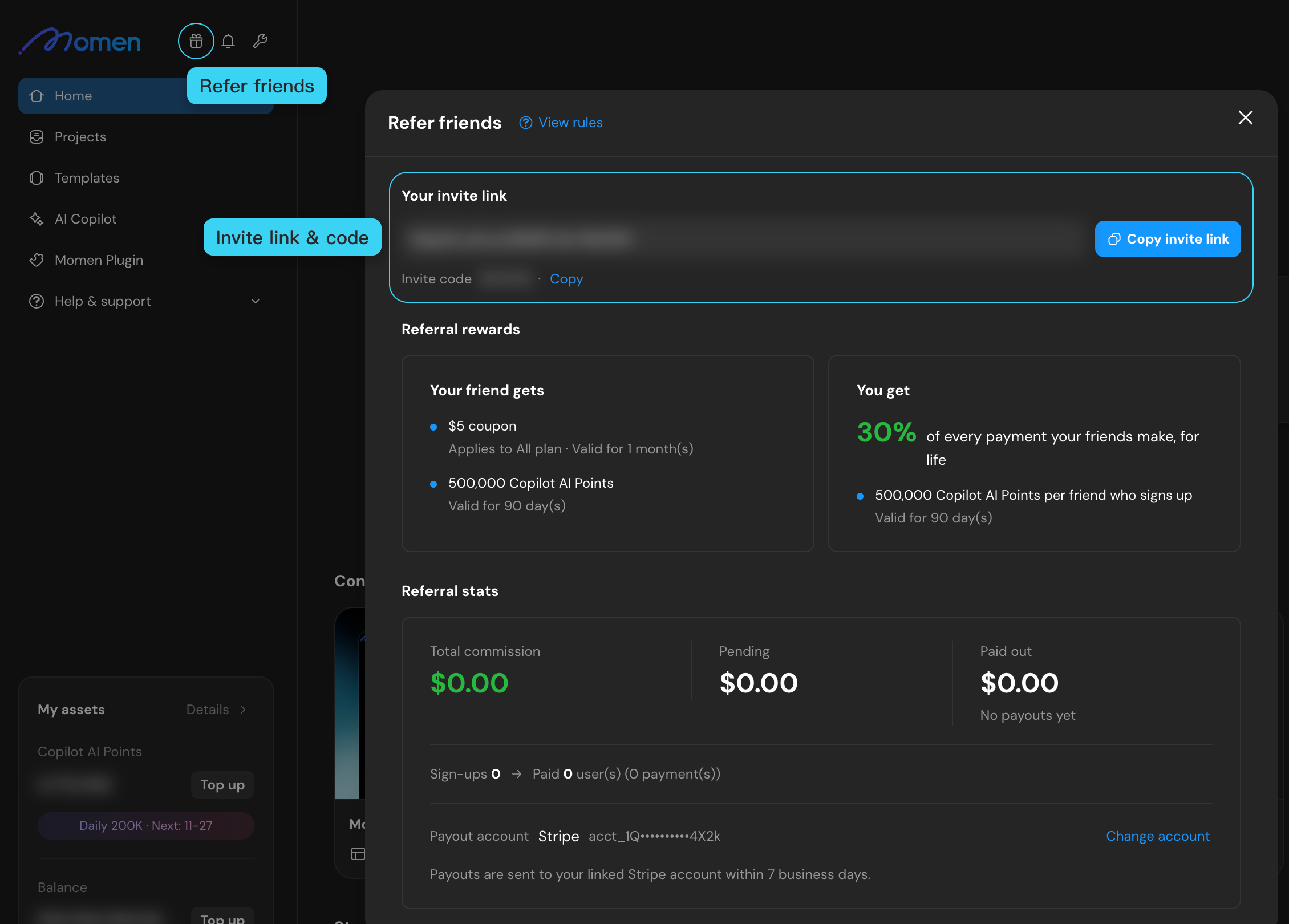
- In the User Center, select the gift icon at the top left (Refer friends and earn a plan referral bonus) to open Refer friends.
- Under Your invite link, select Copy invite link, or select Copy next to the invite code, and send it to the person you want to invite.
Select View rules next to the panel title to open this page.
Bind the referral relationship
A referred user can bind the relationship for the first time in any of these ways:
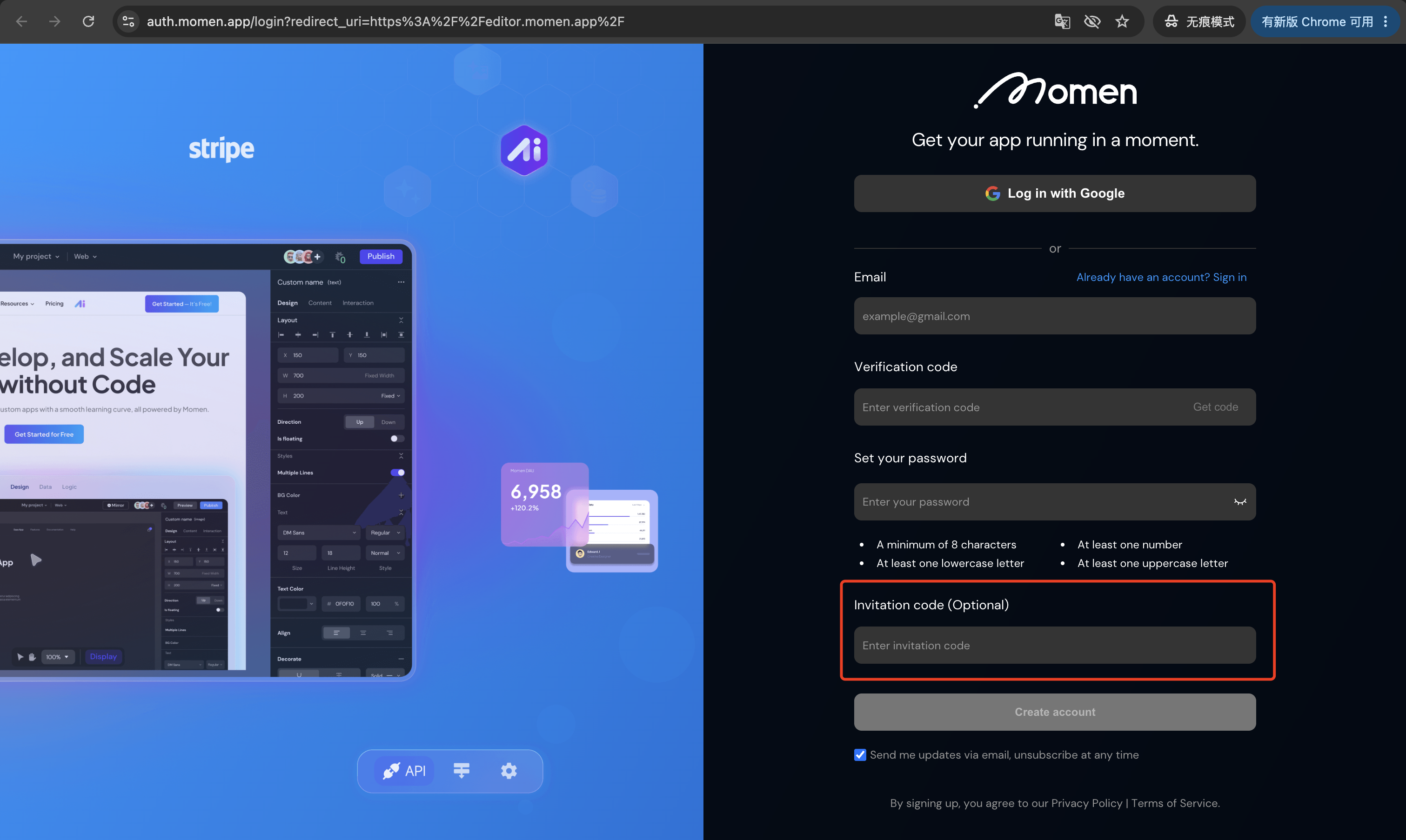
- During registration: Enter the invitation code on the sign-up page.
- At the first checkout: If no referrer is bound yet, enter the invitation code at checkout.
- Through a referral link: Register through the link to apply the invitation code automatically.
The invitation code cannot be changed after it is bound. Confirm that the code belongs to the intended promoter before submitting it.
Track referrals
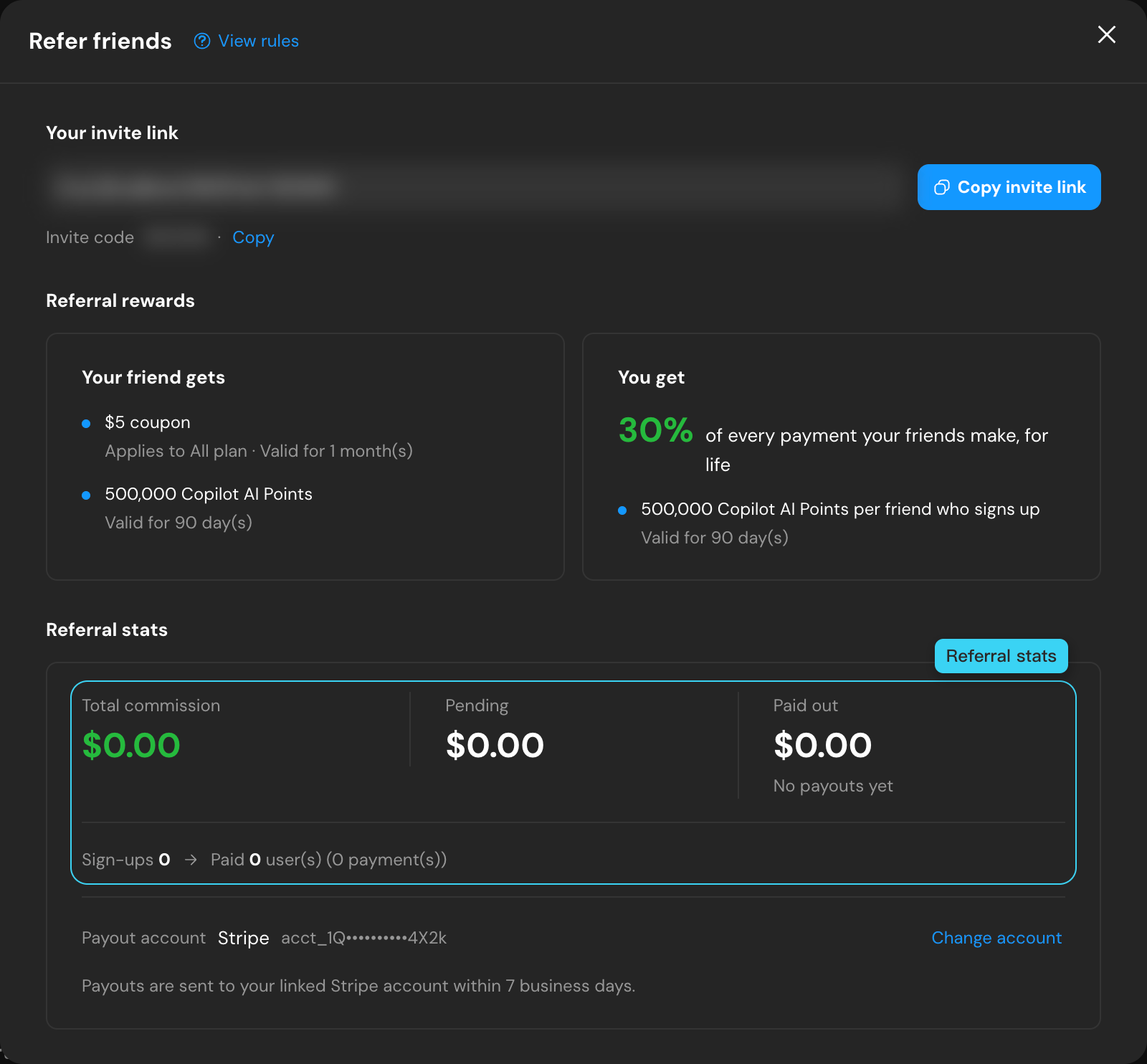
Referral stats in the panel display:
- Total commission: Pending plus paid-out commission
- Pending: Commission generated but not yet paid to Stripe
- Paid out: Commission already paid to Stripe; shows “No payouts yet” when there is none
- Referral funnel: Sign-ups → Paid. Paid shows paid users and payments, for example “Paid 3 user(s) (20 payment(s))”; renewals and repeat purchases by the same referred user count as separate payments, and fully refunded orders are excluded
When commission is paid as credits, only Total commission is shown.
Commission rules
- Commission is calculated from the actual project plan payment. Coupon discounts and refunded amounts do not generate commission.
- If a plan payment is refunded, the related commission is reversed; commission that has already been paid may also be recovered.
Earn referral commission
Eligible commission is sent to the connected Stripe account within 7 business days. Momen sends an email and an in-app notification when the payout is complete.
Connect a Stripe account before receiving your first payout:
- When no account is linked, Referral stats shows “No payout account linked. Commission is held until you link one.” Select Link Stripe.
- Complete the Stripe Connect onboarding flow.
- Return to Momen and confirm that the Payout account row shows the connected account.
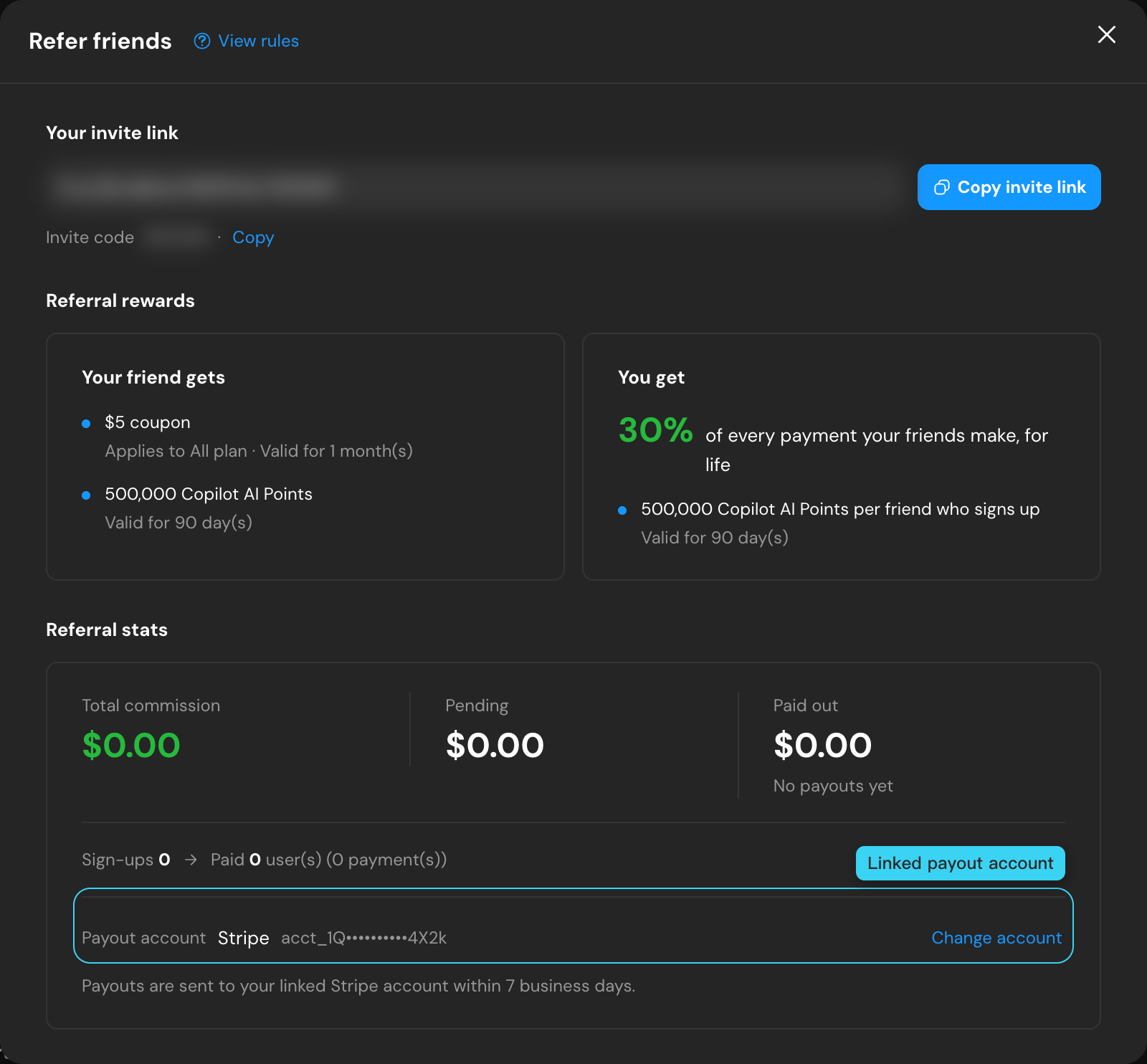
Complete Stripe verification before a payout is due. You can select Change account later to update the connected account.
If a payout fails, confirm that Stripe Connect onboarding and verification are complete, then contact Momen support about the unsettled commission.