AI Knowledge Base
Project Access Link
https://editor.momen.app/tool/dK5wjNzNOG8/WEB?code=CKRaskeFN3L5P&ref=0562398
Introduction
- Goal: Create an intelligent customer support robot that can search a private knowledge base and answer questions based on retrieved content.
- Applicable Scenario: Internal documentation search, smart FAQ, and customer support automation.
- Core Logic: User Input -> AI Agent -> Actionflow (Vector Search) -> Database (Knowledge Base) -> AI Synthesis -> Output.
Steps
Data Storage
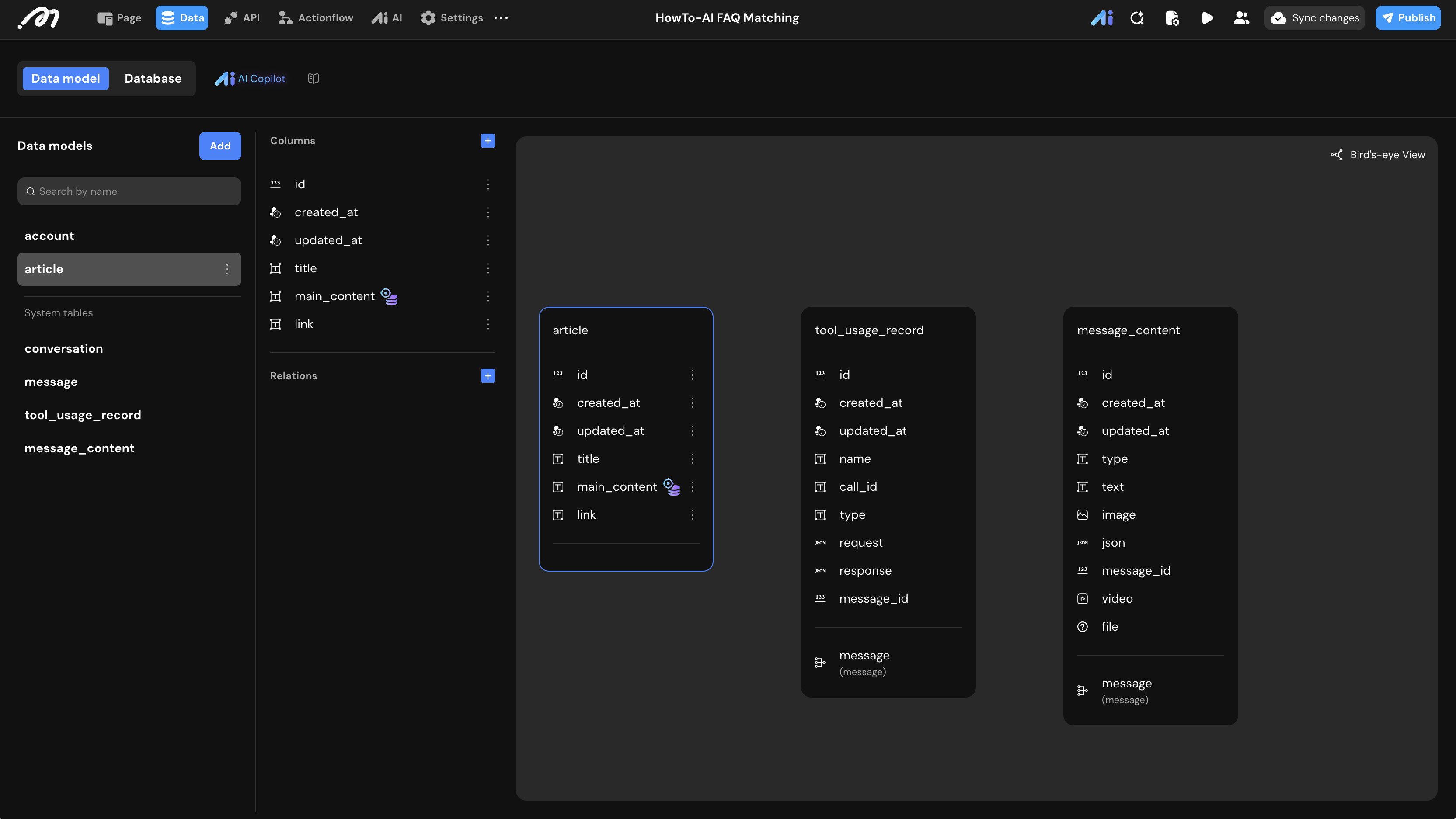
- Data Model: Create a table named
article.
| Field Name | Type | Note |
|---|---|---|
| title | Text | The title of the document. |
| main_content | Text | The core content (Enable Vector Storage). |
| link | Text | The URL reference for the document. |
What is Vector Storage? It converts unstructured text into numerical vectors. This allows the system to find content based on “semantic meaning” rather than just keyword matching.
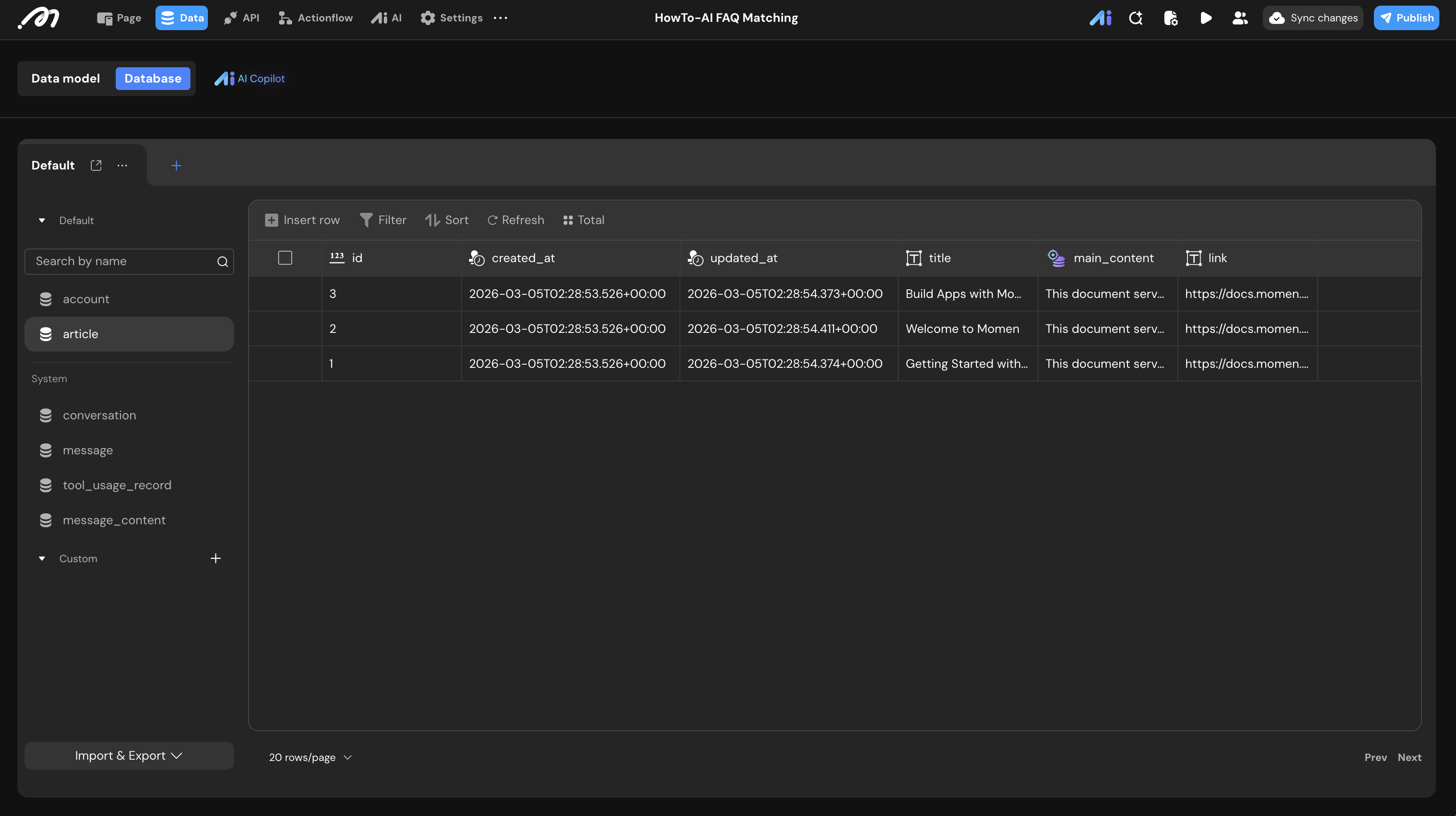
- CMS Entry: Add several records to the
articletable to serve as your knowledge base.
Logic & State Configuration
We need an Actionflow to act as a “tool” for the AI Agent to perform the actual search.
Actionflow Construction
- Input: Add a text parameter named
questionto receive the user’s query from the AI. - Fetch Primary Match:
- Add a Query Data node for the
articletable. - Sort: Select
main_content. Set mode to Vector. - Function: Choose
COSINE(Cosine Similarity). - Input: Bind to
Actionflow input.question. - Limit: Set to
1(Returns the most relevant article).
- Add a Query Data node for the
- Fetch Secondary Match:
- Add another Query Data node.
- Filter:
idis “Not equal to” the ID retrieved in the Primary Match step. - Sort/Function: Same as above (Vector + COSINE).
- Limit: Set to
1(Returns the second most relevant article).
- Output: Define four text outputs:
primary_content: From Fetch Primary Match.primary_link: From Fetch Primary Match.secondary_content: From Fetch Secondary Match.secondary_link: From Fetch Secondary Match.
AI Agent Configuration
Navigate to the AI tab to configure your agent’s behavior.
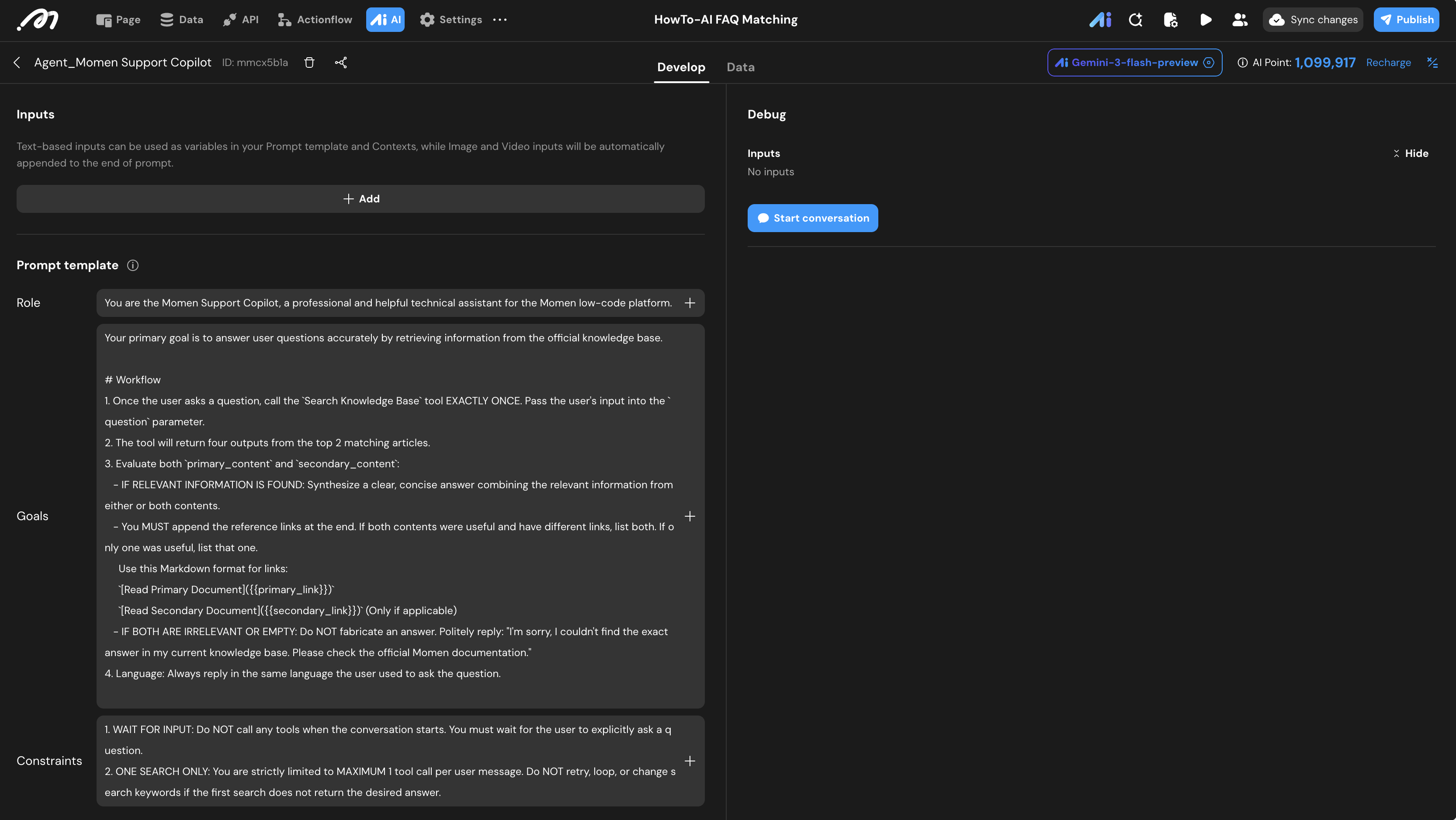
- Role:
You are the Momen Support Copilot, a professional and helpful technical assistant for the Momen low-code platform. - Goals:
Your primary goal is to answer user questions accurately by retrieving information from the official knowledge base.

# Workflow
1. Once the user asks a question, call the `SearchKnowledgeBase` tool EXACTLY ONCE. Pass the user's input into the `question` parameter.
2. The tool will return four outputs from the top 2 matching articles.
3. Evaluate both `primary_content` and `secondary_content`:
   - IF RELEVANT INFORMATION IS FOUND: Synthesize a clear, concise answer combining the relevant information from either or both contents.
   - You MUST append the reference links at the end. If both contents were useful and have different links, list both. If only one was useful, list that one.
     Use this Markdown format for links:
     `[Read Primary Document]({{primary_link}})`
     `[Read Secondary Document]({{secondary_link}})` (Only if applicable)
   - IF BOTH ARE IRRELEVANT OR EMPTY: Do NOT fabricate an answer. Politely reply: "I'm sorry, I couldn't find the exact answer in my current knowledge base. Please check the official Momen documentation."
4. Language: Always reply in the same language the user used to ask the question.- Constraints:
1. WAIT FOR INPUT: Do NOT call any tools when the conversation starts. You must wait for the user to explicitly ask a question.
2. ONE SEARCH ONLY: You are strictly limited to MAXIMUM 1 tool call per user message. Do NOT retry, loop, or change search keywords if the first search does not return the desired answer.- Tools: Add the
Search Knowledge BaseActionflow. The “tool name” in the prompt should match the tool configuration to avoid call failures due to misunderstandings.
Verification
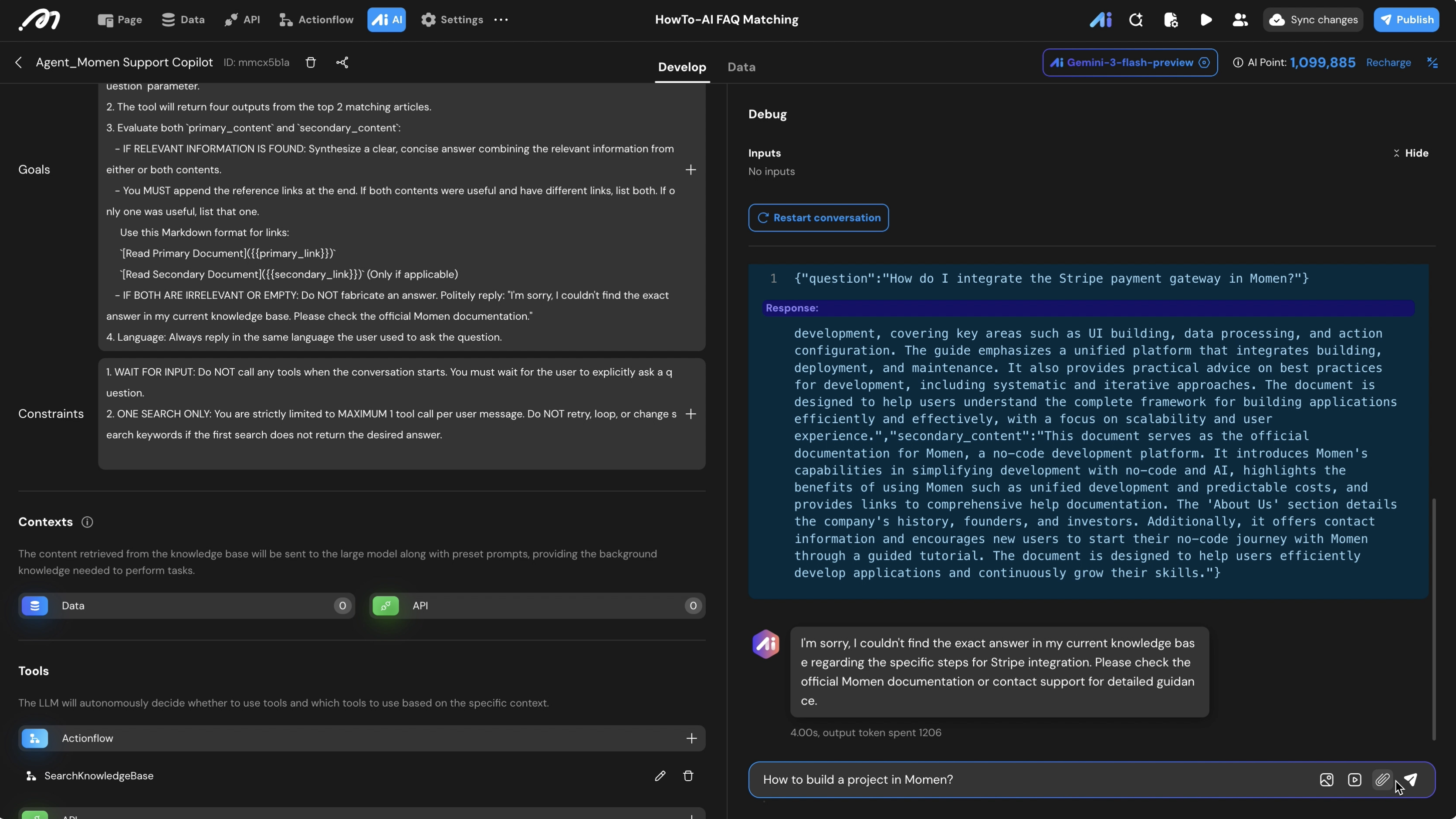
- Use the Debug window to test the following scenarios:
- Exact Match: Ask about a specific title in your DB.
- Expected: AI returns the content and exactly one relevant link.
- Cross-Document Fusion: Ask a question covered partially by two docs.
- Expected: AI combines info from
primaryandsecondarycontent and provides two links.
- Expected: AI combines info from
- **Out-of-Scope (Safety Check)**: Ask something irrelevant (e.g., “What is the weather?”).
- Expected: AI should trigger the “IF IRRELEVANT” logic, apologizing instead of hallucinating a link.
- No Pre-emptive Calling: Start a new session and do not type anything.
- Expected: The “Tool Called” status should remain empty until you send a message.
Last updated on