Referral Code System
Project Access Link
https://editor.momen.app/tool/X57jbwZw9e6/WEB?code=UoVFchau6nsgK&ref=0562398
Introduction
- Goal: Create a personalized invitation system where users generate unique codes and new users are automatically linked to their referrers upon code entry.
- Applicable Scenario: Affiliate marketing, reward programs, community growth tracking, and sales attribution.
- Core Logic: Generate a unique string -> Store with owner ID -> Validate input code -> Update the “Invitee” record.
Steps
Data Storage
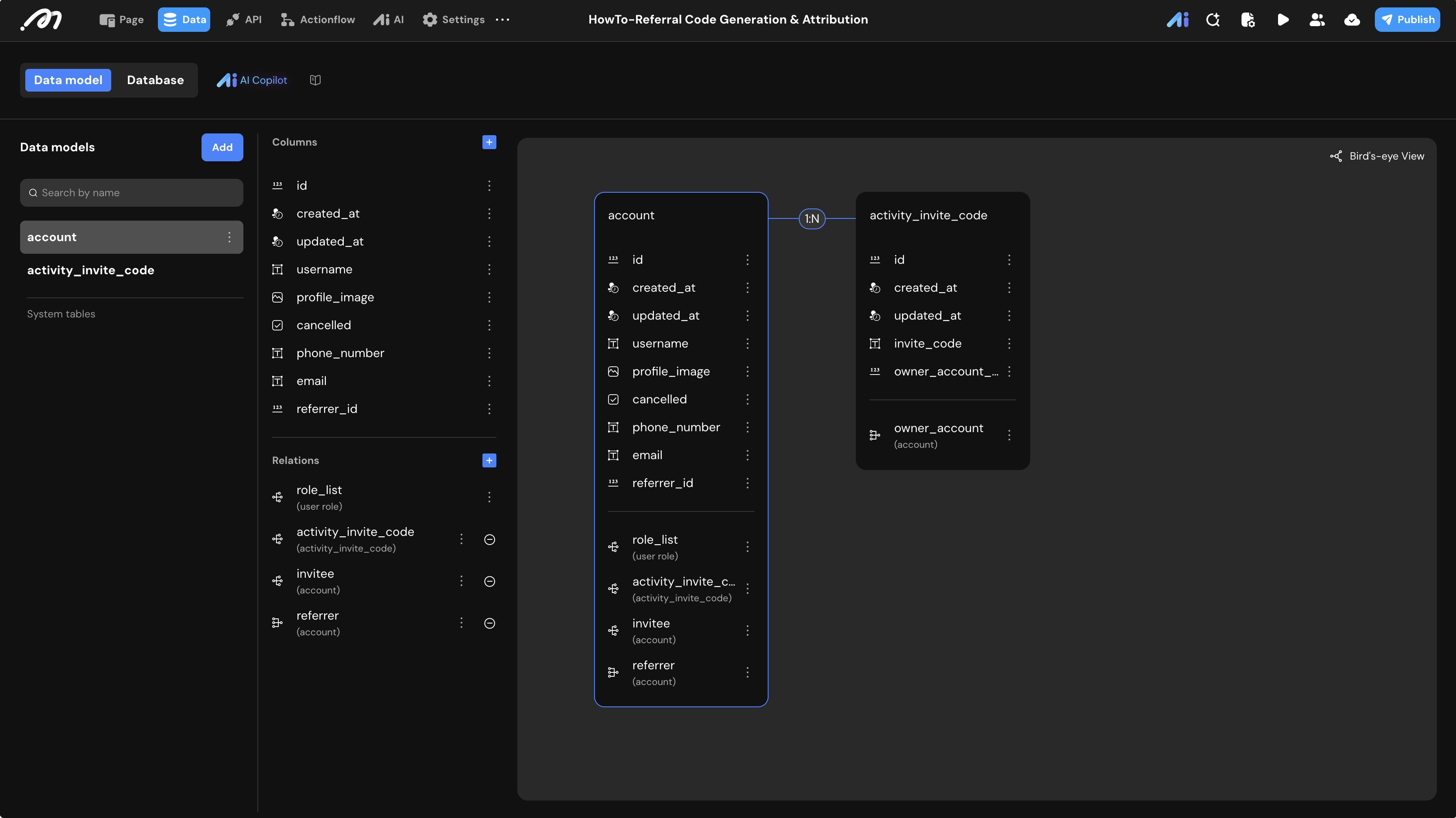
First, we need to set up the relational structure to track who owns which code and who invited whom.
account(system table): Add a one-to-one self-referential relationship.
| Field Name | Type | Note |
|---|---|---|
| referrer_id | Bigint | Stores the ID of the person who invited this user. |
activity_invite_code: Create this table to store generated credentials.
| Field Name | Type | Note |
|---|---|---|
| invite_code | Text | Unique random string(Must enable “Unique” constraint). |
| owner_account_id | Bigint | Links the code to its creator. |
Logic & State Configuration
We need two primary Actionflows: one to generate the code and one to verify it.
Generate Referral Code
This flow ensures every user gets a unique code. Since random strings can theoretically collide, we implement a Retry Loop to guarantee uniqueness.
- Variable: Create an Actionflow variable
is_generated(Boolean) to track success status.
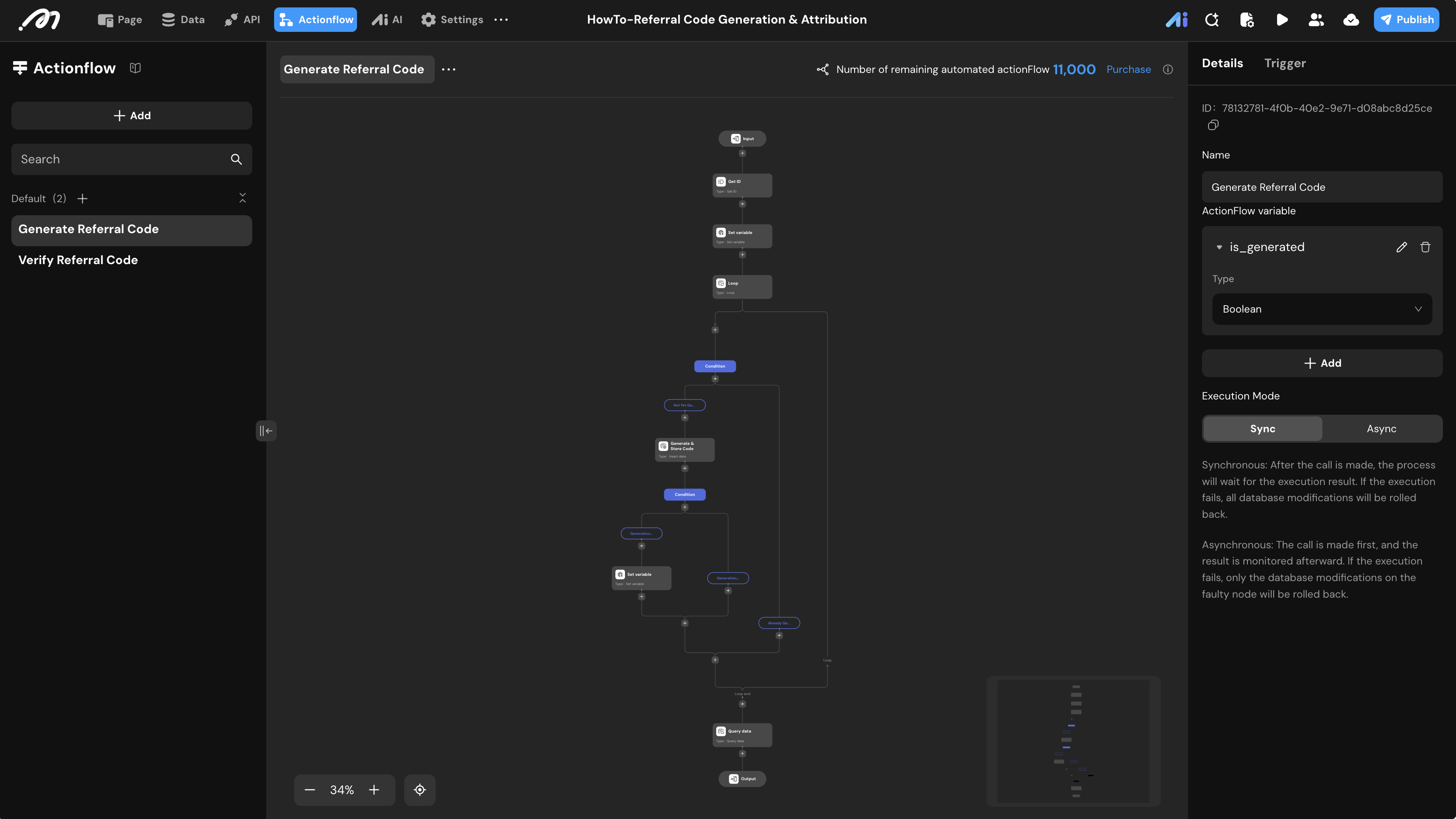
- Get ID: Use the “Get ID” node to fetch the
current_account_id. - Set Variable: Use a “Set Variable” node to initialize
is_generatedtofalse.
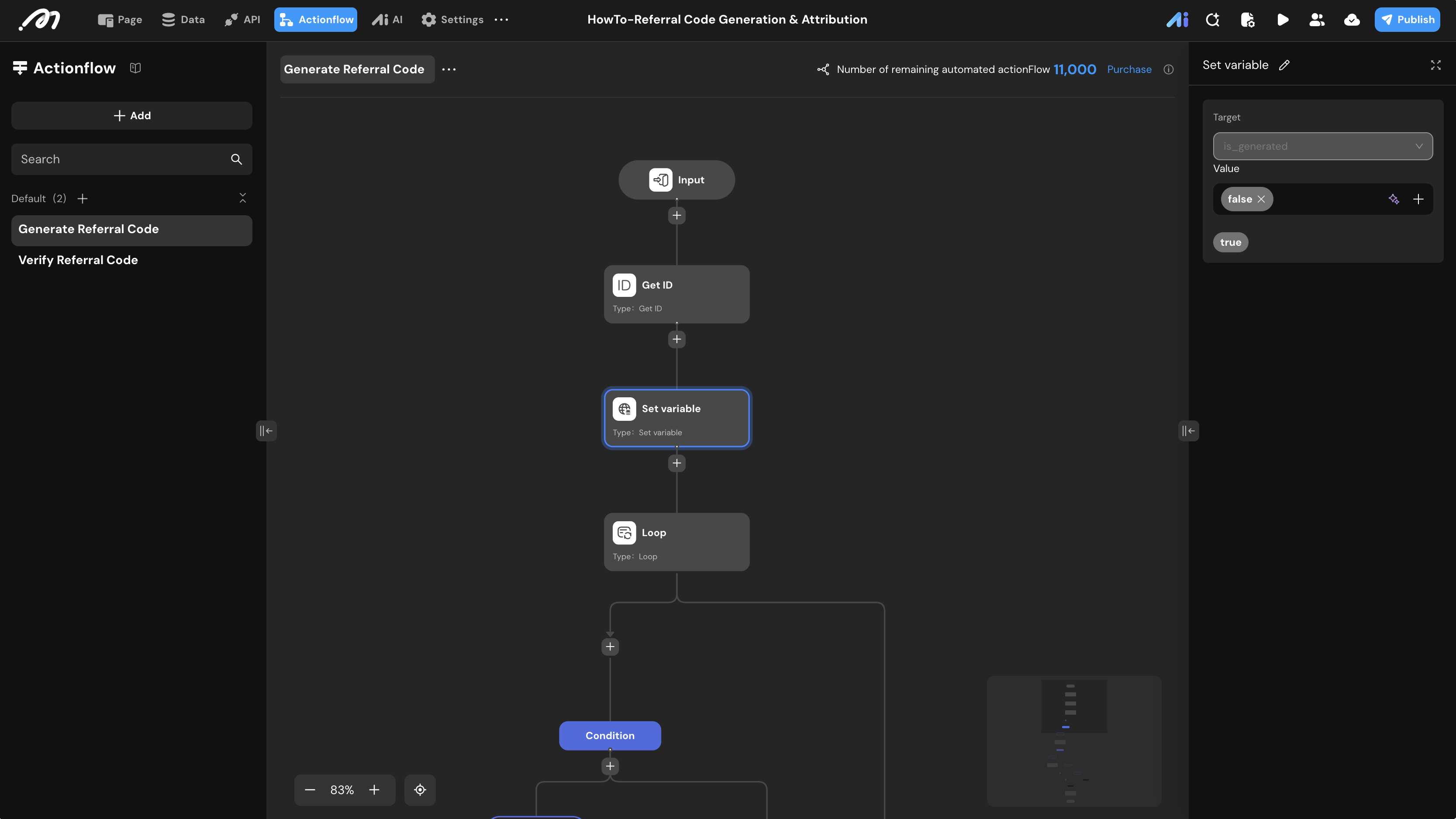
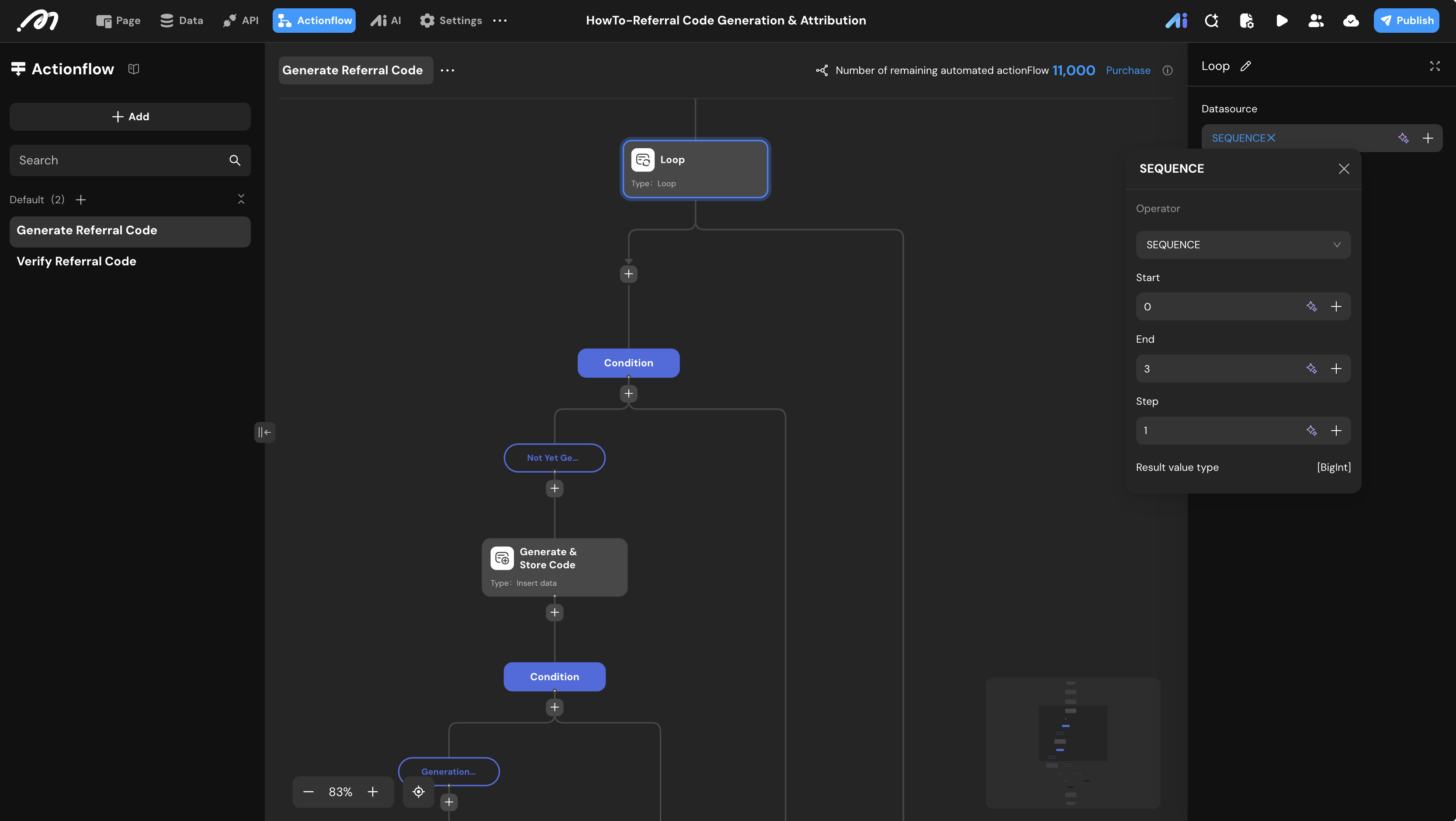
- Loop: Use the
SEQUENCE(0, 3, 1)formula as the data source. This generates the array[0, 1, 2], meaning the logic will retry up to 3 times (the formula includes the start value but excludes the end value).
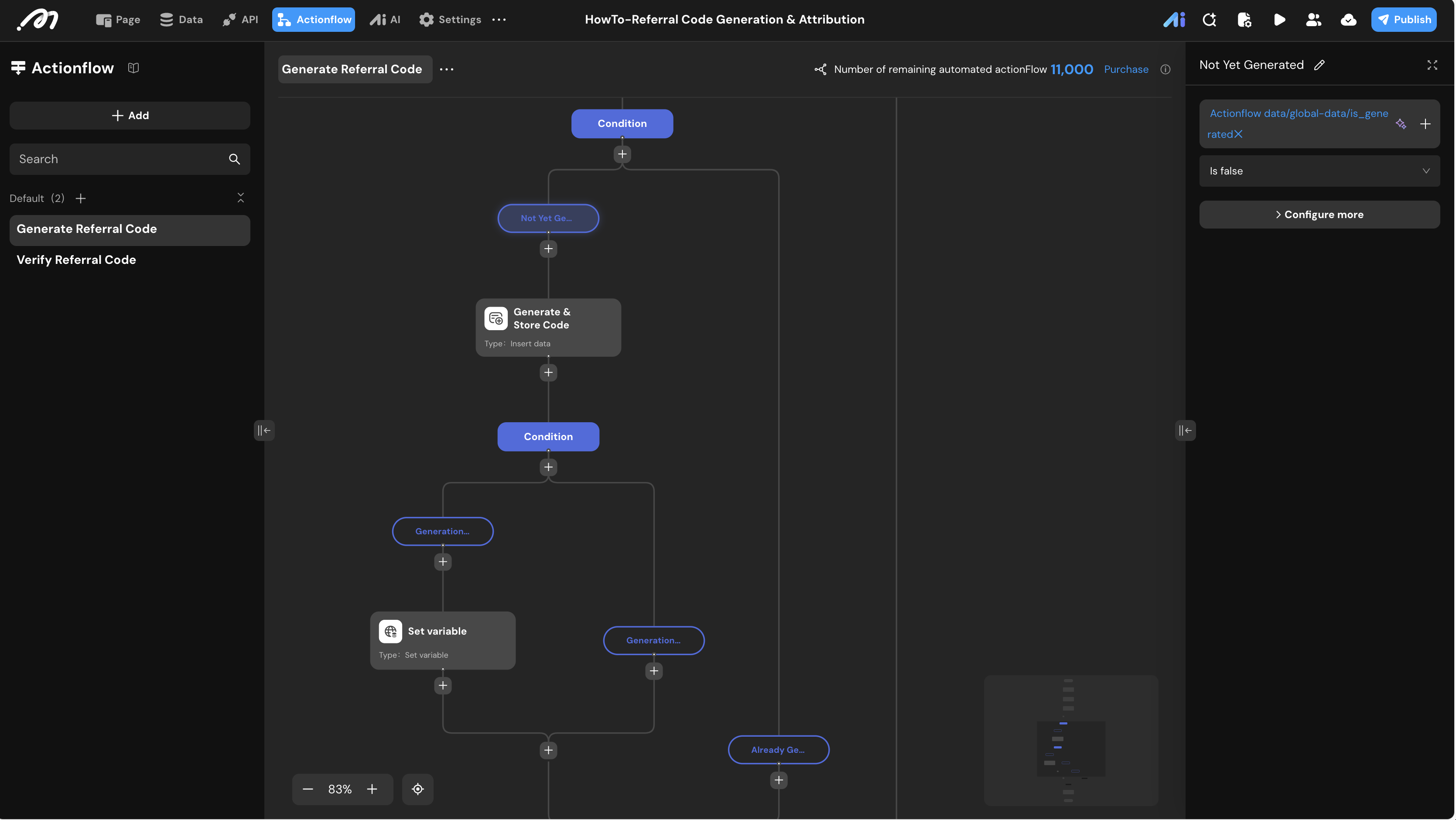
-
Condition: Inside the loop, check if
is_generatedisfalse.- If False(Not Yet Generated): Proceed to the generation branch.
- If True (Already Generated): Skip the iteration.
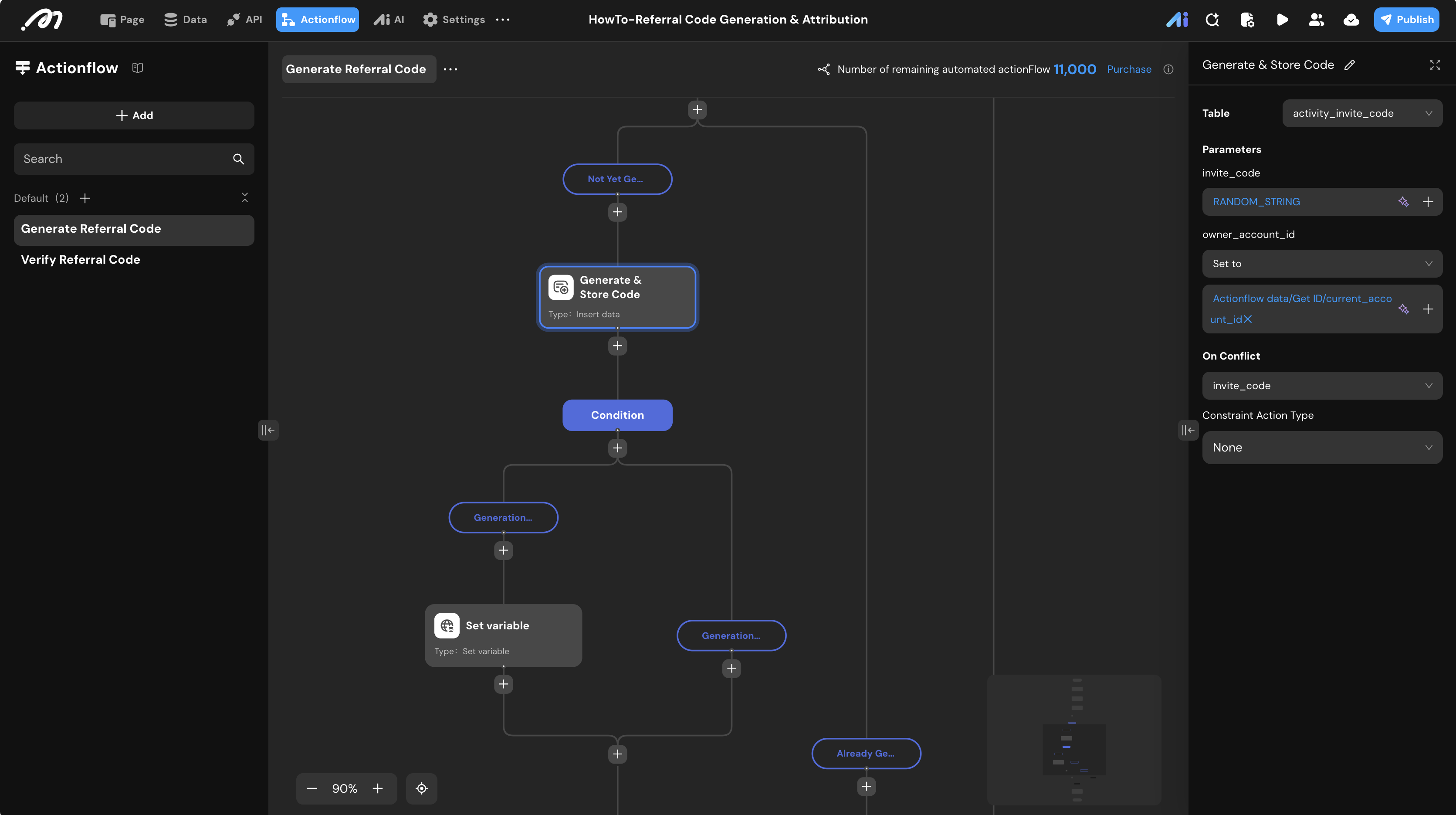
-
Insert Data: Add a record to the
activity_invite_codetable.- invite_code: Bind to the
RANDOM_STRINGformula. - owner_account_id: Bind to the
current_account_id. - On Conflict: Set to None.
- invite_code: Bind to the
-
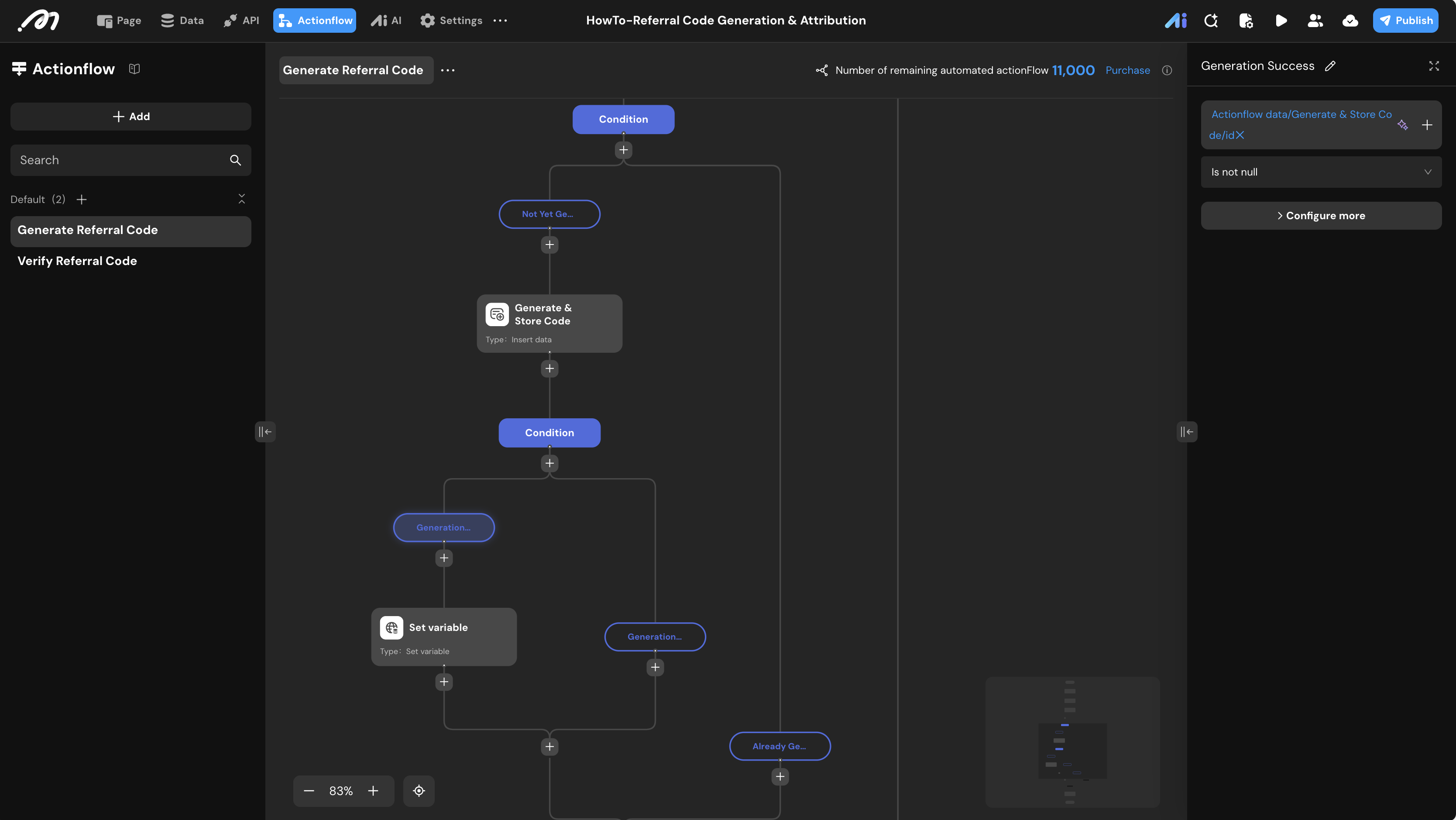
Success Check: Add a Condition node to check if the ID from the “Insert Data” node is not null.
- If the ID exists, it means the database successfully saved a unique code. Set
is_generatedtotrue. - If the ID is null (collision occurred),
is_generatedstaysfalse, and the loop retries.
- If the ID exists, it means the database successfully saved a unique code. Set
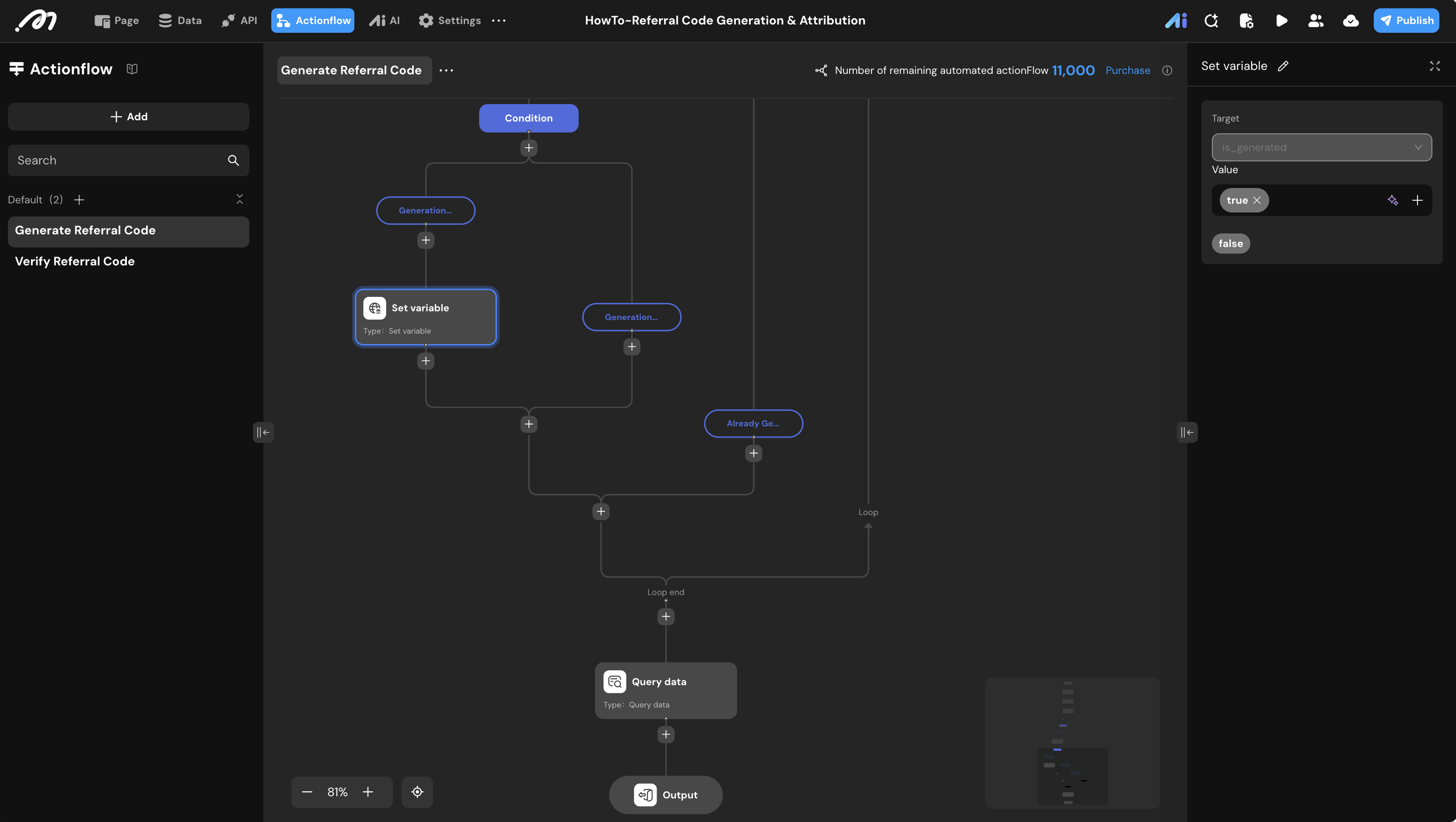
- Output: After the loop ends, query the code for the current user.
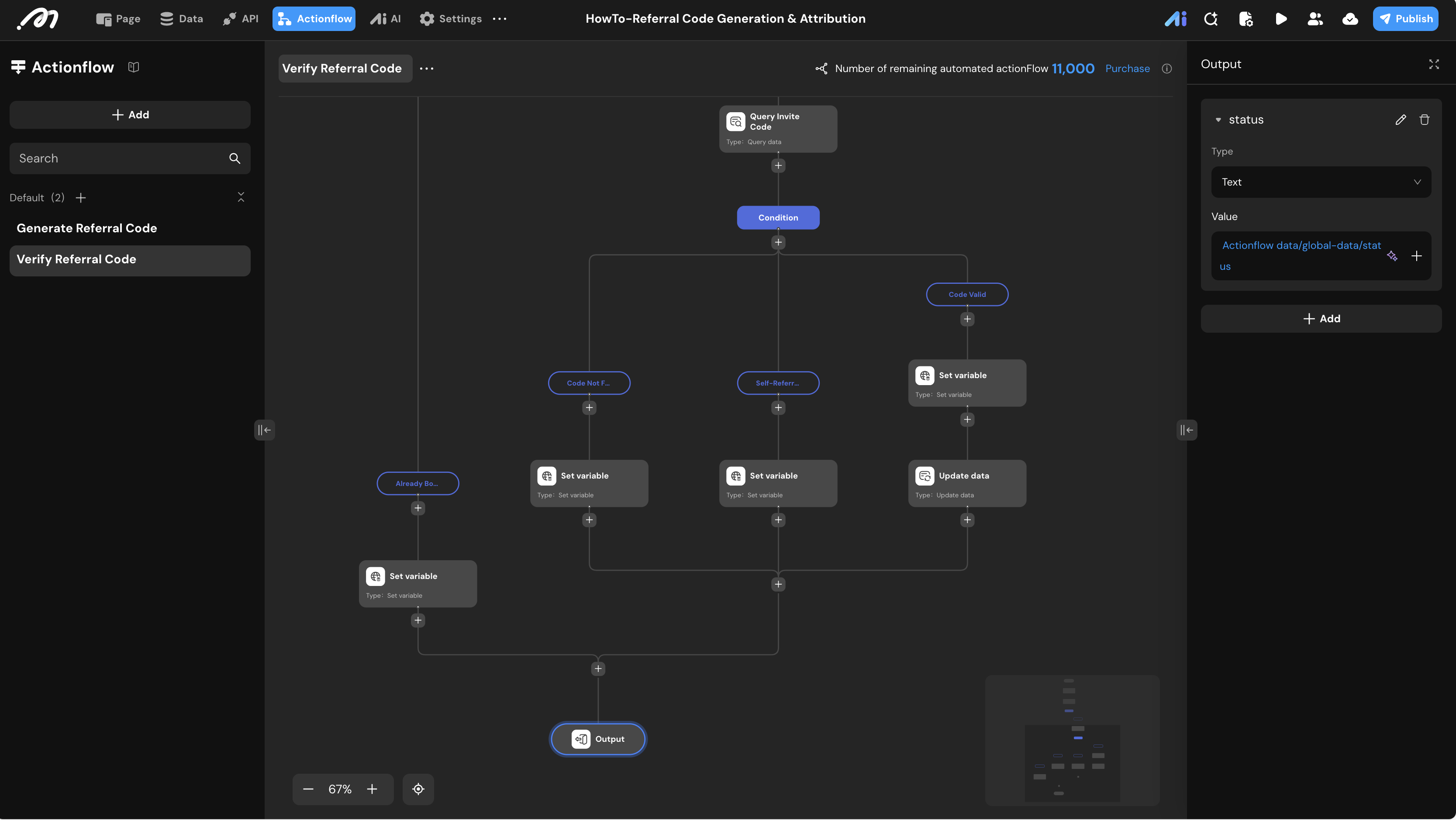
Verify Referral Code
This flow validates the user’s input and establishes the permanent attribution link in the database.
- Input: Receive the
codestring from the UI. - Variable: Define a Text variable
statusto store feedback messages.
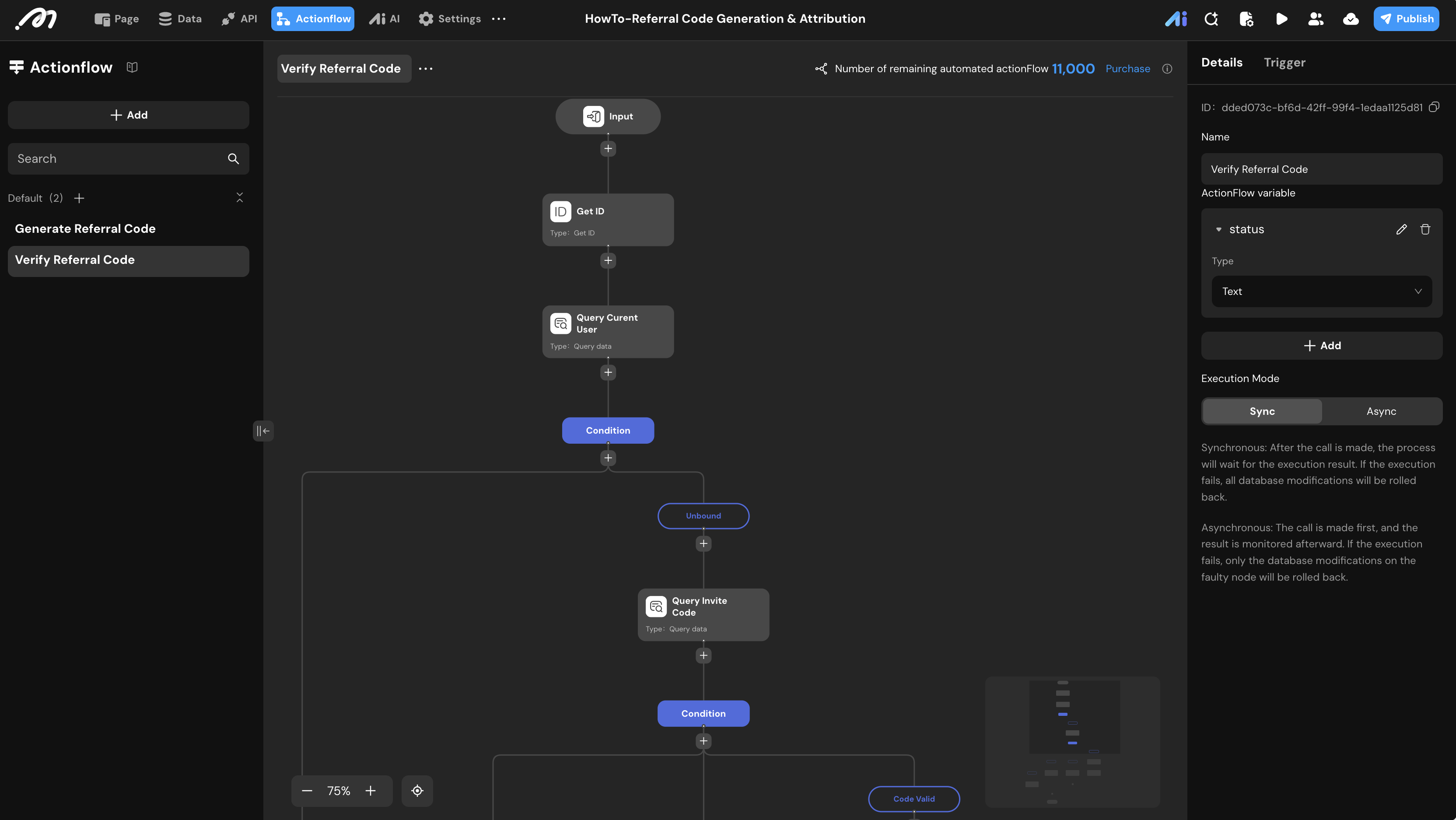
- Identity Fetch: Use “Get ID” and “Query Record” to retrieve the current user’s profile data.
- Pre-check: Check if the current user’s
referrer_idis not null.- Not Null: Already bound to an inviter. Set
statusto “Already Bound” and exit.
- Not Null: Already bound to an inviter. Set
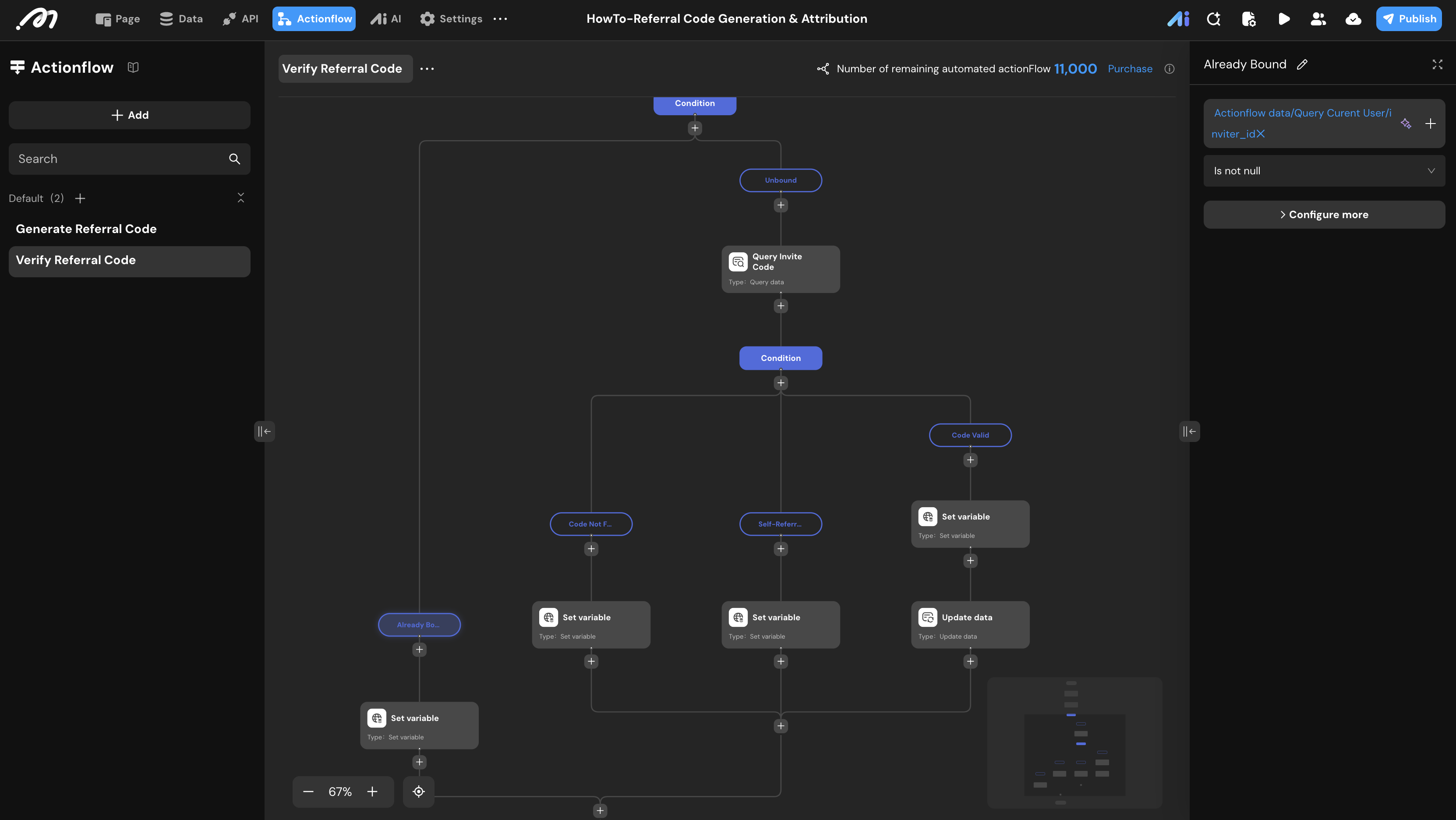
- Query Code: Search the
activity_invite_codetable whereinvite_codeequals the inputcode.
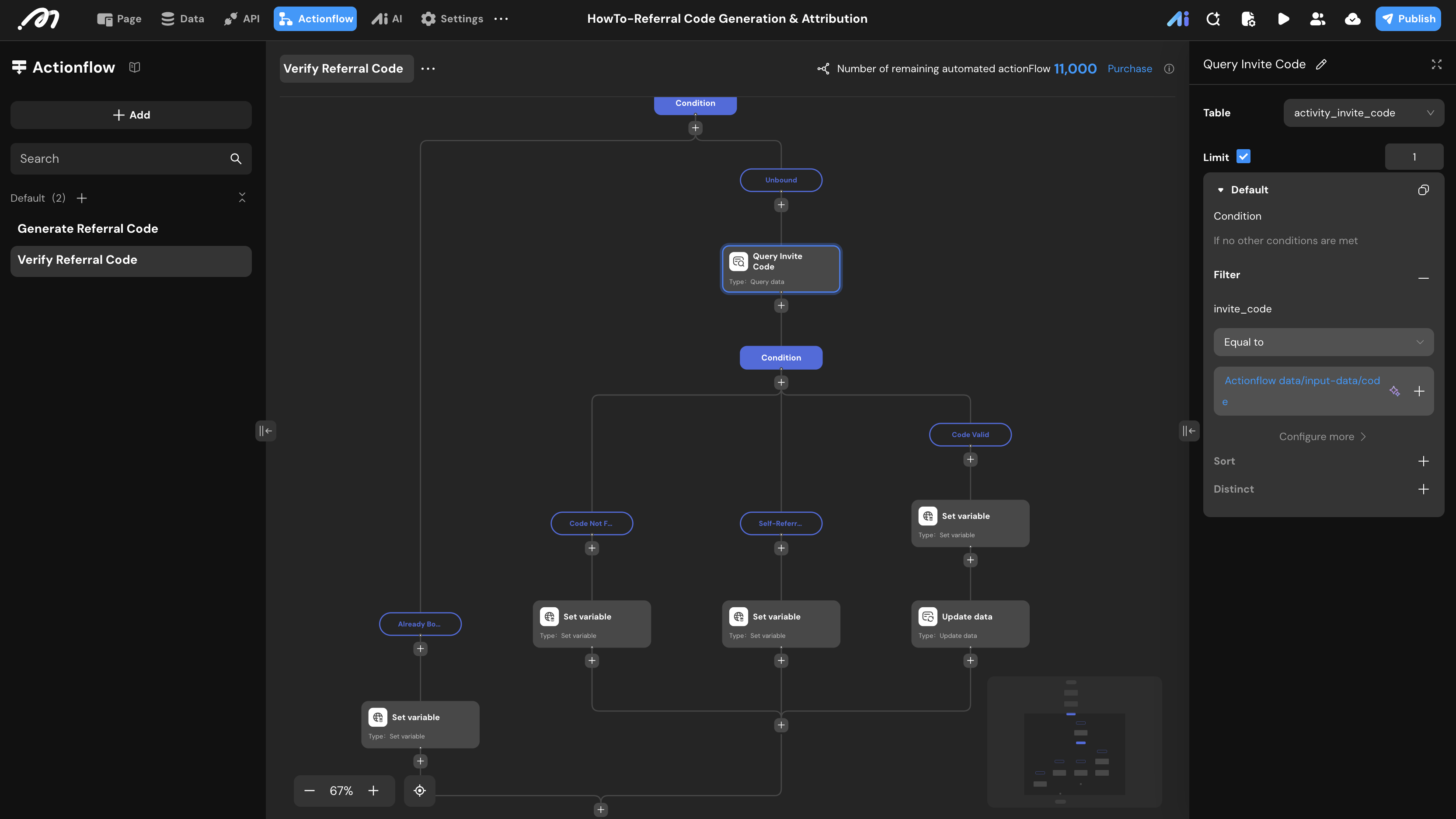
- Validation Branches:
- Case 1: If the Query result ID is null, set
statusto “Invalid Code”.
- Case 1: If the Query result ID is null, set
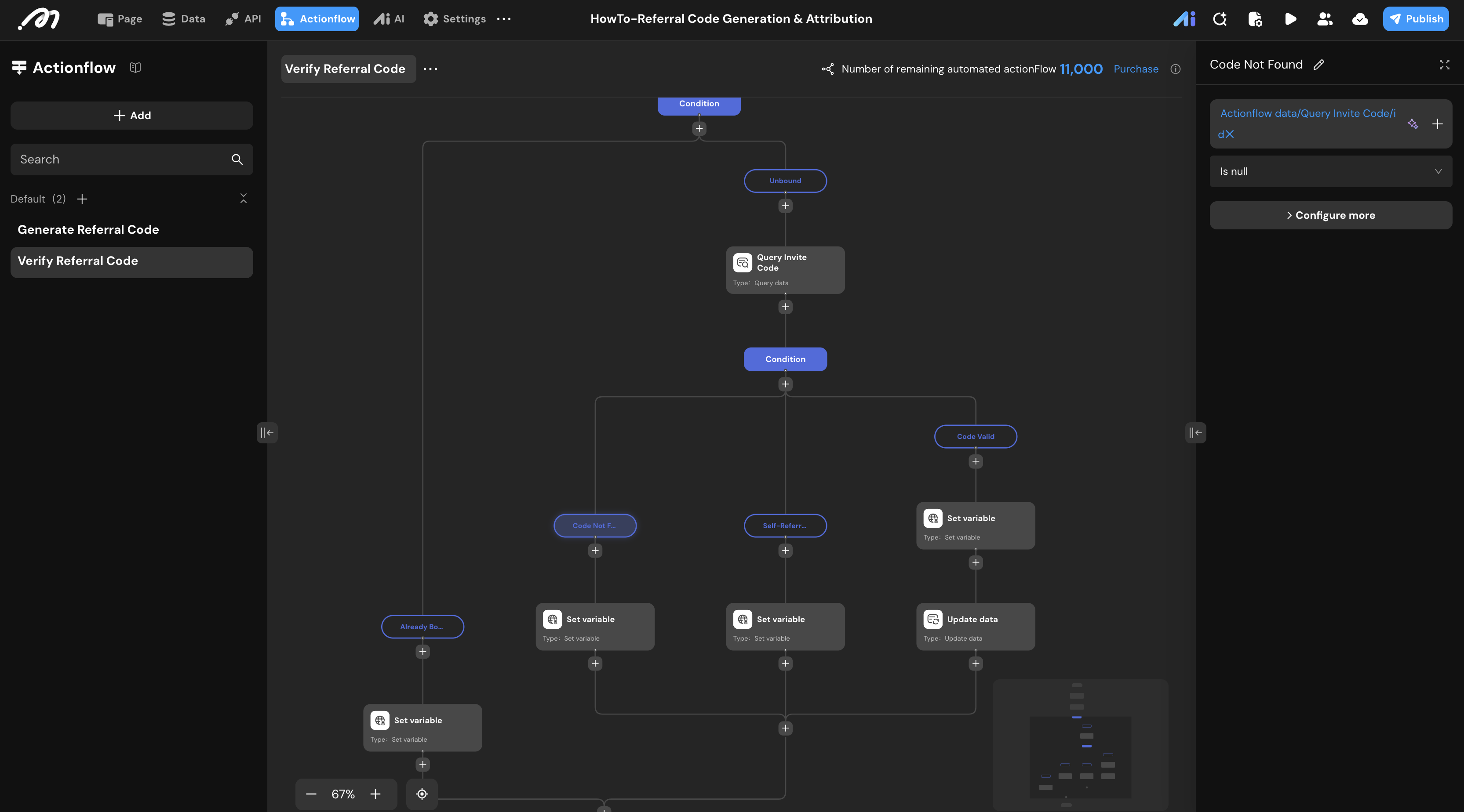
- Case 2: Compare the code’s
owner_account_idwith thecurrent_account_id. If they are the same, setstatusto “Cannot invite yourself”.
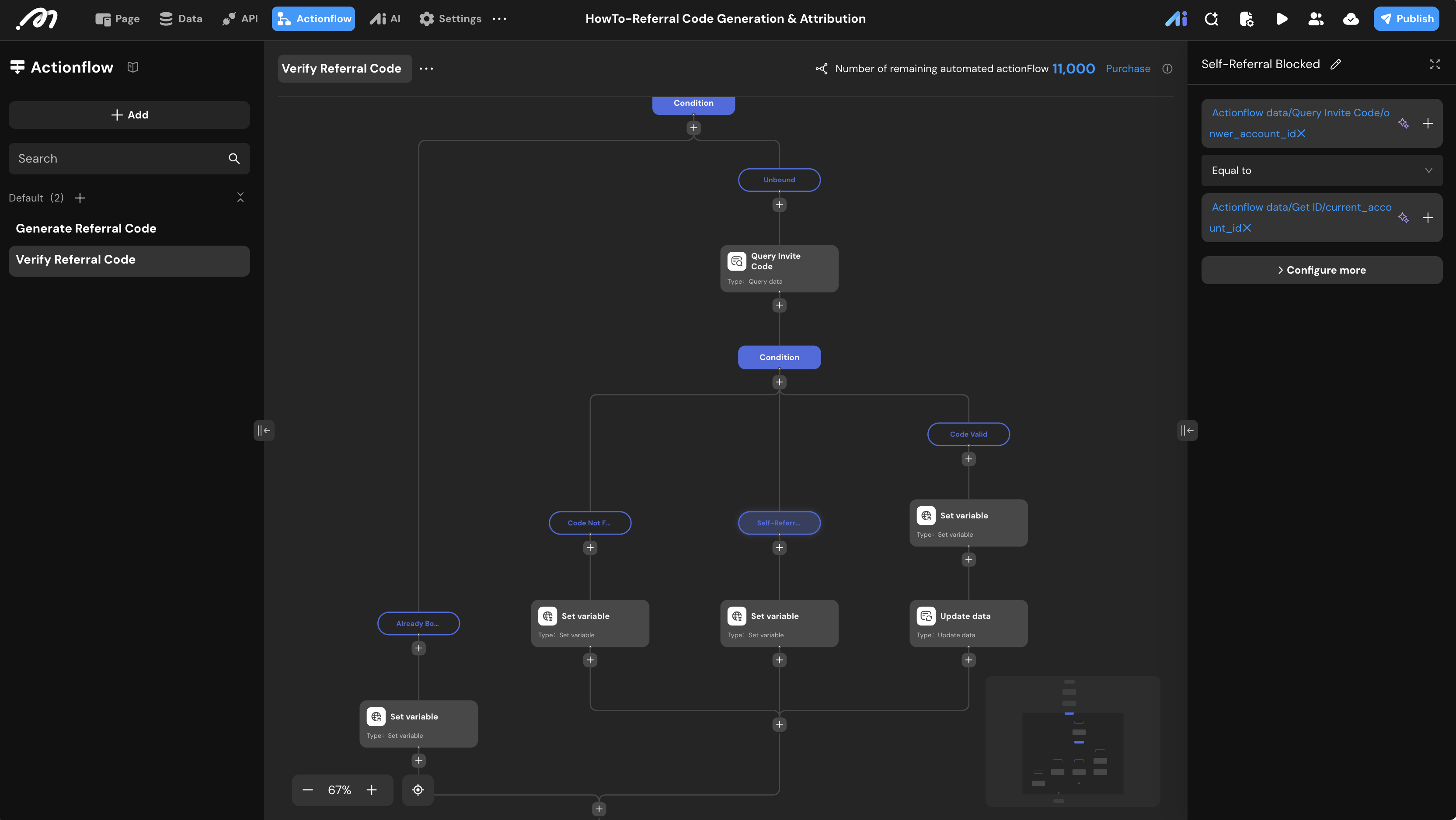
- Case 3: If the previous conditions aren’t met, set
statusto “Verification Successful”.
- Update Attribution: In the Valid branch, use an Update Data node on the
accounttable.- Update the
referrer_idfield with the code owner’s ID.
- Update the
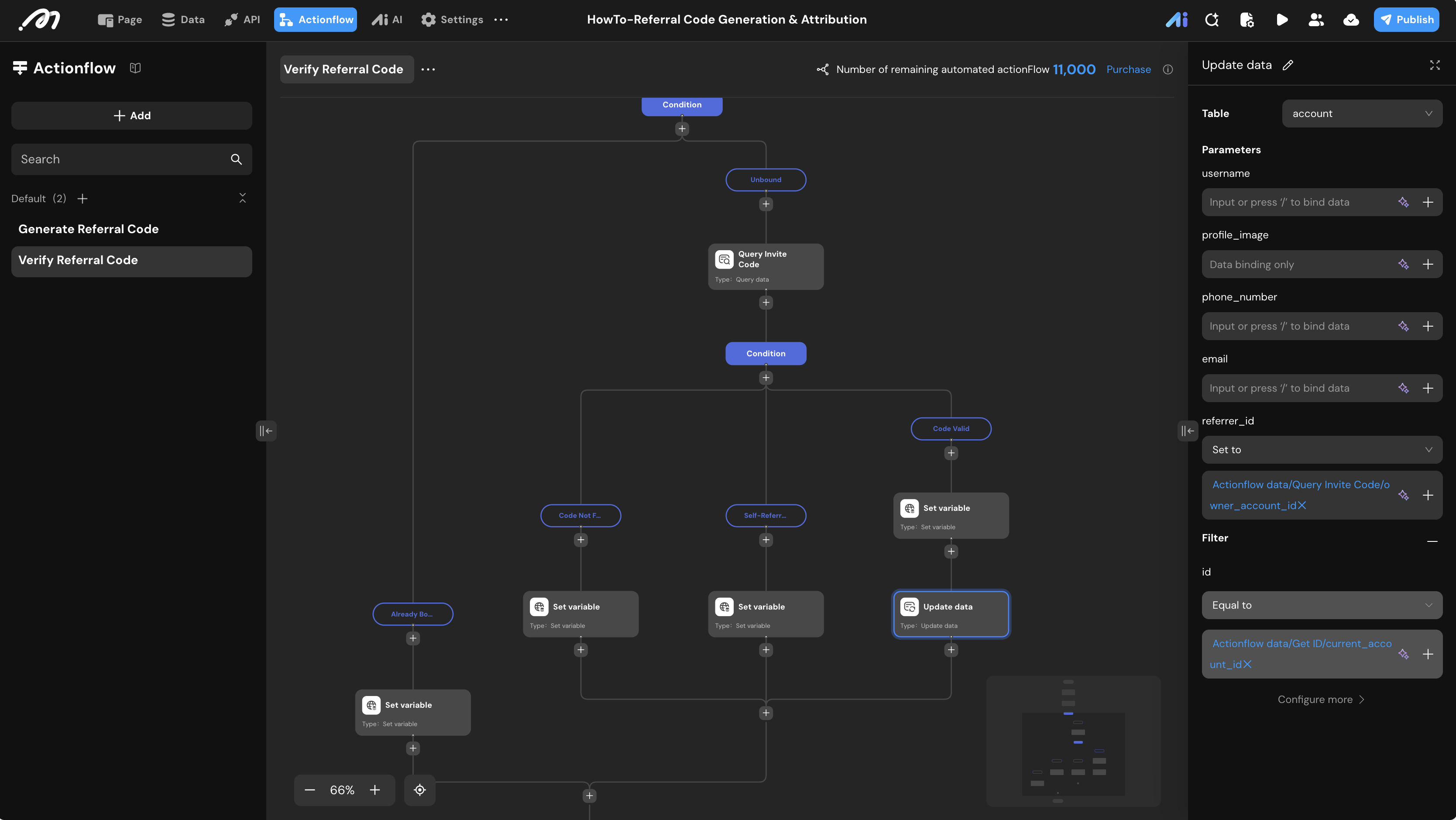
- Output: Return the
statusvariable to the UI.
UI Construction & Interaction
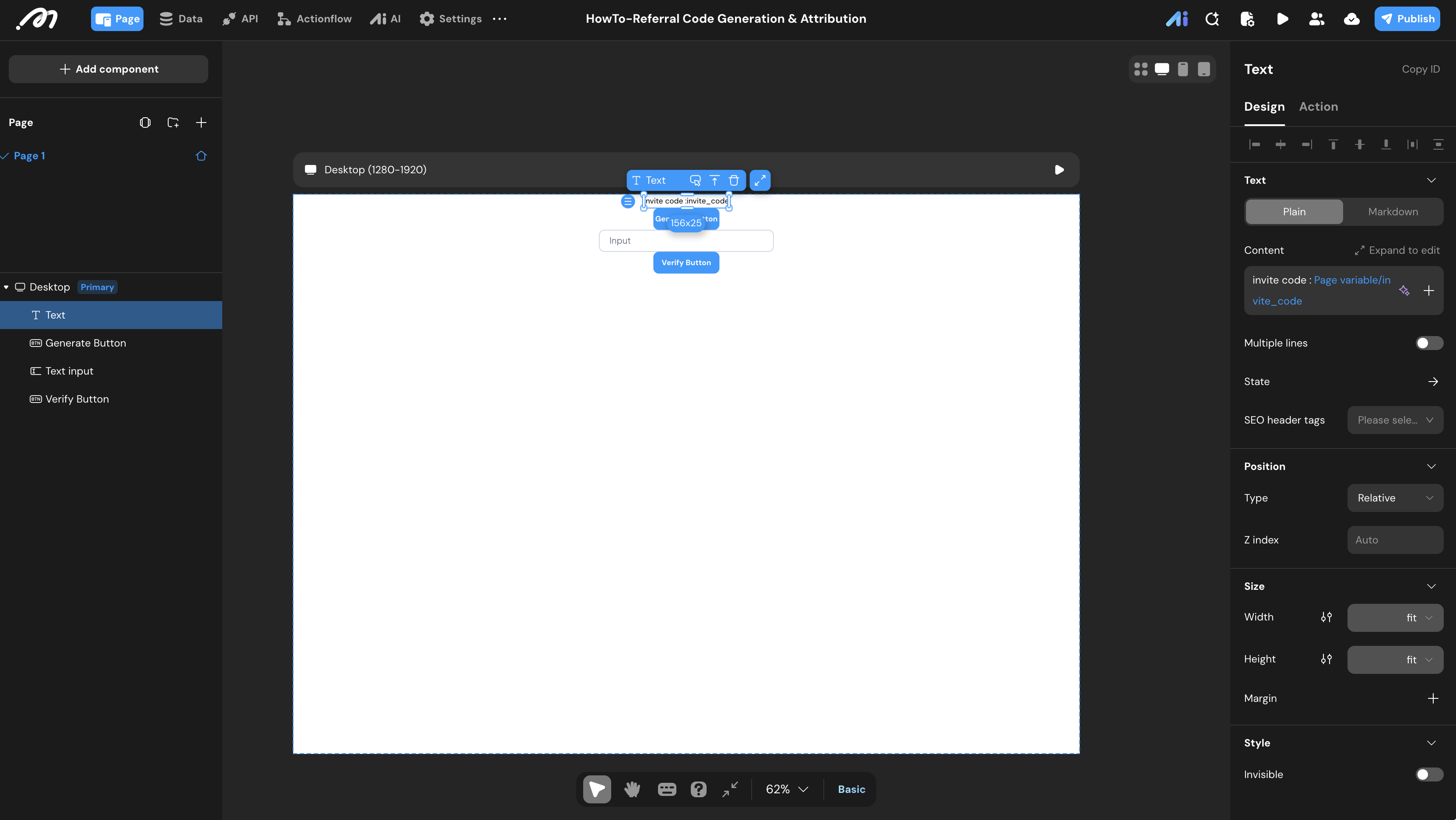
- Page Variable: Define
invite_code(Text) to store the result. - Display: Bind a Text component to
Page Variable.invite_code.
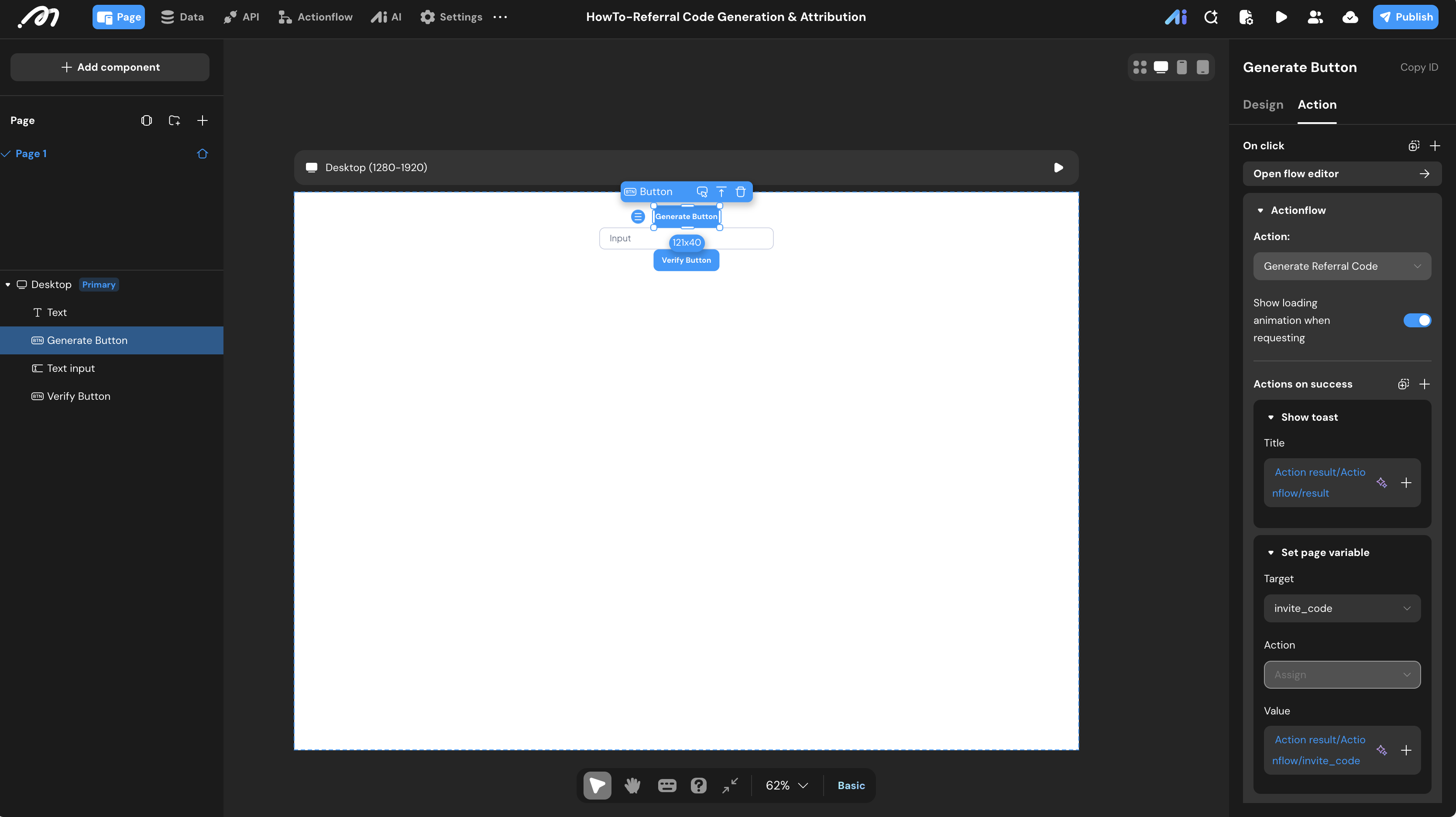
- Generate Button:
- Action:
OnClick-> CallGenerate Referral Code. - On Success: Update
invite_codevariable and “Show Toast” with theresultmessage.
- Action:
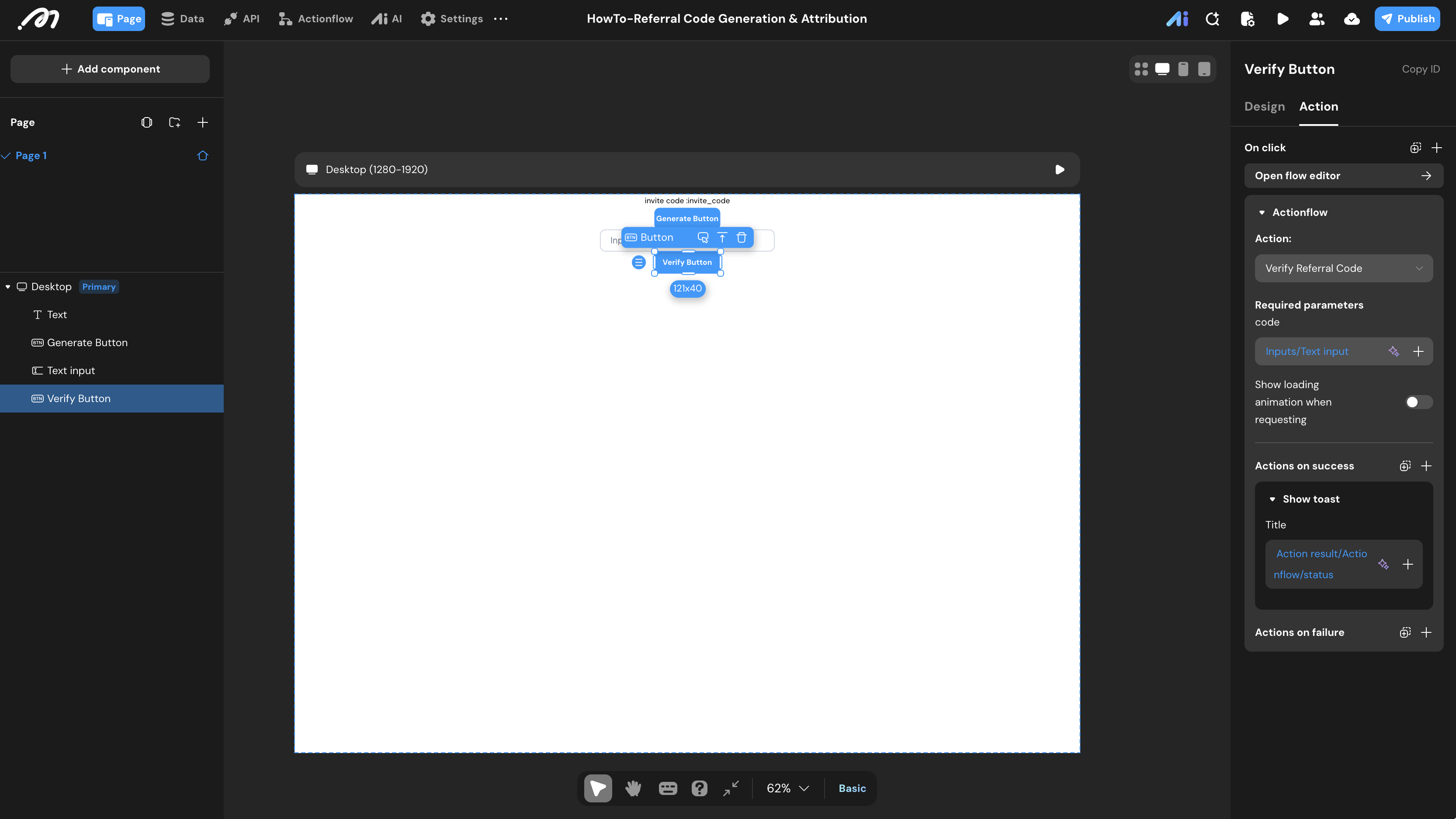
- Verify Button:
- Action:
OnClick-> CallVerify Referral Code(passing the Input value). - On Success: “Show Toast” with the returned
status.
- Action:
Verification
To confirm the system works as intended, use the Preview mode combined with Momen’s “Login Simulation” feature. This allows you to test the logic from the perspective of multiple different users.
Step 1: Generating the Code (User 1)
- Open the Preview and use the Login Simulation bar at the bottom to create or log in as User 1.
- Click the “Generate” button.
- Expected Result: The retry loop executes, a unique 8-character string (e.g.,
SKGMlszc) is displayed via the page variable, and a “Generation Successful” toast appears.
Step 2: Testing Anti-Cheating Logic (User 1)
- While still logged in as User 1, enter your own generated code into the input box.
- Click the “Verify” button.
- Expected Result: The system identifies that the
owner_account_idmatches thecurrent_account_idand triggers the “Self-Referral” branch. A toast should display: “Cannot invite yourself.”
Step 3: Successful Attribution (User 2)
- Switch the Login Simulation to User 2.
- Enter the code generated by User 1 (
SKGMlszc) and click **“Verify”**. - Expected Result: The system validates the code, updates the database, and displays: “Verification Successful.”
- Repeat Check: Try clicking “Verify” again. The flow should trigger the “Already Bound” condition and display: “Already Bound.”
Step 4: Invalid Input (User 3)
- Switch to User 3.
- Enter a non-existent or “fake” code (e.g.,
ABC12345) and click **“Verify”**. - Expected Result: The query returns a null ID, triggering the “Code Not Found” branch. The toast should display: “Invalid Code.”
Step 5: Database Final Inspection
Go to Data Center -> Database to perform the final audit of the records:
- **
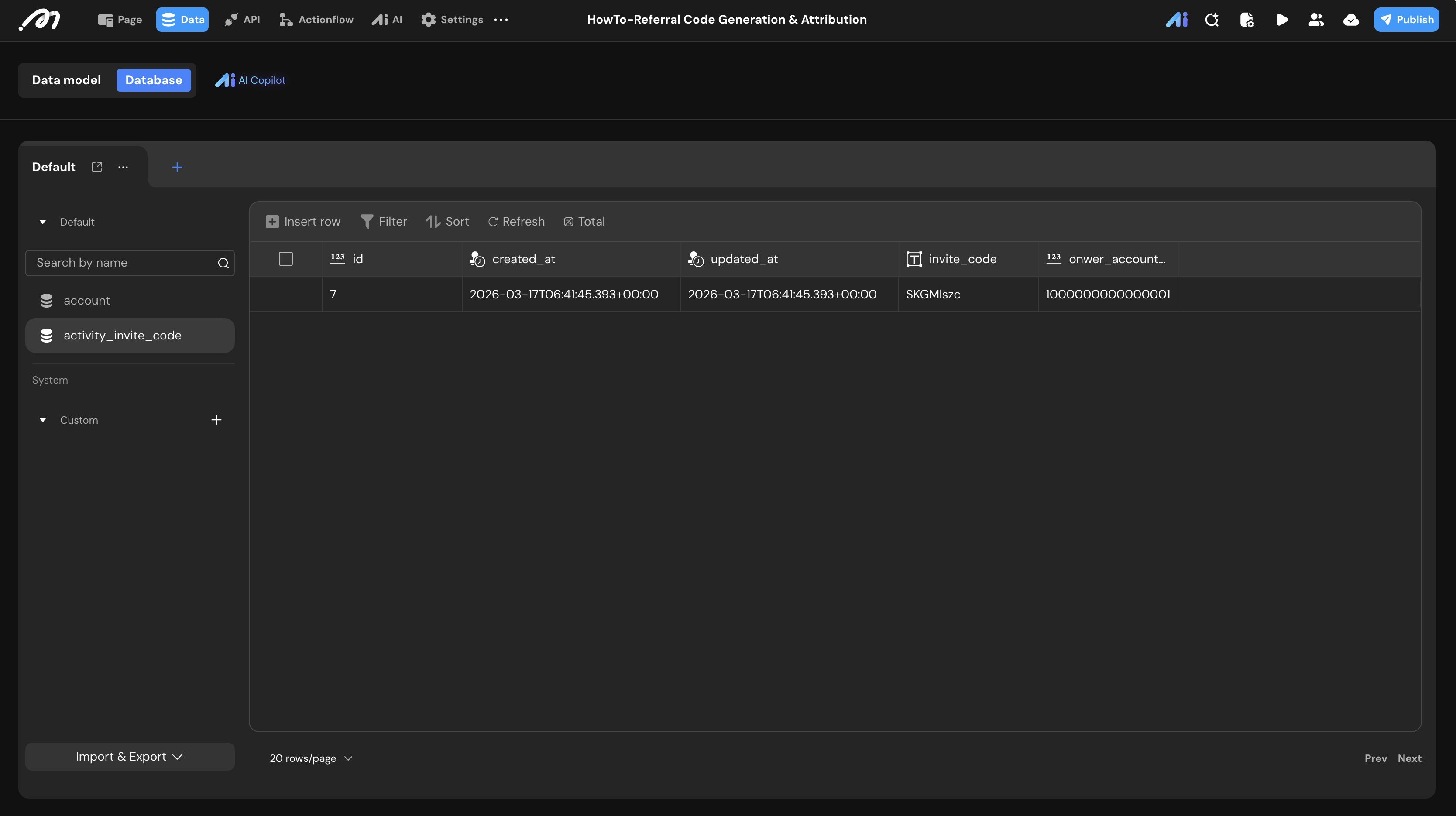
activity_invite_codeTable**: Confirm that the codeSKGMlszcexists and itsowner_account_idmatches the system ID of User 1. - **
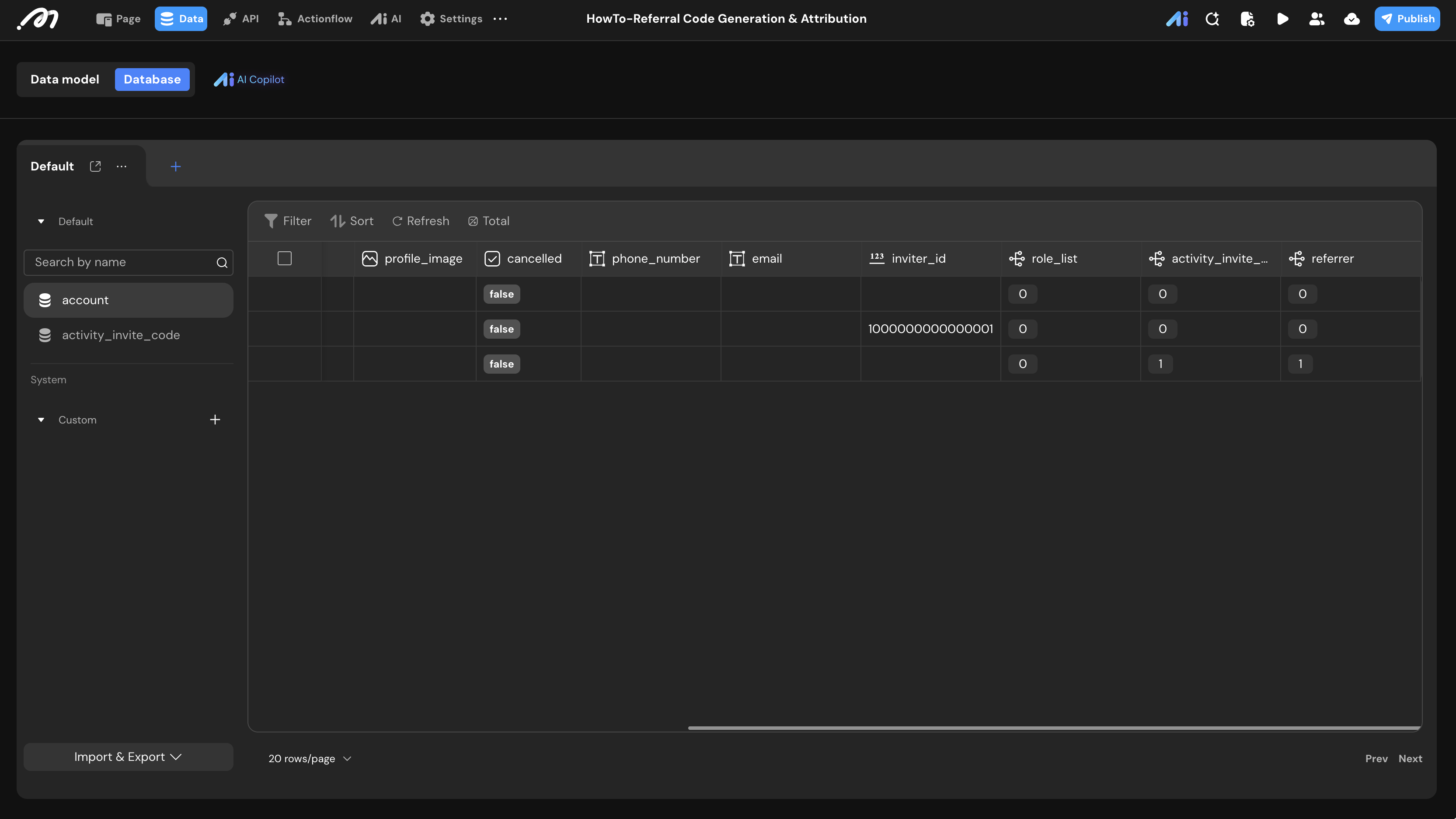
accountTable**: Locate User 2’s record. Thereferrer_idfield should now contain User 1’s ID, and thereferrerrelationship field should correctly point to User 1’s account profile.